
Participant
June 18, 2017
Answered

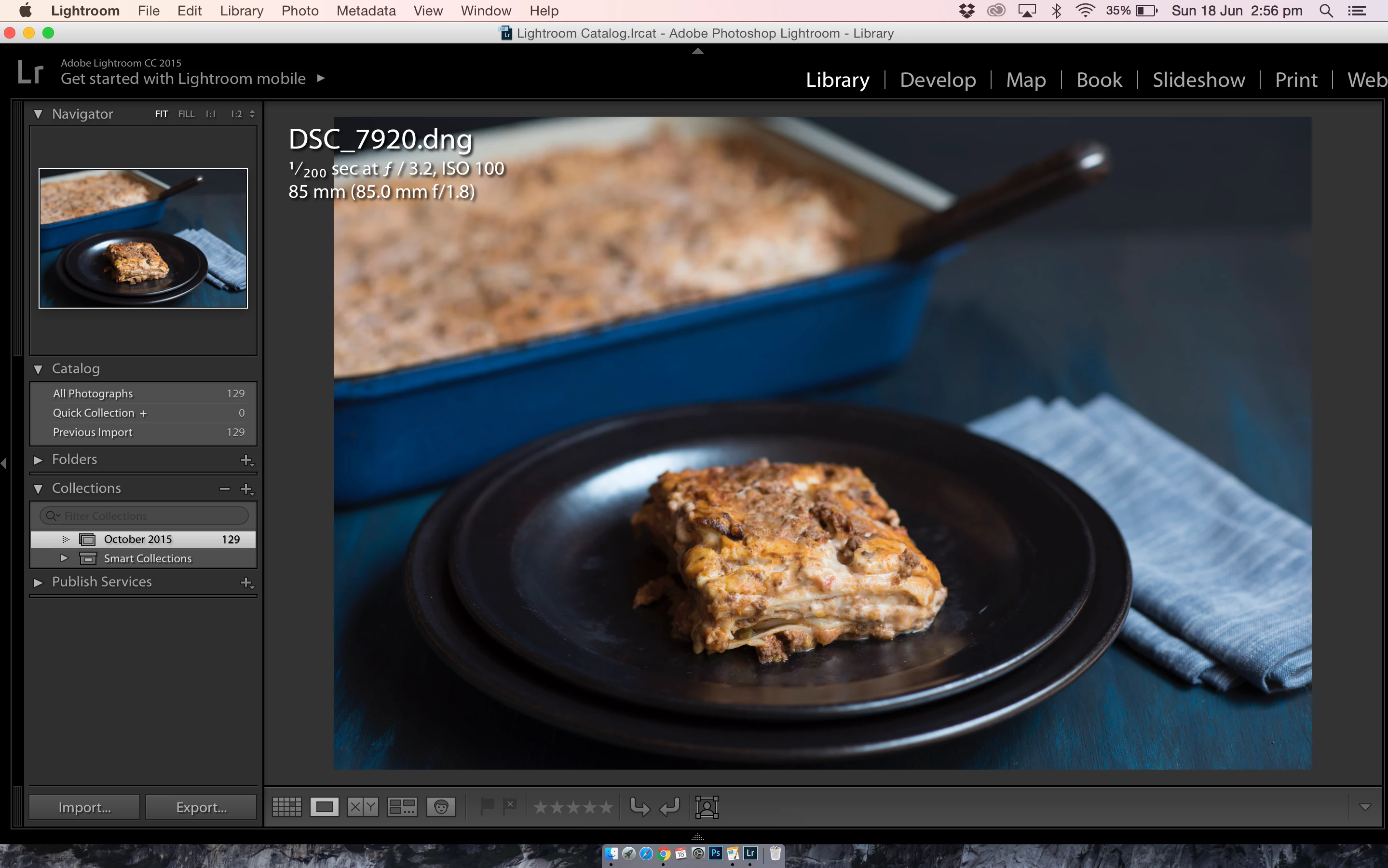
My Lightroom screen can't be open fully

  • June 18, 2017
  • 3 replies
  • 501 views

Hi, need help please. My cat stepped on my Macbook pro screen and the LR screen now stopped at where the MAC icons are at the bottom (see picture). Even if I find the double sided arrow and enlarge the screen, if I press any button on LR it goes back to this...any advice on how to make it normal and fill up the screen again please? Thanks
This topic has been closed for replies.
Correct answer John Waller

Press Shift+F twice.

3 replies

Participating Frequently
March 2, 2023

You should Press Ctrl + F twice to fill up the screen again.

Thanks me later.

Participant
March 2, 2023

My lightroom software not open full screen

John Waller
Community Expert
John WallerCommunity ExpertCorrect answer
Community Expert
June 18, 2017

Press Shift+F twice.

Participant
June 19, 2017

Yes, it worked!!! Thank you so much