Exit
  • Global community
    • Language:
      • Deutsch
      • English
      • Español
      • Français
      • Português
  • 日本語コミュニティ
  • 한국 커뮤니티
0

My presets is missing in Panels in Develop Mode

Nov 08, 2018 Nov 08, 2018

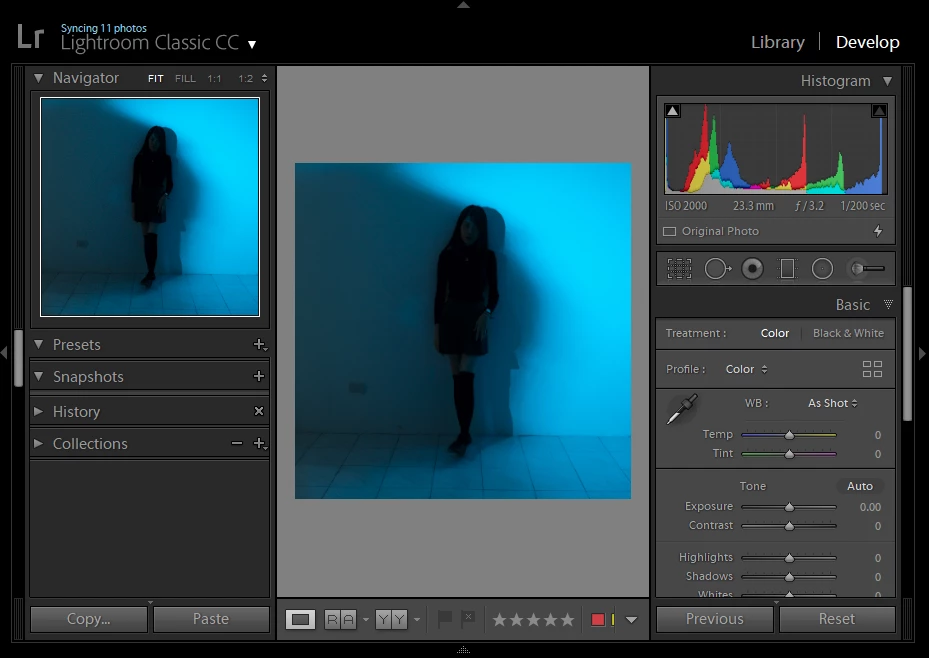
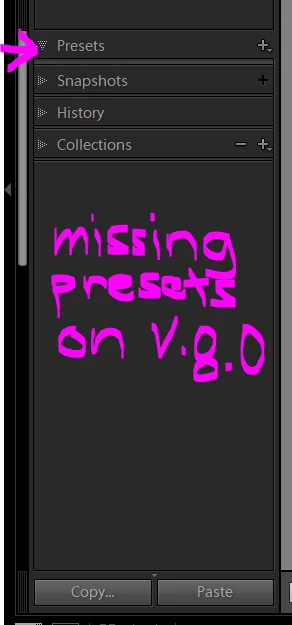
I just update my LR Classic, my presets are missing, anyone can help me what can I do?
Capture.PNG2.PNG

269
Translate
Report
Community guidelines
Be kind and respectful, give credit to the original source of content, and search for duplicates before posting. Learn more
community guidelines
Community Expert ,
Nov 09, 2018 Nov 09, 2018

The screen capture of your main LR Classic window does not display the file type of the image selected, In addition in the right side panel there is no profile showing, not even "embedded". Could you name the file type?

Regards, Denis: iMac 27” mid-2015, macOS 11.7.10 Big Sur; 2TB SSD, 24 GB Ram, GPU 2 GB; LrC 12.5,; Lr 6.5, PS 24.7,; ACR 15.5,; (also Laptop Win 11, ver 24H2, LrC 15.1, PS 27.1; ) Camera Oly OM-D E-M1.
Translate
Report
Community guidelines
Be kind and respectful, give credit to the original source of content, and search for duplicates before posting. Learn more
community guidelines
Community Expert ,
Nov 09, 2018 Nov 09, 2018
LATEST

As can be seen from the white balance sliders, you have selected an RGB file (jpeg, tiff), not a raw file. Presets for raw files often do not show if you select a non-raw file. Another possibility is that they are all hidden. Click on the plus icon and select 'Manage Presets'.

-- Johan W. Elzenga
Translate
Report
Community guidelines
Be kind and respectful, give credit to the original source of content, and search for duplicates before posting. Learn more
community guidelines