

New Catalog Confusion and mess
I've been using Lightroom Classic ever since it was launched. Recently I bought the 1Tb of Adobe cloud storage so that I might be able to use Lightroom Mobile. ALL of my photos are currently in a catalog with the photos contained in a folder named !_pictures_internal (which is on an attached external ssd drive) Within that folder are 3 subfolders named _AAlist; _Blist; and Personal. I only want to use the photos in _AAlist on Lightroom Mobile and thus only want to sync those photos to my Adobe cloud storage.
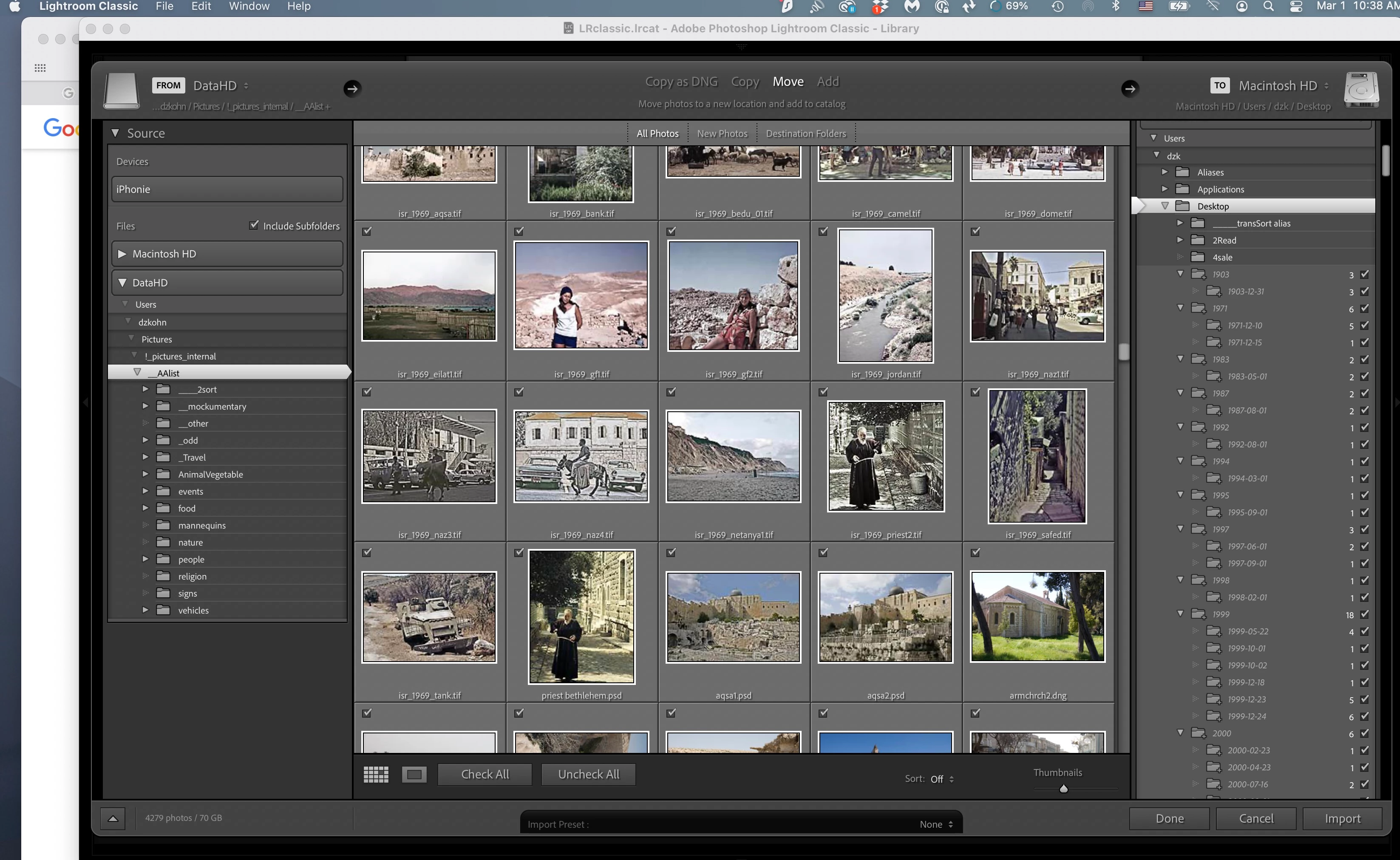
I created a new catalog and then selected the _AAlist folder as the import source. My expectation was that a new catalog containing only the folder _AAlist with all subfolders and content within would be created, but what is happening before my eyes is very confusing (see screenshot below):
1) Photos which had been rotated to proper orientation in the complete catalog are being added to the new one without the rotation.
2) The right panel in the screenshot seems to show that the photos are being imported to my desktop, which is NOT what I wanted, and it is importeing them into folders which are greyed out and which I am unable to locate in Finder (I'm on Mac).
3) The Lightroom Classic interface itself appears to be incomplete, showing, at the top left, only menus for Lightroom Classic, File, Edit, Window, and Help.
I have no idea what is going on here, and am concerned that I am totally ruining my library of thousands of photos. All of the instructions I've read online about the subject of getting the photos in a Lightroom Classic catalog into cloud storage are extremely opaque. Each one I read confuses me more.
What is going on here and what should I do to accomplish the task I've set out to do?
 AdChoices