joecos55
Inspiring
July 9, 2024
Answered

New Lightroom Classic update parent folders all say zero photos

  • July 9, 2024
  • 2 replies
  • 512 views

Opened lightroom to export a couple files and was greeted with the update windw.  I clicked I got it and when the program opened 20 years of parent folders labeled by the year are showing Zero photos. when I open a folder the photos seem to all be there I have not checked every folder yet.


How can this be fixed it used to say 2019  12,000  so I kne how many photos were in each year.  Scren shot attached


Joe Cosentino


[Moved from ‘Bugs’ to ‘Discussions’ by moderator, according to forum rules. A ‘bug’ is not just another word for any problem with software!]
This topic has been closed for replies.
Correct answer GoldingD

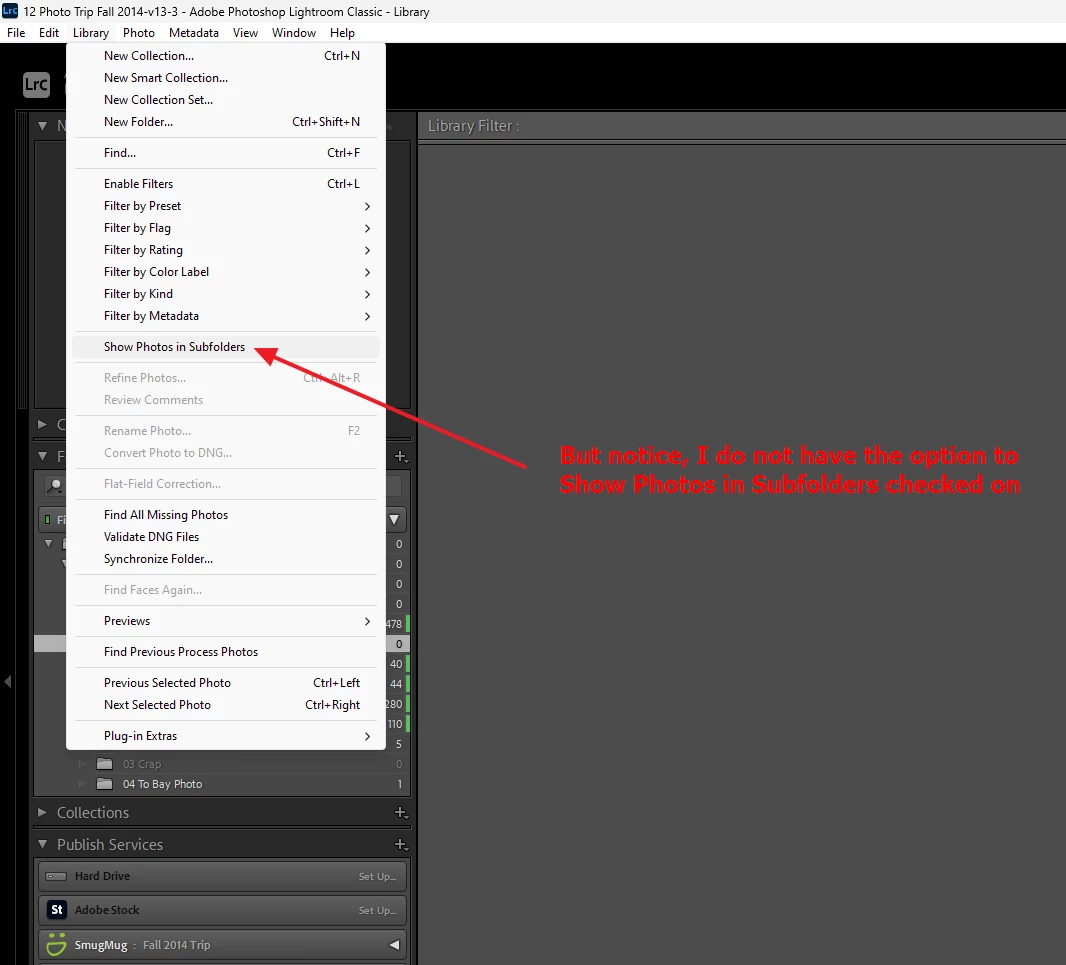
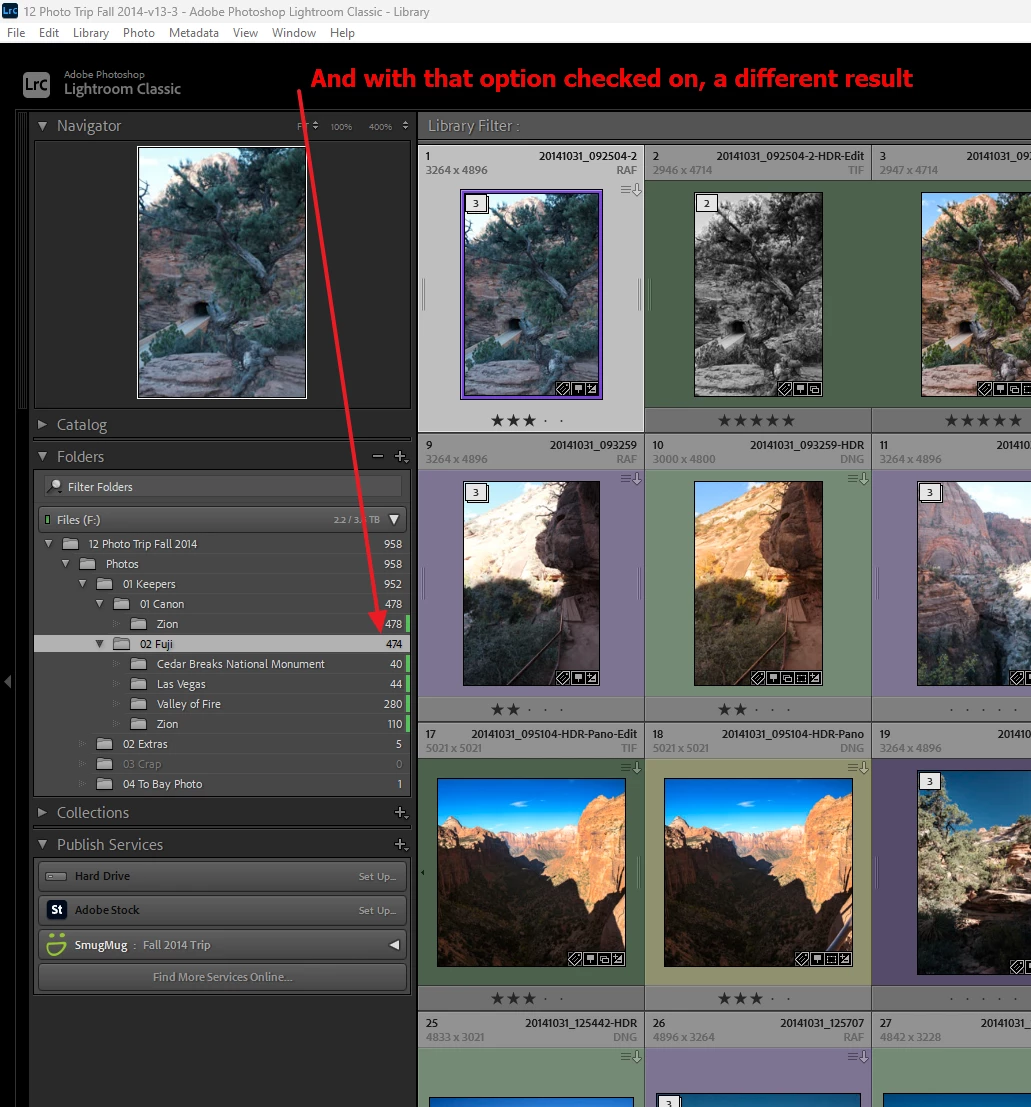
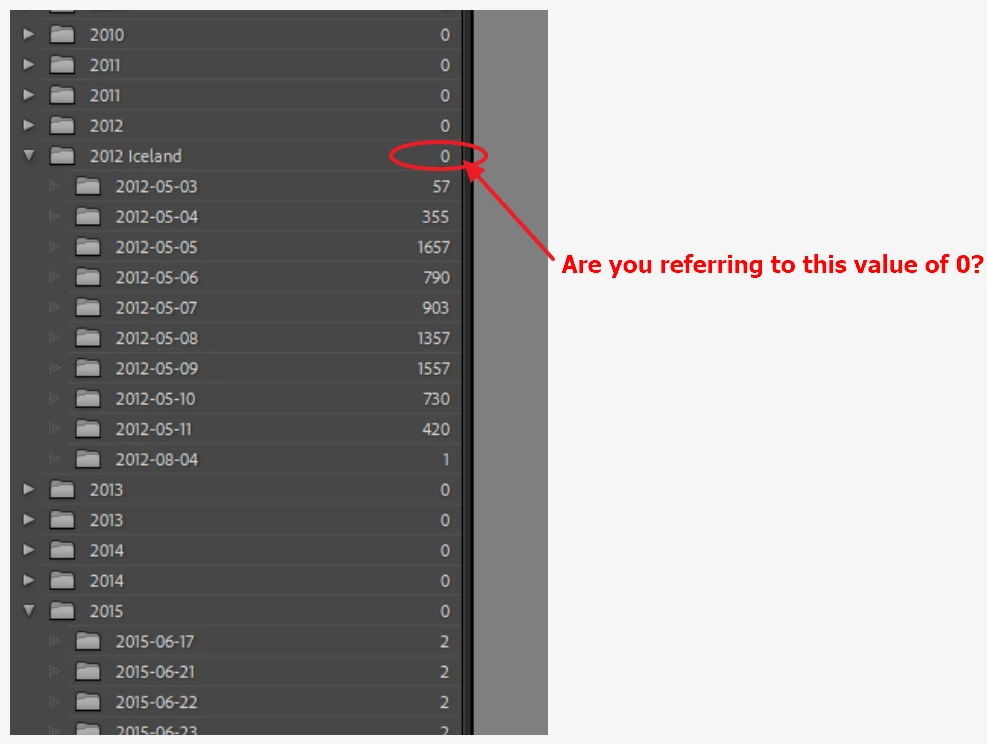
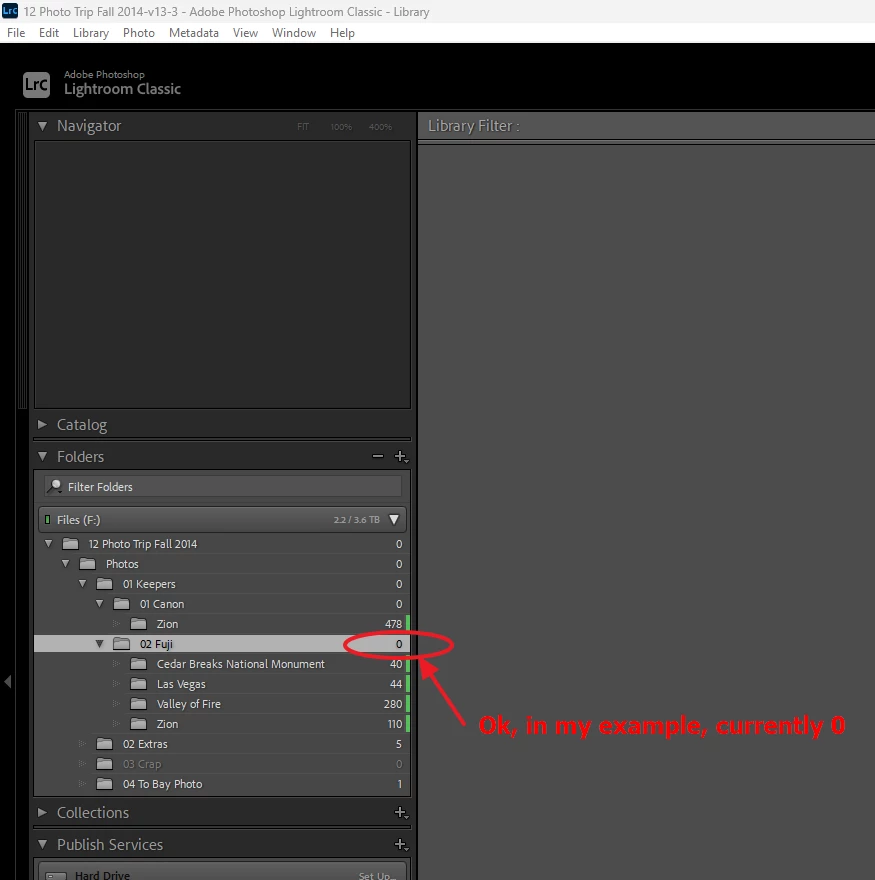
Ok, first up your screenshot (annotated):


Assuming I understand the question, A work thru using one of my catalogs.


2 replies

GoldingD
GoldingDCorrect answer
Legend
July 9, 2024

Ok, first up your screenshot (annotated):


Assuming I understand the question, A work thru using one of my catalogs.


JohanElzenga
Community Expert
Community Expert
July 9, 2024

I did not look at the screenshot, but if that is indeed the issue then @GoldingD is correct that it is just this simple setting that apparently got reset during the upgrade.


-- Johan W. Elzenga
AxelMatt
Community Expert
Community Expert
July 9, 2024

Try resetting the preferences of Lightroom Classic:   https://helpx.adobe.com/lightroom-classic/help/setting-preferences-lightroom.html


It's recommended to backup your preferences before you reset the preferences to the default settings: 

https://helpx.adobe.com/lightroom-classic/kb/preference-file-and-other-file-locations.html

My System: Intel i7-8700K - 64GB RAM - NVidia Geforce RTX 3060 - Windows 11 Pro 25H2 -- LR-Classic 15 - Photoshop 27 - Nik Collection 8 - PureRAW 6 - Topaz Photo AI
JohanElzenga
Community Expert
Community Expert
July 9, 2024

If resetting the preferences does not help, then open the catalog folder and trash the "catalogname helper.lrdata".


-- Johan W. Elzenga