Known Participant
December 6, 2019
Answered

Nikon Z7 in Lightroom

  • December 6, 2019
  • 16 replies
  • 5953 views

Possible major quality issue / bug here: I've not yet search the forums, but I've done enough testing now, even loaning Z7 and lens from Nikon to confirm, that Lightroom CC (and what appears to be Bridge also) just don't support the quality resident in the Z7 (I'ved not tested Z6). I've dozens of images to compare with, on D800, D750, and tests with 27-70 2.8 G v F4 Z, plus tested the Nikon loan camera, so ruled out product variations / body or lens issues.


I took this issue up with Nikon itself, until we diesoverd it was Lightroom itself. A relief to them, but no help to us.


In a nutshell, I totally lost confidence as a pro shooter (portraits etc) on the Z7, until radomly, during testing, I decided to install the trial of another RAW converter / editor  and was totally blown away by the detail I knew should have been there all along


If this issue has not yet been reported, I'm astounded, but I feel this is an urgent issue to address. A simple dropping of a high res, quality file (say a portrait at 100%) will instantly show the comparison. I don't want to have to purchase / learn other software, but I'm gutted to work with soft images. I've tried all varations of sharpenning, noise control etc etc, until I simply opend the file in another converter, and there was the detail that blew me away.


Is Adobe aware of this issue? It runis the output of this expensive camera, and defeats the purpose of working with quality, high-res files, where the D800 and 750 run rings around it in Lightroom output.


Gladly like to hear that this is reported and worked upon?
This topic has been closed for replies.
Correct answer Jao vdL

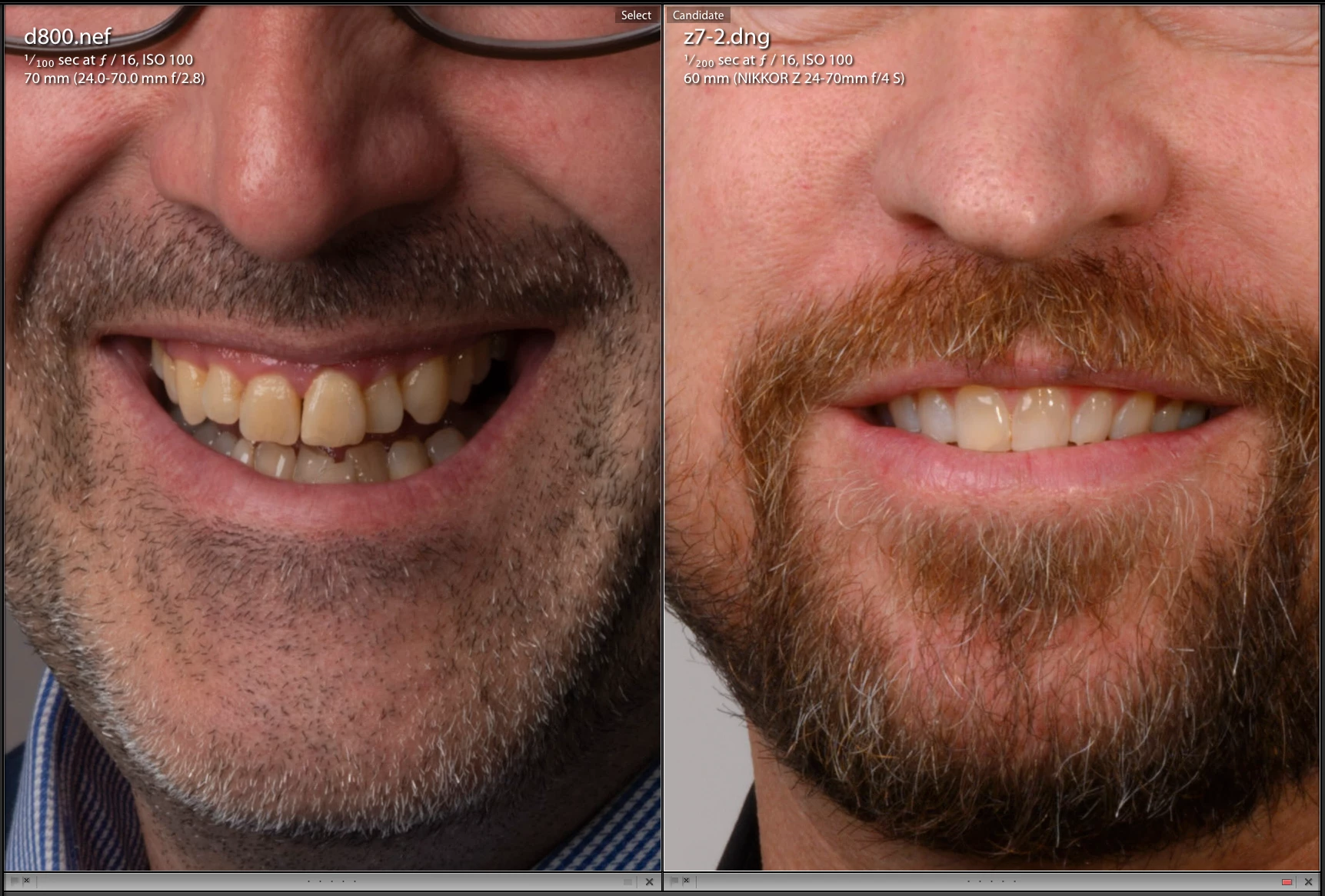
Files from a Z7 look identical to those from a D850 if you compare comparable lenses and f-stop. From a D750 your images will look sharper at 1:1 simply because you are zooming in far less when you go 1:1. Even in your files, if you compare the D800 file with the Z7 file and scale the Z7 file down to the same resolution as the D800 as I did in the screenshot below and set the sharpening and noise reduction to zero, they look identical in detail and sharpness. These are the only two actually comparable images in your set. You HAVE to compare equal 

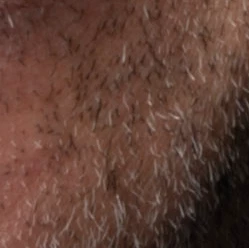
detail from the D800:


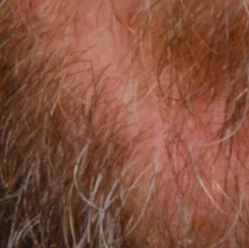
Detail from the Z7 when scaled to the same resolution:

That is to my eyes absolutely identical acuity as you expect for diffraction limitation.


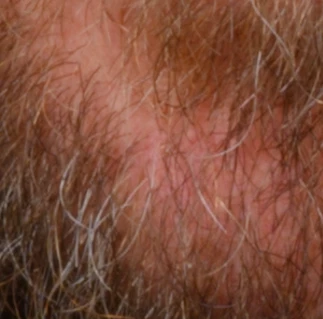
This is the Z7 at its native size:

This looks exactly like you expect from the f-stop you used. It is limited by physics, not the sensor or the raw converter.


What you are looking at is inherent limits of physics at high f/stops.


Here is an example D850 file I found on the net. Shot at f/16 with a very sharp lens but turning off all sharpening. You see diffraction induced softness exactly like you expect.

https://www.photographyblog.com/previews/nikon_d850_photos


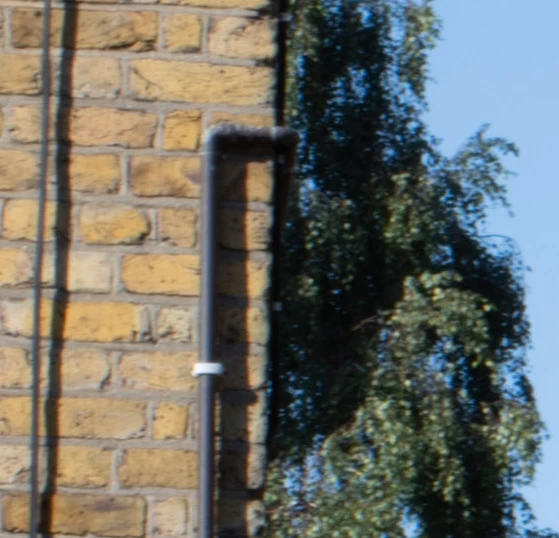
Andf here is one of my own Z7 files at f/16

Exact same amount of diffraction softness. This is unavoidable if you have to shoot at high f-stops.

16 replies

D Fosse
Community Expert
Community Expert
December 6, 2019

No wait - Per is right! There is a small scaling difference here, something like 100% vs 110%. That's more than enough to soften it considerably.


This must be your iMac doing something strange with the whole Lightroom application.

Per Berntsen
Community Expert
Community Expert
December 6, 2019

I don't know if this is the cause of the problem, but your latest screenshots do not seem to be at the same magnification.

When I view them full size, the ones from Lightroom are a little larger than the others, which I'm guessing are from Capture One.

So are you sure that your're viewing at 1:1 in both applications?

Known Participant
December 6, 2019

I'm compraing 1:1 in both software. I can if you wish, try to resize my grab to represent that, just a hassle is all.  I'll try to do that now. However, with the very small amount of magnification difference, it will show similar, as that's what I see on my screen of course. The grabs a representative


D Fosse
Community Expert
Community Expert
December 6, 2019

Better yet, put Lightroom and Capture One side by side, both at 1:1, and screenshot that.

D Fosse
Community Expert
Community Expert
December 6, 2019

You're clearly not comparing at 1:1. If you did, they'd obviously be the same size, which they're not. So which one is 1:1, and which one some other zoom ratio?

D Fosse
Community Expert
Community Expert
December 6, 2019

Ah, that's apparently just an artifact of how the forum displays images.


I downloaded an example pair, which open at the same scale in Photoshop. And yes, I agree the Capture One version looks sharper. No idea what's going on here.


Per Berntsen
Community Expert
Community Expert
December 6, 2019

You have Luminance noise reduction set to 25 on the Z7 image (0 on the others)

This will reduce sharpness, so try setting it to 0.

Known Participant
December 6, 2019

Thank you - yes, I tried all these combinations at length. Setting the NR to 0 had aonly a very slight effect. The best was detail to 100% in sharpening, but such a gross adjustment is obviously totally OTT, and non-optimal.Let me get the final comparisons to you, and you will see it for yourself. The issue is the LR rendering of the RAW files, whereas the competing software reveals what is masked by LR conversions, yeilding a very unsatifiying output, and what looks like 'blur' etc.  The competing software used ZERO sharpening, and blew the LR Raw conversion out of the water. I do hope Adobe look into this in more detail, as there is no filter over this sensor, and my d800 gobbled it up for sharpness and detail

Known Participant
December 6, 2019

DROPBOX LINK HERE FOR COMPASIONS TESTS: https://www.dropbox.com/sh/19c9a3m47elckaa/AABfHlYBAb6U8xsn7poNzkQ8a?dl=0


OK - here we go. I had ONE day left of my trial so starting some testing for you all. Here is just the very first, untweaked comparison. Notice, I have not adjusted the comparision software RAW EXPOSURE WISE, so it is a little ugly that way, but surely, immediatley once notices a total difference. SHorlty, I'll try to upload amore fair comaprision, which will yield every more pleasing resulsts from the competing RAW converter.

Per Berntsen
Community Expert
Community Expert
December 6, 2019

At what magnification are you viewing the images?

1:1 is the only magnification that gives you a true impression of the image. Any other magnification will be inaccurate and misleading because the image has been scaled.

I also notice that you're using f/16, which will degrade the image because of diffraction.

Using f/11, or even better f/8 will make the images sharper.


For what it's worth, I have been using the Z7 with Lightroom for almost a year with the same lens that you have, and I find image quality to be excellent. Images from the Z7 are considerably sharper than those from the D800E that I used before.

Known Participant
December 6, 2019

Thank you. Yes, these are screen grabs at 1:1.  The issue is very clearly noticable, so I have considered this at length. There is also at least one other individual who has rasied this in the fourms in multiple places.


Regarding F16, I too considered this at the time, and was discussed with Nikon, and subsequently to these intital tests, I did indeed reshoot at a lower f number. No effect. If you were in front of my monitor, you would be astounded at this difference. I also realise the Z is more MP than the 800, however, it is irellevant once you see the output of the SAME z7 files in the opposing software. Night and day, so that closed the case for me. But of course begs the question, what on earth is wrong with the LR raw conversion on these Z7 files?

Known Participant
December 6, 2019

One more note on this: I also considered if it was simply a LR issue, and that once in PS, the files would revert to the shaprness / res I'm used to. However, this is sadly not the case. PS carries with it the imported conversion from LR, rendring the workflow ruined from import to output. The Z7 quality was only revealed to me on the trial version software I installed, almost 6 months after using the camera, and being disapointed, and wondering about shutter slap, VR issues etc, all of whcih I reserached (and am aware of - and use electronic shutter etc to mitigate) and ruled out entirely.

john beardsworth
Community Expert
Community Expert
December 6, 2019

Post some sample screenshots showing what you mean, and include the relevant adjustments.

Known Participant
December 6, 2019

Dropbox Link if required: https://www.dropbox.com/sh/gsn4tjtrb3uxb4a/AAAltpHyMOiTgcTFc4pGhKL9a?dl=0

Below you will see my inital testing using the SOOC RAW conversion settings in LR Classic.  You will see the sharpness and clarity evident with standard settings on the D800 and D750, but instally notice the horrible output on the Z7, which only marginally improves after a great deal of sharpening etc.  My next post will show the difference of render quality in the competing software, v LR. Hwoever, my issue will be re-installing this competing software, as I only had a trial. By that stage, I was convinced, and there was no need at that time to capture any screen grabs of the output, as I knew what the issue was. So bear with me as I will install and capture the comaprisons as soon as possible (it's weekend now, and my need to install on our Macs at work when I return next week - in case my machine recgonised my trial has expired etc)