Known Participant
December 6, 2019
Answered

Nikon Z7 in Lightroom

  • December 6, 2019
  • 16 replies
  • 5954 views

Possible major quality issue / bug here: I've not yet search the forums, but I've done enough testing now, even loaning Z7 and lens from Nikon to confirm, that Lightroom CC (and what appears to be Bridge also) just don't support the quality resident in the Z7 (I'ved not tested Z6). I've dozens of images to compare with, on D800, D750, and tests with 27-70 2.8 G v F4 Z, plus tested the Nikon loan camera, so ruled out product variations / body or lens issues.


I took this issue up with Nikon itself, until we diesoverd it was Lightroom itself. A relief to them, but no help to us.


In a nutshell, I totally lost confidence as a pro shooter (portraits etc) on the Z7, until radomly, during testing, I decided to install the trial of another RAW converter / editor  and was totally blown away by the detail I knew should have been there all along


If this issue has not yet been reported, I'm astounded, but I feel this is an urgent issue to address. A simple dropping of a high res, quality file (say a portrait at 100%) will instantly show the comparison. I don't want to have to purchase / learn other software, but I'm gutted to work with soft images. I've tried all varations of sharpenning, noise control etc etc, until I simply opend the file in another converter, and there was the detail that blew me away.


Is Adobe aware of this issue? It runis the output of this expensive camera, and defeats the purpose of working with quality, high-res files, where the D800 and 750 run rings around it in Lightroom output.


Gladly like to hear that this is reported and worked upon?
This topic has been closed for replies.
Correct answer Jao vdL

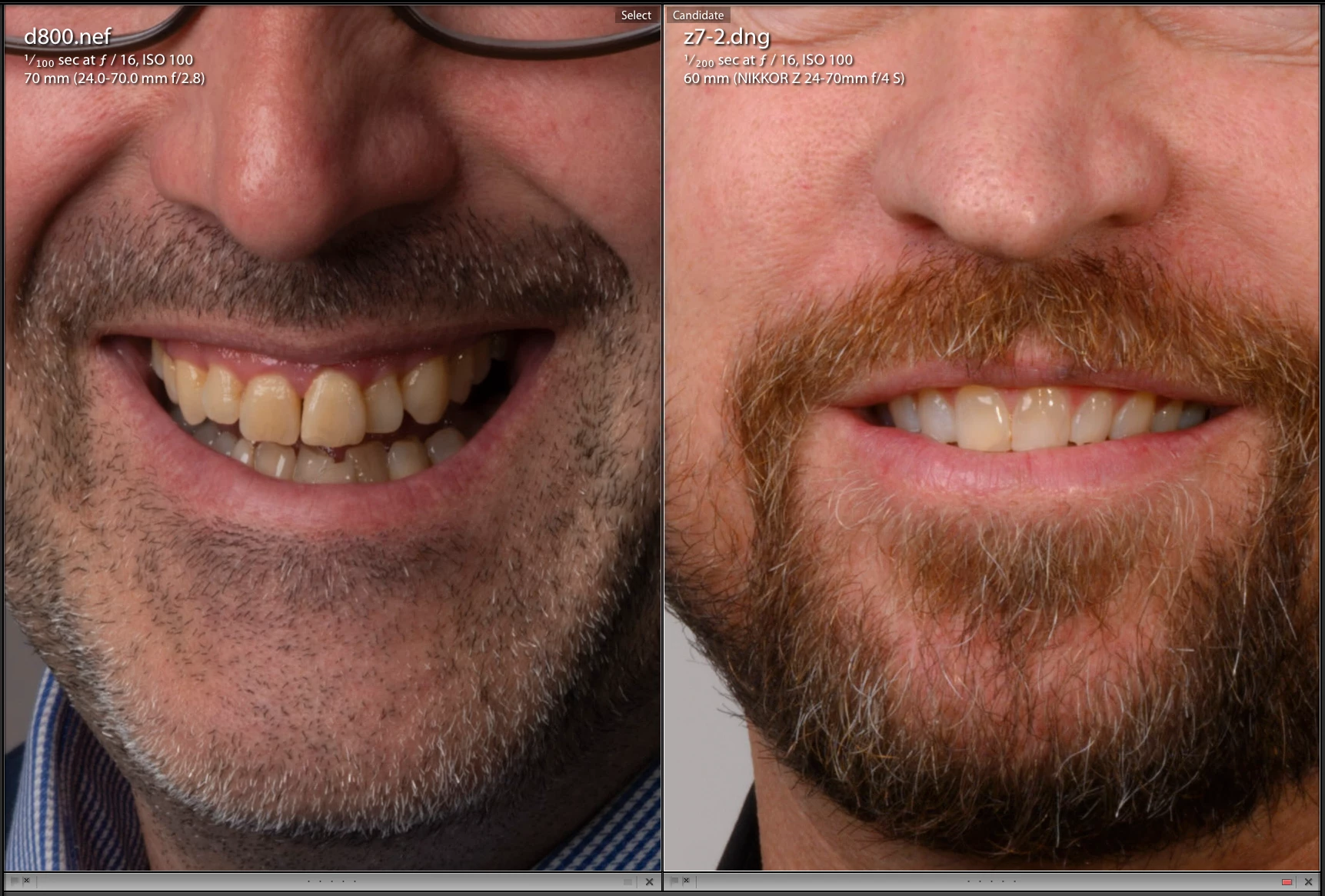
Files from a Z7 look identical to those from a D850 if you compare comparable lenses and f-stop. From a D750 your images will look sharper at 1:1 simply because you are zooming in far less when you go 1:1. Even in your files, if you compare the D800 file with the Z7 file and scale the Z7 file down to the same resolution as the D800 as I did in the screenshot below and set the sharpening and noise reduction to zero, they look identical in detail and sharpness. These are the only two actually comparable images in your set. You HAVE to compare equal 

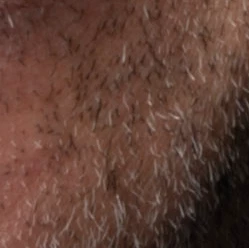
detail from the D800:


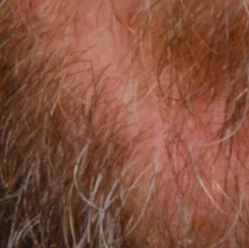
Detail from the Z7 when scaled to the same resolution:

That is to my eyes absolutely identical acuity as you expect for diffraction limitation.


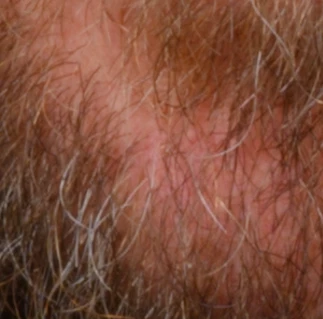
This is the Z7 at its native size:

This looks exactly like you expect from the f-stop you used. It is limited by physics, not the sensor or the raw converter.


What you are looking at is inherent limits of physics at high f/stops.


Here is an example D850 file I found on the net. Shot at f/16 with a very sharp lens but turning off all sharpening. You see diffraction induced softness exactly like you expect.

https://www.photographyblog.com/previews/nikon_d850_photos


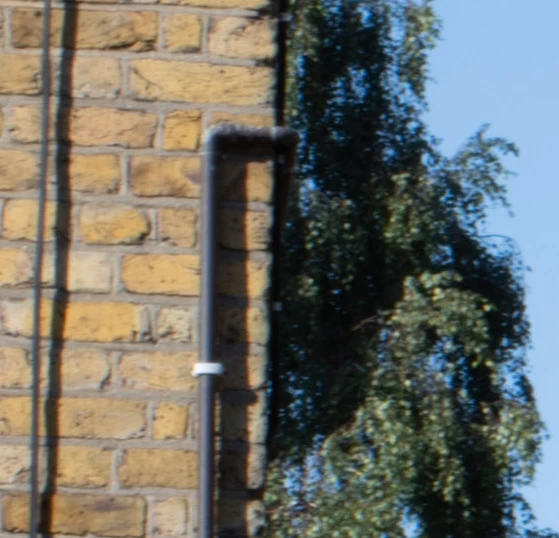
Andf here is one of my own Z7 files at f/16

Exact same amount of diffraction softness. This is unavoidable if you have to shoot at high f-stops.

16 replies

Participant
January 18, 2024

Im about to give up on my z711  i have tried everything and the images are not there. 
there are lots of people that have a lot of reasons why.

i have an d 850 and it is wonderfull, the colors are great sharp have depth, so the images are indeed not the same.

i dont need to do side by side test. , its too evident. Settings reset  color space . You name it.

if you can figure it out i would love to here it. 

Rikk Flohr_Photography
Community Manager
January 18, 2024

You’ve posted to an ancient thread. It is highly unlikely that the issue described in this thread, though not impossible, is the same one you are currently experiencing. Rather than resurrect an old thread that is seemingly similar, you are better off posting to a new thread with fresh, complete information, including system information, a complete description of the problem, and step-by-step instructions for reproduction. 


If the issue is the same, we will merge you back into the appropriate location. 


Thank you!


Rikk Flohr: Adobe Photography Org
D Fosse
Community Expert
Community Expert
December 9, 2019

Interesting discussion, thanks all. Learning points to be picked up by everyone here 🙂


On a slightly different note, this completely deflates the Capture One marketing, which has always been about "the undefinable magic", the fantastic skin tones and so on. Frankly, the skin tones in the C1 examples here are pretty bad IMO, Lightroom looks a lot better out of the box. And then there's the half-baked DNG support, and an interface that hurts the eyes. No thanks, even if they have a nifty auto sharpening.

Community Expert
December 8, 2019

Capture one has sharpening in several places. By default it will do a "Diffraction Correction (deconvolution sharpening)" sharpening which is meant to correct for the diffraction sharpness loss automatically that we talked about. I believe it automatically adjusts the amount and radius based on the image resolution, f-stop and focal length you used. The sharpening that you zeroed is sharpening that is applied on top of that. So if you zeroed sharpening there is still considerable sharpening being applied. That is a neat feature that Lightroom Classic doesn't have so in Lightroom you just have to do it manually with the standard sharpening controls and sharpen high f-stop images more than low f-stop images. When you zero sharpening in Lightroom there is no sharpening whatsoever applied and you see the real raw image acuity that the sensor captured. Lightroom's demosaic is pretty much state-of-the-art and the sharpening works really well. There is no other raw converter that can extract significantly more detail from an image. Capture one is quite good but not significantly better at this (i've tested basically every raw converter out there). The automatic sharpening features are quite neat though.


In fact my workflow is to cull images first based on composition, facial expression for portraits, and whether the focus point is where I want it or in landscapes whether I have enough depth of field. Then the very first thing I do is exposure correction followed by hitting the detail sliders. You need to do the detail sliders very early in the development workflow. It is meant to be a capture sharpening - i.e. to correct for aperture diffraction and Bayer mosaic sharpness loss. You do this at 1:1 zoom. After that I don't touch the sharpening anymore and just work on the lighting and style of the image.

Known Participant
December 8, 2019

Thank - yes, I usually apply deconvolution sharpening in a plug in I have, once in PS.


That would explain the enhanced sharpness in Capture if it does to this step prior.


My question would be this in regards what we have reached at this point in discussing this potential issue: from what you are saying, the 'zeroed' images of Z7 in Lightroom are in fact accurate representations of the Z7 imaging pipeline from the sensor, directly to screen (via LR) - and that is where my issue probably still lies. If the Z7 raw conversion is accurate, and shows the full detail of the Z7 as recorded to sensor by the camera / lens cobo, then I just can't get over how soft and ugly it is!


My question is this: why do d800, d750 record to sensor so much better, than the latest gen Z?  It shoudl look EXACTLY like a d850 sensor. So if someone with a D850 could post a zeroed LR RAW screenshot of their camera, and comapre that to the Z, I believe that we would see different images, unless there is still something up in my system.


The only other possiblity as far as I can see it, is that LR is not bringing in the true starting point of either Z7 images, or it is enhancing the true starting point of my D800 and d750's (and other cameras I've viewed in LR).


Why not rather bring in the file at the full acuity of the sensor in the fist place, or have they taken a NEW approach with the Z series, and applied less sharpening to imported files? I can't see that it woudl be the difference soley betwen 36mp and 45mp on the two high res cameras?


So I'm still confused here as to the difference in 'starting points'. As you can see in previous screen shots, the zeroed images on the z surely cannot be displaying the true acuity of the sensor? Where would sensor testing labs be able to start? For the d800 I owned was far sharper when zeroed?  Where can we actually see a represenation of a RAW sensor, that is equally processed all things considered? Has Adobe's handling of the Z RAWs taken a new approach perhaps? Or it still could be my machine?  


However, as you say, the detail can be restored (at least apparent detail) via software, but it is still an uneasy feeling to have to apply this in post in what I consider a much harsher measure to achieve what previous cameras revealed much earlier on in the sharpening regieme, and even when zeroed.

Jao vdLCommunity ExpertCorrect answer
Community Expert
December 8, 2019

Files from a Z7 look identical to those from a D850 if you compare comparable lenses and f-stop. From a D750 your images will look sharper at 1:1 simply because you are zooming in far less when you go 1:1. Even in your files, if you compare the D800 file with the Z7 file and scale the Z7 file down to the same resolution as the D800 as I did in the screenshot below and set the sharpening and noise reduction to zero, they look identical in detail and sharpness. These are the only two actually comparable images in your set. You HAVE to compare equal 

detail from the D800:


Detail from the Z7 when scaled to the same resolution:

That is to my eyes absolutely identical acuity as you expect for diffraction limitation.


This is the Z7 at its native size:

This looks exactly like you expect from the f-stop you used. It is limited by physics, not the sensor or the raw converter.


What you are looking at is inherent limits of physics at high f/stops.


Here is an example D850 file I found on the net. Shot at f/16 with a very sharp lens but turning off all sharpening. You see diffraction induced softness exactly like you expect.

https://www.photographyblog.com/previews/nikon_d850_photos


Andf here is one of my own Z7 files at f/16

Exact same amount of diffraction softness. This is unavoidable if you have to shoot at high f-stops.

D Fosse
Community Expert
Community Expert
December 7, 2019

OK, thanks.


Unfortunately I no longer have Capture One installed (I had a subscription but positively hated the interface, so I cancelled about a year ago). So I can't compare those. But in Lightroom, I can't say that the Z7 files look any softer than the D800 files - at the same sharpening settings. At default, the Z7's are set to 0, while the D800's are set to 40. There is a difference right there.


One of the example images posted from the Z7 has critical focus on the tip of the nose, not the eyes. Could that play a part in your assessment?


Anyway, I do notice that distortion correction has a pretty big impact on overall scaling. So if there is something funny going on here, it could be the lens profiles and how they are read and applied in each application. There is absolutely zero reason this should be interpreted differently in Lightroom/ACR vs. Capture One.


Someone who has both Lr and C1 installed should look at this.


Known Participant
December 7, 2019

Hmm. That's interesting. My defaults for z7 are very different. Perhaps I will reinstall LR. My profiles are imported automatically and it applies preset sharpening. I only quickly grabbed some Raw's. I can certainly find others. Re focus, I'll check that one. But the softness is apparent on all z images either way, on my machine. 

I wonder what z profile you are using?  I've played with graphics snd version settings. No change my end. 

I need to test on Pc and another Mac to rule out my machine. 

Community Expert
December 7, 2019

As I said above, the Z7 includes camera raw/Lightroom develop instructions that modify the default settings to something Nikon likes. Typically this means somethinhg like 20-30 sharpening (depending on your in-camera settings), a radius of 2.0, 25 detail, and no masking. It also always sets luminance noise reduction to 25. This is done by your camera and except if you apply a preset on import, it will always set these values for Z7 files! The default in Lightroom for all other cameras is 40 sharpening, radius 1, detail 25, and masking zero, with no noise reduction. 


I find that high f/stop images from a 45 MP camera typically need something like 50 to 70-range sharpening, radius 1.5, detail 25, and masking 25. Luminance reduction around 10 works well. Again this is exactly like you expect from the physics of the optical system. If a raw converter shows you something that appears sharper, it is applying extra default sharpening.

D Fosse
Community Expert
Community Expert
December 7, 2019

Introducing Mac Preview into this mix is probably just confusing the issue. It's not a raw converter; it's reading the embedded, camera-generated jpeg, not the raw data.


I don't have a Z7 (I switched to mirrorless before Nikon, so I use a Sony a7rII, but still have the D810). So I'll just stay out of this for now. But I still think the 10% scaling is the smoking gun. Would it be possible to put an original NEF in dropbox for others to check?

Known Participant
December 7, 2019

Thanks that's good to know. I wasn't sure how Mac OS read the raw. The jpeg preview explains it. Sure. I'll get a Raw file in Dropbox. 

Known Participant
December 7, 2019

Here's the link to the dropbox RAWS - several d800 and a couple of Z7 all shot in studio. You'll have to up the exposure on a couple etc to get a good look at them. I usually also pop the profile to portrait mode, just to flatten things out in the shadows

https://www.dropbox.com/sh/isfem89zzqqebqo/AACmDP1tusQOG6BKgaPG1PiDa?dl=0


If you are wondering about the difference between the 24-70 2.8G v the Z24-7- f4, the are identical in sharpness whenused on the Z7 , so you can ignore the lens/body combinations for comparision purposes.

Community Expert
December 7, 2019

I've been shooting the Z7 for a while and only gotten outstanding results with Lightroom. One thing you need to realize is that two things are happening with Z7 (and Z6) files which is different from the D800 and D750 and new for the Z series. One is that Nikon writes camera raw specific settings in the files that change the default settings for the images from the normal Lightroom default. This results in very large sharppening radius (2.0) by default which can actually cause a loss of accutance when using sharp lenses. This is something Nikon has decided and leads to default soft rendering in Lightroom. Just increase amount of sharpening and lower the radius to around 1 pixel. My typical setting in sharpening on portraits from my Z7 is something like 70, 1.5, 25, 40. In landscape images the sharpening radius will typicdally be smaller.  Second is that for some reason Adobe decided that on the Z series Lightroom, camera raw, etc. will ALWAYS apply lens correction using the correction parameters that Nikon embeds in the raw files. You cannot turn this off. Even if you turn off lens corrections in the camera, Lightroom still does the lens correction (lots of people have complained about this in the Z7 and other cameras: https://feedback.photoshop.com/photoshop_family/topics/disable-built-in-lens-profile) . Of course this can induce some sharpness loss if you use lenses that have strong distortion. This might explain the scaling difference seen above although I would never expect as much as 10% difference. I have not seen differences anywhere near that large between raw converters on my machine. The size difference at 100% is something very strange that I have never seen Lightroom/ACR do.


Known Participant
December 7, 2019

Thanks - yes agree. I have noticed that also. I found that to achieve the similar 'look' to my d800, I too had to shoot up to about 70 sharpening, and I found that I had to raise detail to 100% to begin to get the reuslts I'm used to seeing. Of course, that makes me wonder about this, as I need none of this with different software, but also, returning to zero settings in sharpening, is really soft, whereas anytyhing zeroed on say d800, hardly deteriorated the image. My issue is adding such intense sharpening settings (at least on my screen) seems counterintuative, when it appears that out of the box (eg in Mac Preview) the file is already crystal sharp. Why the difference in say Mac Preview (presumumable usiing it's own RAW reader) and competition software, when Adobe Raw requies a really heavy handed approach to approximate what other cameras achieve with minimal?

Known Participant
December 7, 2019

For your viewing pleasure, here's the link to the following:

D800 regular sharpen (default)

Z7 enhanced sharpening to try to mach

Z7 zeroed sharpening

D800 zeroed sharpening

https://www.dropbox.com/sh/75gqu1ip2j9vpi5/AABfDqzVvSK783sEQS9tnABLa?dl=0


My issue is this: I really can't believe that an 'out of the box - SOOC' Raw off the sensor of a Z7 looks like that unsharpened. 

D Fosse
Community Expert
Community Expert
December 7, 2019

"That woudl mean both PS and LR and BR all upscale 10% on my iMac. That would be improbabable wouldn't it?"


No, I can't make any sense of it - but that is very clearly what is happening here. Again, a 1:1 pixel mapping is irrespective of the software. If they are different sizes on screen, then one of them is not displaying at 1:1. It's the same file. That's all there is to it.


I'm Windows myself, so I don't know the system settings in MacOS. It could also be something in the video card.

Known Participant
December 7, 2019

For the sake of clarity, and in case Adobe is interested, I think we should move away from the possibiliy of a 'scaling' issue, simply to focus on this:

1) I open a d800 image in PS - it's tack sharp at 100%. It's prefect at 90% viewing. (Let's IGNORE LR)

2) I open a zZ7 image in PS - it's horribly soft at 100%. It's soft at 90% viewing


This is the underlying issue. I don't believe we can now add PS into the mix as having issues, as with ANY other file I've added, including some 100mp MF test files over the years, my MAc has never had a 'scaling issue'.


I've also pixel peeped images in LR and PS at 100% for portraits for over 10 years. I know what I'm seeing here.  It's soft, and it shouldn't be.  And I've left LR aside! I can export to PS in bridge....same diff. It's RAW I believe.


However, I will test, and will stand corrected if so. But 10% UPSCALING I understand as unacceptable,  but to observe this in multiple softwares? Unlikely, unless they share the same RAW converter, and in this case they do


D Fosse
Community Expert
Community Expert
December 7, 2019

We can't "move away from scaling issues" because that is what happens here. That is at the root of it, that's the whole problem.


The question is why that scaling happens. Find out why, and the problem is solved.


Yes, it could well be a Lightroom bug. Or it could be an OS bug, or both. The weird thing is that nobody has ever seen anything like this before. Or at least I haven't.

D Fosse
Community Expert
Community Expert
December 6, 2019

"I will agree there is about a 10% size differential, but I would not expect this would effect output quality or viewing quality, as both softwares are showing their own version of 100%."


You need to understand the significance of 1:1. It means no scaling whatsoever. It means that exactly one image pixel is represented by exactly one screen pixel. This isn't "slight" scaling, it is crucial to sharpness. Any scaling will reduce sharpness considerably.


There's no such thing as different versions of 1:1. It has nothing to do with the software, it's how the image pixels are represented on screen.


Until the cause of this 10% upscaling in Lightroom is found, no comparison can be made.

Known Participant
December 6, 2019

Agree - one would think a pixel accurate image would be displayed, so yes, an upscaling would make a difference. However, that translates to PS also. So why do two 'different' softwares render it the same?  That woudl mean both PS and LR and BR all upscale 10% on my iMac. That would be improbabable wouldn't it? Unless the share very common core, guessing they do perhaps.  My Mac graphics card I'll look into. But issue would still remain, LR needs to address upscaling on z7 (if that's possible cause) as there is definately no upscaling on any other camera I've owned or currently own, due to tack sharpness onscreen, compared to z7. Even if it was particular to this machine, it woudl still leave an issue with z7 upscaling issues on some machines, compared to zero upscaling issues on similar high res cameras.

Known Participant
December 6, 2019

I'll add one more thing: I said the 'preview' on mac revealed the issue also. This is incorrect. Preview shows the exact sharpness one woudl expect out of the RAW file at 100%, again pointing to an issue with LR, not my monitor, graphics card, or anything specificlly related to my machine. LR renders the RAW poorly it seems, and this translates into PS where the images exported to PS,  contain the same baked in lack of sharpness. To me, this is still an issue. I will however test on another Mac and on a PC, then that is the very best I can do, apart from purchase software that renders it sharp from the get go.

Per Berntsen
Community Expert
Community Expert
December 6, 2019

Yes, there is definitely a difference. Maybe a Mac scaling issue.


Known Participant
December 6, 2019

Yes - good - I notice the detail of the skin, compared to LR - significant. I'll investigate this maybe on a PC shortly.  

D Fosse
Community Expert
Community Expert
December 6, 2019

Here's how it looks when you stack them. The Lightroom version is about 10% scaled up. This is from the downloaded examples, not the screenshots posted here:


Something strange is going on here, and it's not Lightroom. It's how your iMac treats it.

Known Participant
December 6, 2019

OK - try these - I will agree there is about a 10% size differential, but I would not expect this would effect output quality or viewing quality, as both softwares are showing their own version of 100%.  I agree that the trial software is much sharper on screen, but of course, one must edit on PS, and upon doing so, the RAW conversion begins, and the rAW dialogue opens, and I've attached grabs of this.


https://www.dropbox.com/sh/xc7fcne637skgph/AADMb5vzNMwJ6GZ9VbHzyRHda?dl=0


Now if you're telling me that the test software is rendering sharper due to being slightly smaller, the only vaild response is who on earth to D800 and d750 files blow away Z7 files in the SAME software? That is a far more important question to me than any size differential that 'may' relate to perceitpions in sharpness. But yes, perhaps a scaling issue??  I can tell you, the actual OUTPUT of the 800 and 750 far exceed the actual onscreen output of the z7.  Now, in print?  Unsure.  On different iMac...unsure. In preview YES, in Adobe PS YES, in Bridge YES.

So it gets interesting, but perhaps a very faint possibiliy of something else going on, however, why the much better RENDERING of other cameras?  Mac specific?  I'm not retina I conceed - so let me try on work retinas in a day or so. Thank you for your input. It is worthwhile going over all this!