Resuelto
No sé cómo quitar el azul
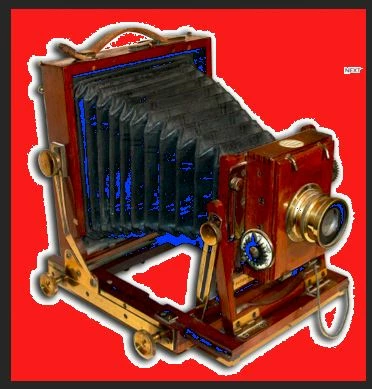
Buenos días: no sé si alguien puede decirme por qué me sale el azul y cómo quitarlo. Muchas gracias

Buenos días: no sé si alguien puede decirme por qué me sale el azul y cómo quitarlo. Muchas gracias
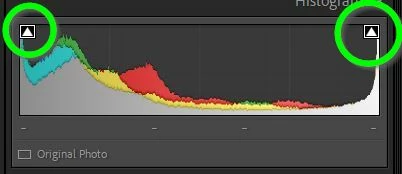
That is the 'Black' clipping indicator.
Press Keyboard [J], or click the triangle above blacks on the Histogram.
Blue = Black clipping. Red = White clipping.
Enter your E-mail address. We'll send you an e-mail with instructions to reset your password.
 AdChoices