Participant
April 3, 2024
Question

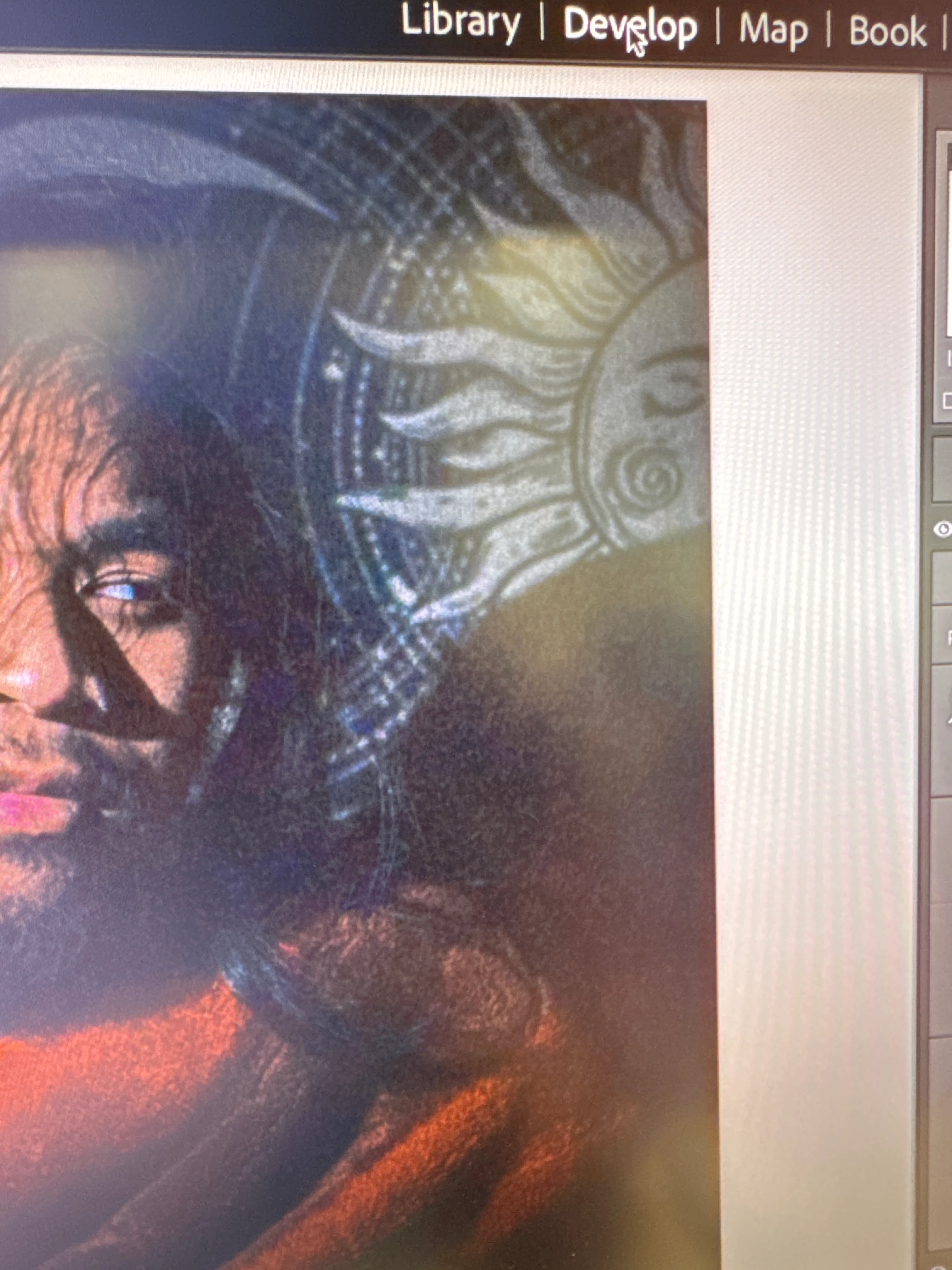
Noisy Photo when in Library Section

  • April 3, 2024
  • 1 reply
  • 136 views

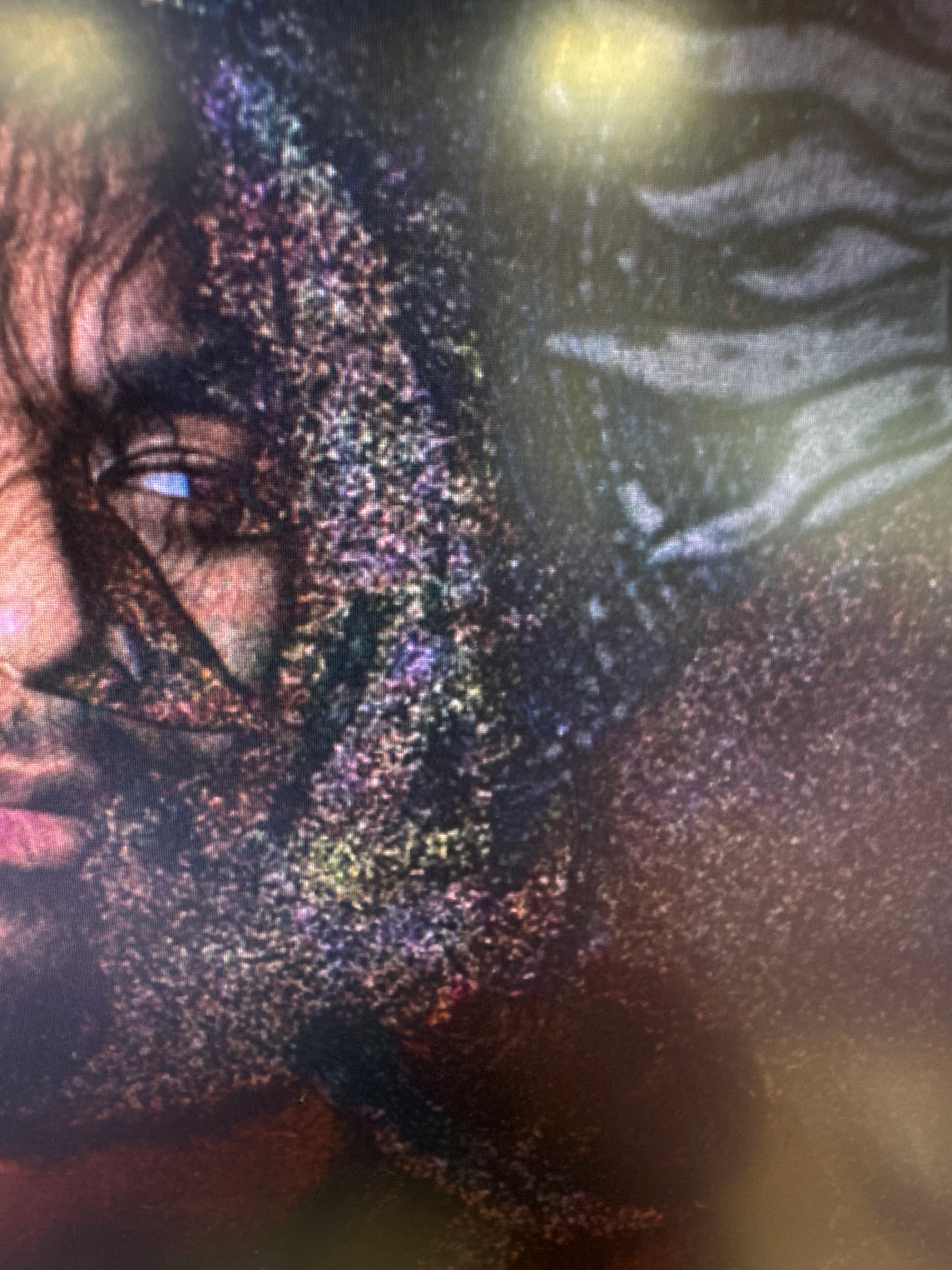
Does any know how to fix this bug? My photo is fine in the develop tab but I realized after editing that it looks very noisy in the library section. The photo naturally has some grain, but not as much as this. It's also noisy when I edit it in photoshop from lightroom, and also when I export the photo too. Help would be much appreciated as I need to print this picture for an assignment of mine. 
This topic has been closed for replies.

1 reply

johnrellis
Legend
April 3, 2024

"It's also noisy when I edit it in photoshop from lightroom, and also when I export the photo too."


This may be a Mac issue. Please do the LR menu command Help > System Info and copy/paste the entire contents here so we can see exactly which versions of hardware and software LR thinks you're running and important LR options that are set.


Click the Apple icon in the upper-left corner and do About This Mac. Post a full-resolution screenshot (not a phone pic) of the About window.
https://www.lightroomqueen.com/community/help/createscreenshot/

Participant
April 3, 2024
Lightroom Classic version: 13.1 [ 202312111226-41a494e8 ]
License: Creative Cloud
Language setting: en-US
Operating system: Mac OS 14
Version: 14.2.1 [23C71]
Application architecture: x64
Logical processor count: 12
Processor speed: 3.2GHz
SqLite Version: 3.36.0
Built-in memory: 32,768.0 MB
Real memory available to Lightroom: 32,768.0 MB
Real memory used by Lightroom: 6,834.4 MB (20.8%)
Virtual memory used by Lightroom: 47,842.1 MB
Memory cache size: 1,679.0MB
Internal Camera Raw version: 16.1 [ 1728 ]
Maximum thread count used by Camera Raw: 5
Camera Raw SIMD optimization: SSE2,AVX,AVX2
Camera Raw virtual memory: 697MB / 16383MB (4%)
Camera Raw real memory: 699MB / 32768MB (2%)
Standard Preview Size: 1920 pixels
Displays: 1) 1920x1080
 
Graphics Processor Info:
Metal: Intel(R) UHD Graphics 630
Init State: GPU for Image Processing supported by default with custom export support
User Preference: Off
 
Application folder: /Applications/Adobe Lightroom Classic
Library Path: /Volumes/One Touch/Photo 1 Digital KC/Photo 1 kc.lrcat
Settings Folder: /Users/tul02842/Library/Application Support/Adobe/Lightroom
 
Installed Plugins: 
1) AdobeStock
2) Aperture/iPhoto Importer Plug-in
3) Flickr
4) Nikon Tether Plugin
 
Config.lua flags: None
 
 
There was a slight change in the copy paste due to this message: "Your post has been changed because invalid HTML was found in the message body. The invalid HTML has been removed. Please review the message and submit the message when you are satisfied."


johnrellis
Legend
April 3, 2024

You've got Use Graphics Processor set to Off, so that rules out issues with your computer's graphics driver and GPU.  


As a next step, select the photo in Library and do Metadata > Save Metadata To File. Upload the photo (and it's .xmp sidecar if it's raw) to Dropbox, Google Drive, or similar and post the sharing link here. We can see if the issue occurs in other LR installations or is specific to yours.