

Open Adobe Camera Raw in Lightroom for Distraction Removal->Remove Reflections experimental feature
I've searched in vain for a way to open Adobe Camera Raw from within Lightroom on my Nikon NEF RAW files. While I've read that ACR is built into Lightroom, I specifically want to use the new experimental "Distraction Removal->Remove Reflections" feature in ACR on a number of photos that I took out of a bus window in Cairo a few weeks ago. It works fantastically well.
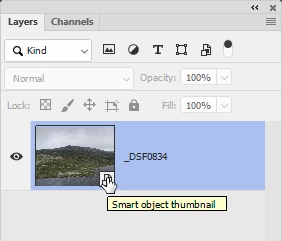
While I'm sure this feature will eventually be included in Lightroom, I want to use it now. The only way I've been able to do it is to find the image in Windows Explorer and then choose "Open with Photoshop" , which brings up ACR. In Lightroom, "Edit in Photoshop 2025" doesn't enable the feature (I guess it's sending a TIFF or PSD) and "Open as Smart Object in Photoshop" and then choosing the Camera Raw filter doesn't enable the feature either -- says "wrong file type".
Is there a .EXE for ACR that I can choose in Explorer, or add as a second "Edit in..." option in LIghtroom? Or should I just wait for Lightroom to get this feature in an update?
 AdChoices