adrianb49549708
Participating Frequently
October 2, 2017
Answered

Original date of photo taken in jpeg

  • October 2, 2017
  • 2 replies
  • 22337 views

How can I have the date the image was taken embedded in the jpeg when I export it. When I click on get info only the modified date shows up.

Thanks in advance Adrian

Correct answer Jao vdL

Thanks for the above links.

It seems that what I have been doing for the past few years is correct.

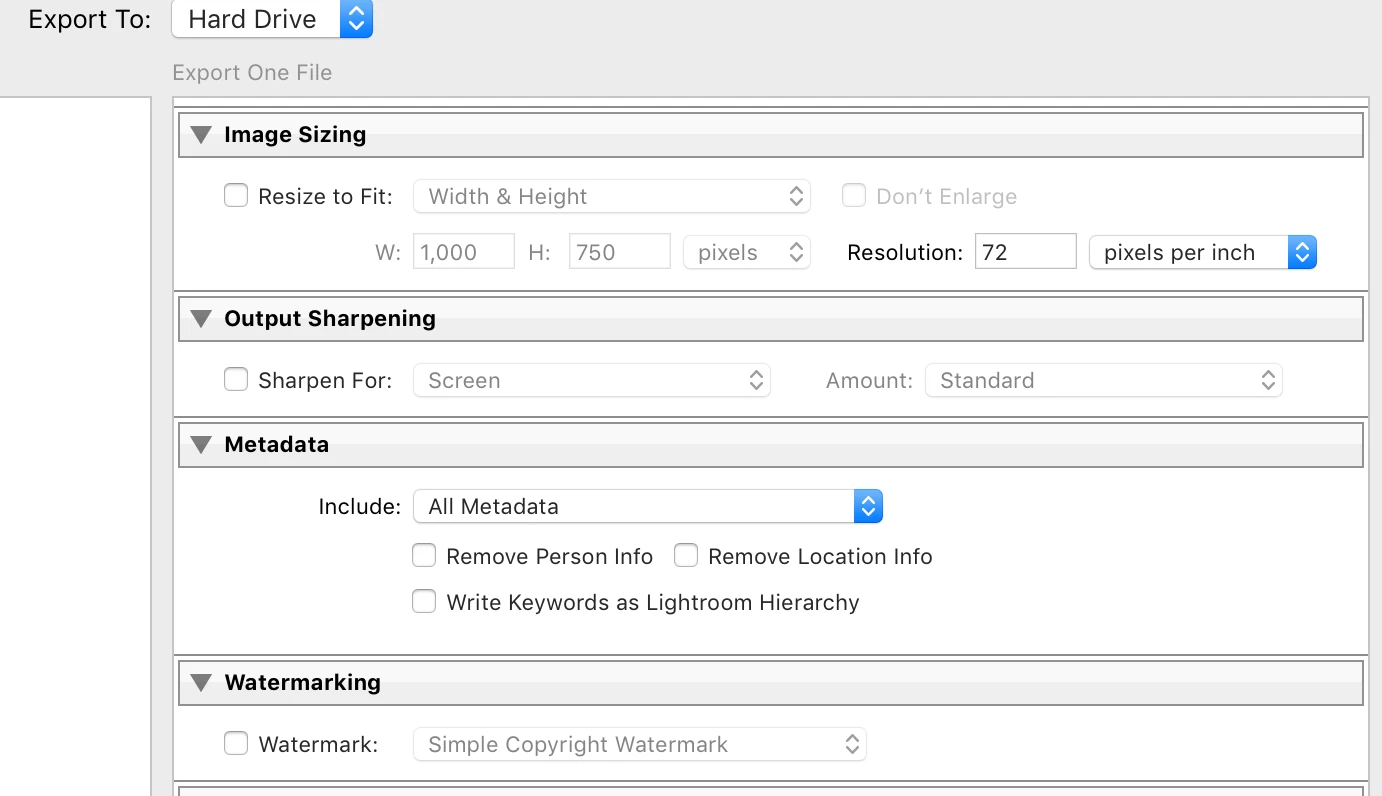
I have the box for meta data saying include all metadata.

Im just not sure that its even possible to see this when viewing jpegs in preview on the mac.

I am yet to see someones info from a jpeg image that they have exported showing the actual date the photo was taken.

If someone does have that then I know that its possible and what I'm doing is wrong but at the moment for me at least is that i have all the right boxes ticked but it just won't show up. Thanks again


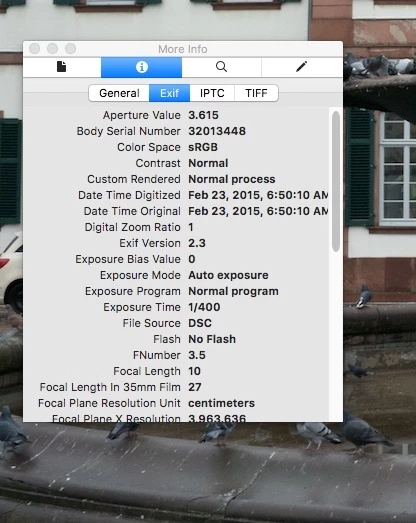
Open the file in preview on your Mac. Do a Get Info (command-I). Click on Exif. Look for "Date time Digitized". That will be the day and time you took the image originally

2 replies

Participant
October 20, 2024
IMG-20241020-WA0035.jpg
F. McLion
Community Expert
Community Expert
October 2, 2017

How are you looking for the date?

What are your Metadata settings during the export? Make sure to choose a setting that does not exclude this data.

--- Got your issue resolved? Please label the response as 'Correct Answer' to help your fellow community members find a solution to similar problems. ---
adrianb49549708
Participating Frequently
October 2, 2017

Thanks for the reply. 

I have the box ticked for ITPC Image

Date created and the correct date and time is shown in the meta data of the original file.

And with the box ticked it should be embedded into the jpeg I export.

However the i click on get info on the jpeg it just has date created and the date modified showing.

They are both the same and obviously not the actual date I took the photograph on.

Ive tried a few different things and asked a few people but know one seems to know.

Cheers Adrian Boyle

F. McLion
Community Expert
Community Expert
October 2, 2017

I have the box ticked for ITPC Image

Which box are you talking about?

Please post a screen-shot of your metadata export settings.

However the i click on get info on the jpeg it just has date created and the date modified showing.

As asked before, how are you looking for this? Which program are you using?

What is your OS and the exact version of Lightroom?

--- Got your issue resolved? Please label the response as 'Correct Answer' to help your fellow community members find a solution to similar problems. ---