


Known Participant
Oct 14, 2024 1:54 PM UTC
Answered

P: Denoise of HDR merge file results in color artifacts

Today updated my LR from 13.x to 14.0, looking forward for the improvements, especially 
Denoise supports more RAW file formats. (incl HDR and panorama DNG files)
Just tried it on my windows machine (Windows 11, version 23H2)
I did: 
HDR Merge of 5 Sony .ARW files into a new HDR-enhanced.dng file : looks good / as expected

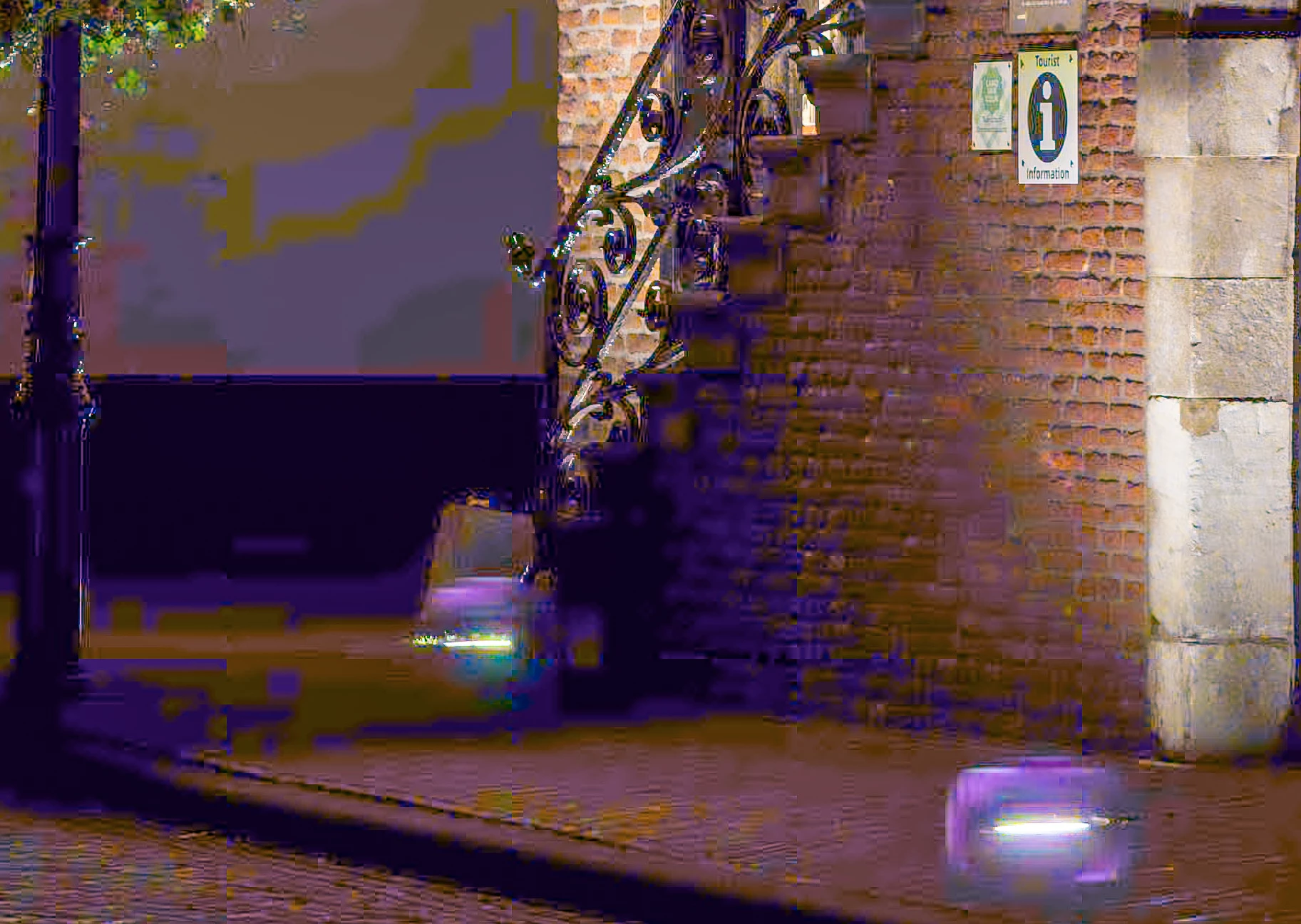
Denoise AI of this file results in many (awful) : see partial screenshot (100%)

Am I doing something wrong? 
Can give details if needed (computer info, Driver details etc.)
Thanks! 
 

Rikk Flohr-Retired
Rikk Flohr-RetiredCorrect answer
Oct 14, 2024 11:36 PM UTC

Thank you for sending the sample files. The dynamic range of the scene you've photographed and merged is beyond the ability of the Denoise model for Linear Raws. The team is evaluating future enhancements for this tool, and your images are a nice real-world example. 

Rikk Flohr: Adobe Photography Org

14 replies

Rikk Flohr-Retired
Adobe Employee
Rikk Flohr-RetiredCorrect answer
Oct 14, 2024 11:36 PM UTC

Thank you for sending the sample files. The dynamic range of the scene you've photographed and merged is beyond the ability of the Denoise model for Linear Raws. The team is evaluating future enhancements for this tool, and your images are a nice real-world example. 

Translate
Rikk Flohr: Adobe Photography Org
Known Participant
Oct 15, 2024 9:11 AM UTC

Thank you Rikk for the instand feedback. 
fyi. I've applied the same workflow, this time not on 5 but only the 3 brightest pictures, the result is better but still a mess. (unusable)

Translate
Rikk Flohr-Retired
Adobe Employee
Dec 12, 2024 2:00 PM UTC

Some additional improvements were made in the December Release. 

Translate
Rikk Flohr: Adobe Photography Org
Known Participant
Oct 14, 2024 9:24 PM UTC

Hello Jeffrey,

This is the link https://we.tl/t-z5zCPh4o2H to the 
* 5 original RAW files (Sony .ARW)
* HDR merge (.dng) this is looking correct
* HDR merge with Denoise AI with the awful colors and artifacts.
Thank you for looking into this. 

Translate
Adobe Employee
Oct 14, 2024 5:35 PM UTC

Thanks for catching and reporting this. Can I request the originals that were used to merge to HDR? I have not been able to reproduce this will similar night ARW HDR images. 

Translate
Known Participant
Oct 14, 2024 8:24 PM UTC

Hello Jeffrey I wil send you the originals tomorrow during the day (Europe)

thanks for reaching out to me. 

Translate
Rikk Flohr-Retired
Adobe Employee
Oct 14, 2024 1:58 PM UTC

Can you supply the merged DNG for us to take a look?

Translate
Rikk Flohr: Adobe Photography Org
Known Participant
Oct 14, 2024 2:34 PM UTC

Rikk, please use this link. Also sent to you via a personal message. It is a link to WEtransfer 
https://we.tl/t-dzBGCgoayI


Translate
Known Participant
Oct 14, 2024 2:44 PM UTC

Just to be clear : this is the merged HDR that looks good. So the file that I used as input for the Denoise AI.

Translate
