
Participating Frequently
September 21, 2022
Answered

P: Huge UI/side panels in Lightroom Classic on Mac Book Pro 14"

  • September 21, 2022
  • 5 replies
  • 1263 views

Hello Adobe Support Comunity,


I have a problem with LrC on my macOS.


I'm new to the Mac world and have a MacBoko Pro 2021 M1 14". Yesterday I tried Lightroom Classic for the first time on Mac. It is lightning fast, but I have an issue with the UI and side panels: they're huge. They could be half the width. The navigator is almost as big as the photo itself:
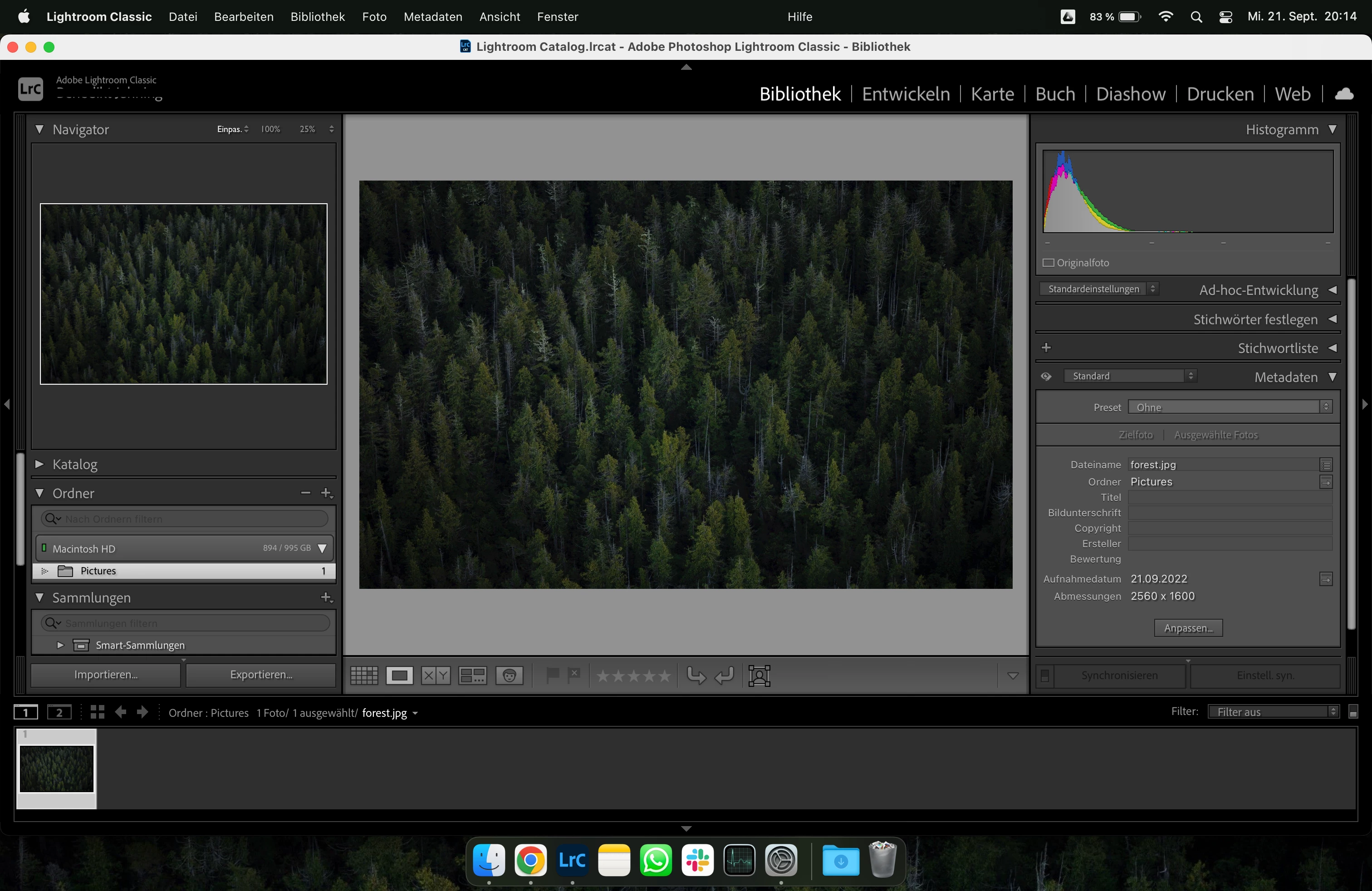
[MacBook Pro 2021, 14", 3024x1964]


My problem is that I can only make the panels bigger, not smaller (not even with "option"+drag on the panel wall). The text size is already set to "small" in the preferences. Setting the MBP's display resolution from "standard" to "more space" kind of works, but the panels are still pretty big and all the other elements on the Mac almost too small for me. I did a fair bit of googling, but most people seem to want to make them bigger, not smaller. I also directly contacted the Adobe Support, and was told to post here.


I did not have the same issues on my Windwows machines, which all have a lower resolution. There, the panels etc are reasonably sized:
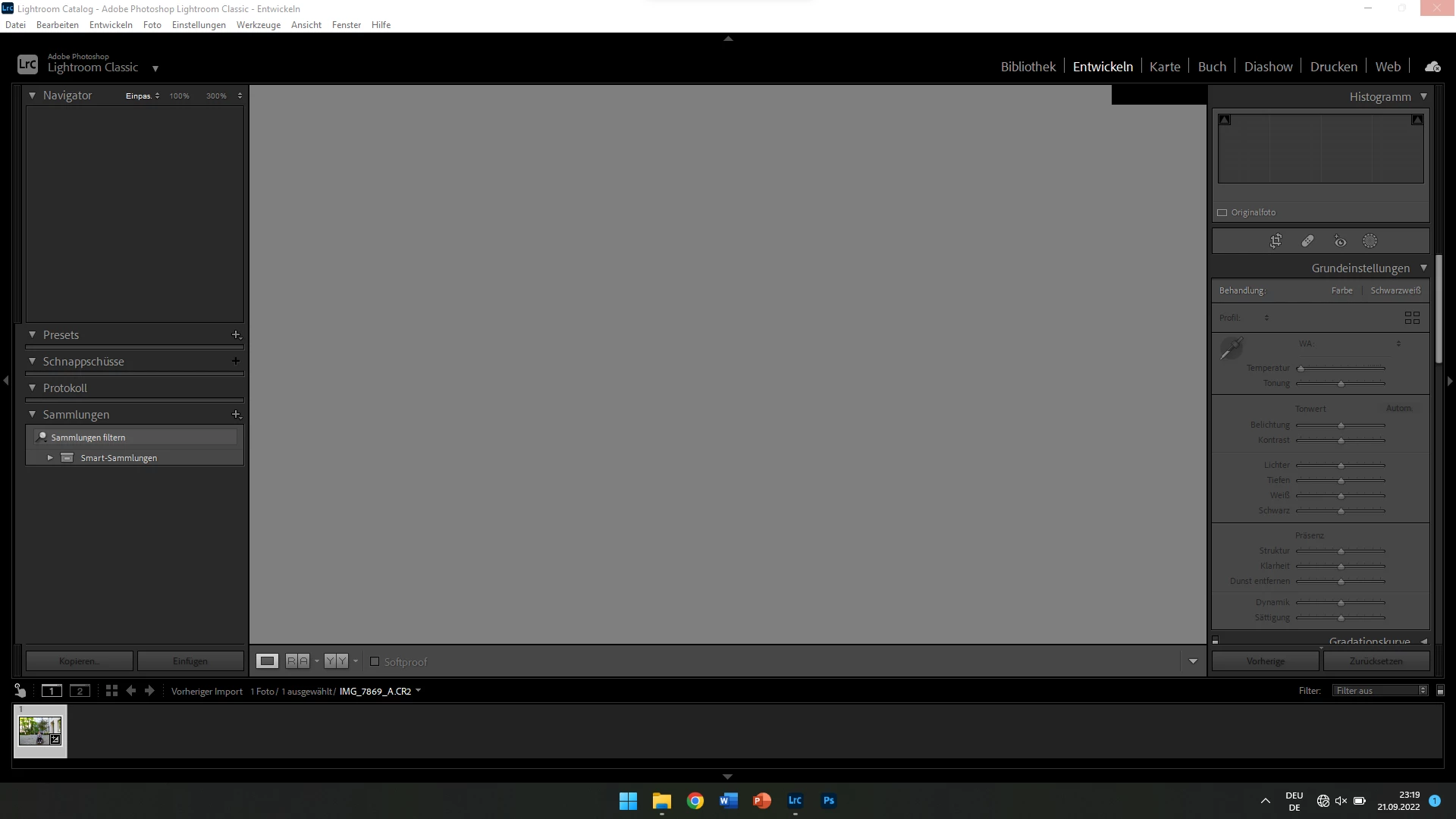
[Laptop, 15.6", 1920x1080, Windows 11, LrC v. 11.4.1 Build 202206241800-b406ce4c]
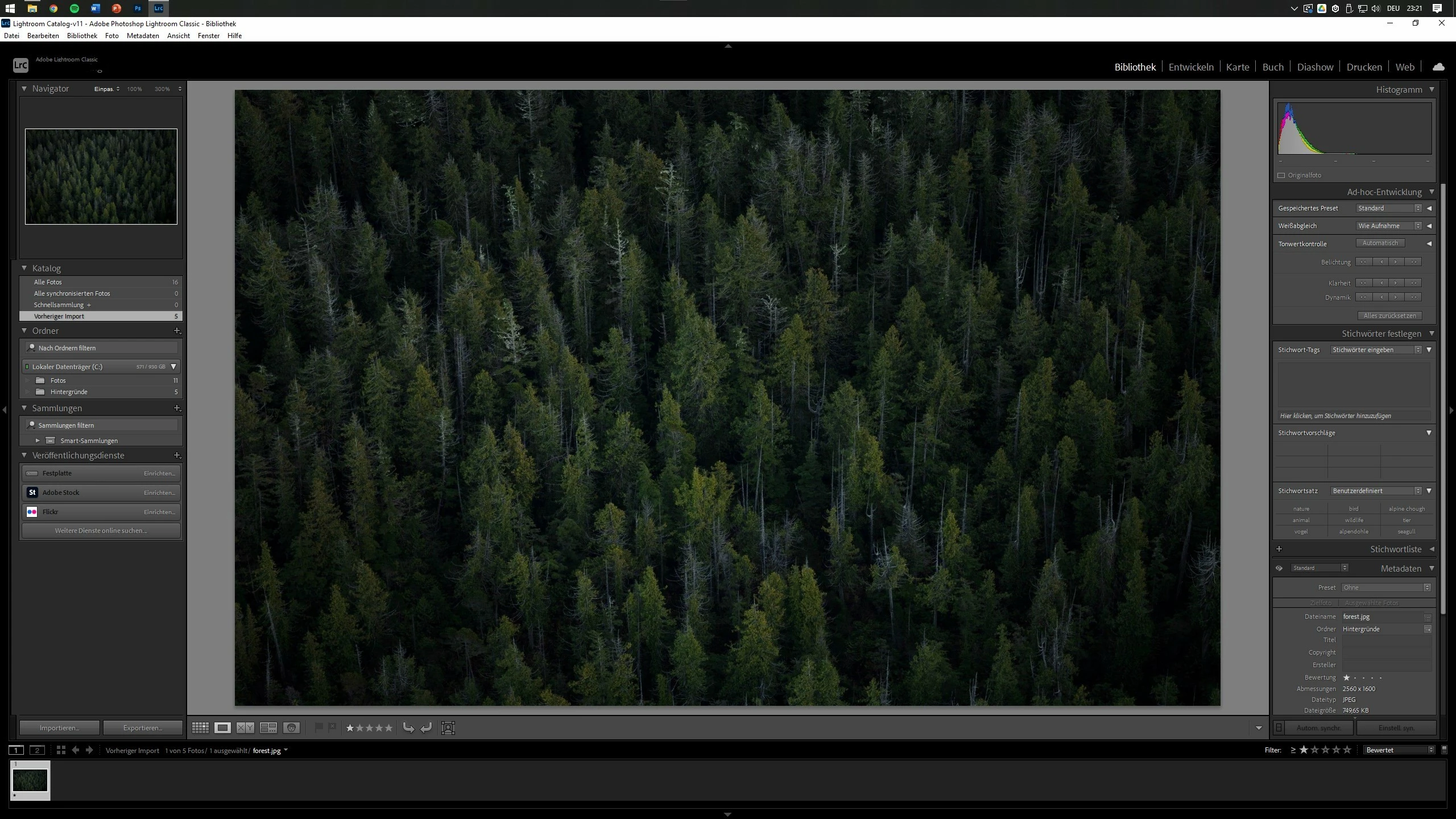
[Desktop PC, 27", 2560x1440, Windows 10, LrC v. 11.4.1 Build 202206241800-b406ce4c]


My macOS version is Monterey 12.5 (21G72) and my Lightroom version is 11.5 [Build 202208080927-8a575c91]


Thank you all in advance!

This topic has been closed for replies.
Correct answer Ian Lyons

I can reproduce the issue you describe by changing the LrC language preference from English to German on my 16-inch MacBook Pro. I also noticed that after doing so, the Preferences and other floating panels were stretched significantly wider than english language version. With something so easily reproduced I'm surprised that more users with LrC set up German language haven't complained. May be someone familiar with German language setup can offer some help/advice.

5 replies

Rikk Flohr_Photography
Community Manager
Community Manager
January 24, 2023

The team has reviewed, and the behavior is 'as designed' Moving to discussions.

Rikk Flohr: Adobe Photography Org
johnrellis
Legend
September 27, 2022
benjahAuthor
Participating Frequently
September 22, 2022

My keyboard layout is German (QWERTZ)

Ian Lyons
Community Expert
Community Expert
September 22, 2022

Have you tried resetting the LrC preference file? Details of procedure can be found at https://helpx.adobe.com/lightroom-classic/help/setting-preferences-lightroom.html

benjahAuthor
Participating Frequently
September 22, 2022

I actually didn't know you could do that. I just tried it, but unfortunately, it did not resolve my issue.

Ian Lyons
Community Expert
Ian LyonsCommunity ExpertCorrect answer
Community Expert
September 22, 2022

I can reproduce the issue you describe by changing the LrC language preference from English to German on my 16-inch MacBook Pro. I also noticed that after doing so, the Preferences and other floating panels were stretched significantly wider than english language version. With something so easily reproduced I'm surprised that more users with LrC set up German language haven't complained. May be someone familiar with German language setup can offer some help/advice.

F. McLion
Community Expert
Community Expert
September 22, 2022

It depends on the resolution of your screen and on the preference settings you selected for the size of text/screen elements. You can size them by drag&drop on the border to some extent.

--- Got your issue resolved? Please label the response as 'Correct Answer' to help your fellow community members find a solution to similar problems. ---
benjahAuthor
Participating Frequently
September 22, 2022

As mentioned above, the text size is already "small" and I can't make them any smaller by drag&drop on the element border. With the resolution my mac has, one would expect that the elements could be displayed a lot smaller – just like in the other Adobe apps. Photoshop, InDesign etc don't have this problem. InDesign even allows manually scaling the UI elements. Why can't LrC do that?

F. McLion
Community Expert
Community Expert
September 22, 2022

I am actually working with a German setup, on Windows though, with a 1920x1200 screen.

I can not see the issue. It must be Mac thing ...

--- Got your issue resolved? Please label the response as 'Correct Answer' to help your fellow community members find a solution to similar problems. ---