
Sanpanza
Known Participant
January 21, 2022
Answered

P: Investigation Nikon Z 9 files at high ISO

  • January 21, 2022
  • 5 replies
  • 5066 views

I am wondering if any has a solution for how LR treats Nikon Z 9 images at high ISOs. 

When Lightroom processes the files they are much grainier than if I process using Nikon's software. Is it that Adobe has not caught up with the Z 9 files or is it something else. 


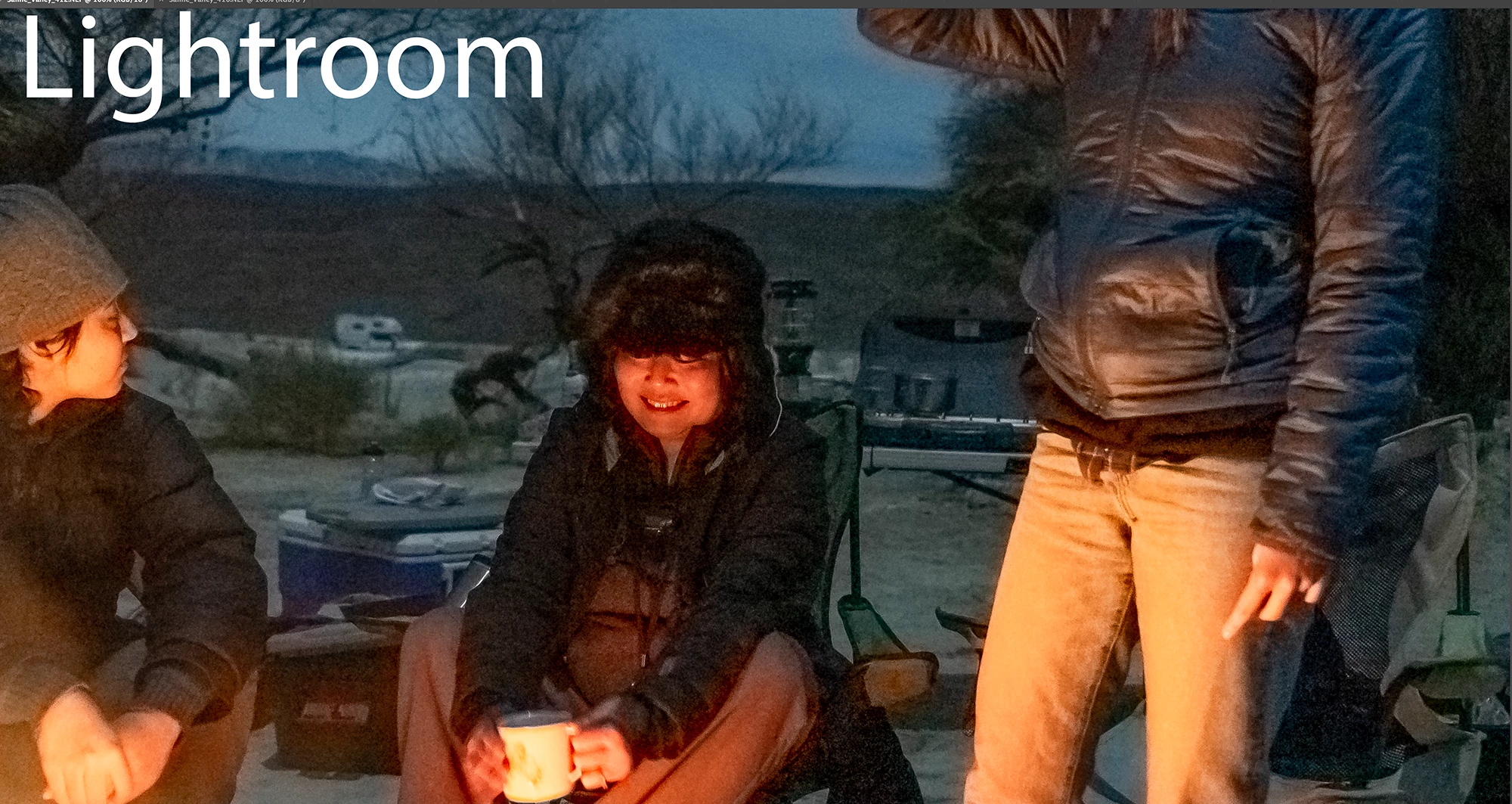
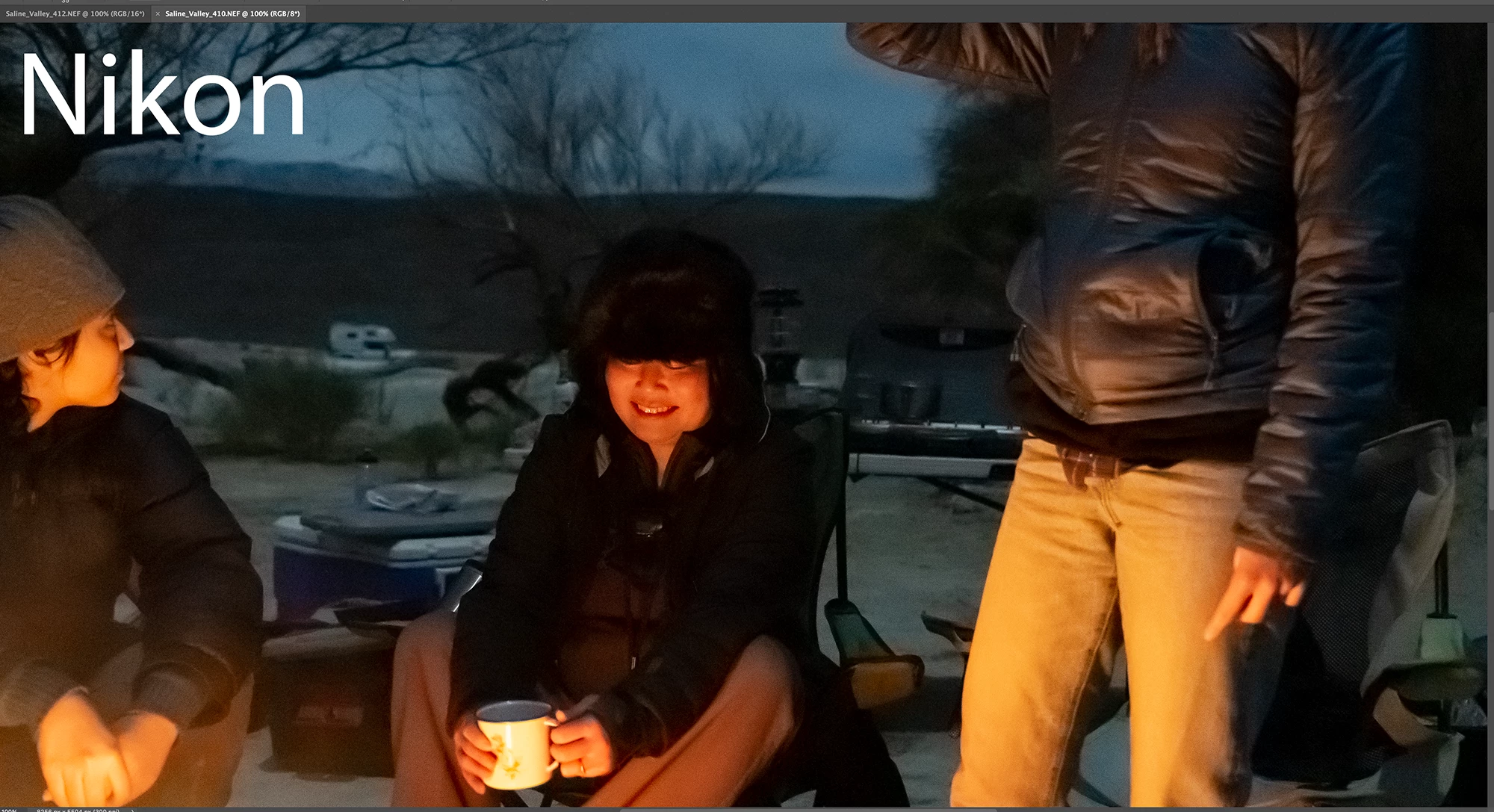
If you look at the two images below, the lightroom image is grainer. At low ISO's, LR looks great.
This topic has been closed for replies.
Correct answer Rikk Flohr_Photography

After investigation this has been determined to be a factory setting for the camera in combination with the Raw Default setting. We've advised the camera manufacturer of the findings so that they can possibly address this in a future update.


To work around this issue with the Z9, you must set your Raw Default processing for this camera to something other than "Camera Settings". With "Adobe Default" as your Camera Raw Default choice you should see much better results on the noise. This will set Color Noise to a default value of (25) - rather than the (10) being currently set. Additionally, your Luminance Noise reduction slider will be at Zero for full adjustment upwards. 


Please see: https://helpx.adobe.com/lightroom-classic/help/raw-defaults.html for more information. 

5 replies

Legend
February 2, 2022

With only the default develop settings in both LrC and NX Studio, turn off the noise reduction in NX Studio. Then the noise in the NX Studio rendered image viewed at 100% will appear much the same as the noise in the LrC rendered image viewed at 100%.


NX Studio 1.1


LrC 11.1

Rikk Flohr_Photography
Community Manager
January 27, 2022

After investigation this has been determined to be a factory setting for the camera in combination with the Raw Default setting. We've advised the camera manufacturer of the findings so that they can possibly address this in a future update.


To work around this issue with the Z9, you must set your Raw Default processing for this camera to something other than "Camera Settings". With "Adobe Default" as your Camera Raw Default choice you should see much better results on the noise. This will set Color Noise to a default value of (25) - rather than the (10) being currently set. Additionally, your Luminance Noise reduction slider will be at Zero for full adjustment upwards. 


Please see: https://helpx.adobe.com/lightroom-classic/help/raw-defaults.html for more information. 

Rikk Flohr: Adobe Photography Org
Sanpanza
SanpanzaAuthor
Known Participant
February 1, 2022

Thank you Rikk, I will review your instructions to see if they work. Much obliged.

You know that Adobe is the only company who's logo I would ever wear on a baseball had or a t-shirt because I am so dependent on their products.  You guys rock. 


Per Berntsen
Community Expert
Community Expert
January 22, 2022

The file processed in Lightroom is much sharper than the one processed in the Nikon software.

Sharpening will accentuate noise, but you can use the Masking slider in Lightroom to protect flat areas from sharpening.

Hold down the Alt key while dragging the slider, and you will see the effect. White areas will be sharpened, black areas will not be sharpened.

The Nikon file is also darker,  particularly in the shadows, which hides the noise.


TheDigitalDog
Inspiring
January 21, 2022

With what settings used in both? Forget default settings for one, the question is, can you produce a NR in LR that is close to Nikon when you try all the controls available to you in that product?

Are you showing us the preview in Develop module at 1:1? That's also super important as that is the only way to accurately view previews in LR. As for Nikon's own converter, no idea. Best to render out both and provide a screen shot of both from Photoshop, again at 100% zoom.


FWIW, high ISO isn't the cause of the noise, it is under exposure due to this ISO and automatic exposure. ISO in some cases actually produce less noise that lower ISO (depending on the camera electronics):

Author “Color Management for Photographers" & "Photoshop CC Color Management/pluralsight"
Sanpanza
SanpanzaAuthor
Known Participant
January 22, 2022

The images are screen shots of expanded image (100%) opened in PS. 


The images arew same frame and the only difference is that one is opened and adjusted directly through Light Room an the other is previewed  in Nikon adjusted then I choose PS to open.  So both images are from the same frame but just processed differently. Does that make any sense ?  


For the one labeled Nikon, I reduced the noise the to max and the one labeled Lightroom, I reduced the notice to the max.


Participant
January 24, 2022

Thanks for your resonse thedigitaldog,


I have uploaded the RAW file to my Dropbox account: https://www.dropbox.com/sh/cey3zg123dcpny1/AADBHsdwhO4SbaU0gd98NLrga?dl=0


I would be interested in what you or anyone else has to say. The files are fine at lower ISO's but it is just the high ISO's I have an issue with. 


I haven't tried Lightroom, but PS makes the images from my D850, look like they were taken is a Sandstorm, even at 100 ISO. That said, the D850 is really a terrible, when it comes noise in shadows, even at at low ISO

Sanpanza
SanpanzaAuthor
Known Participant
January 21, 2022

I should add that the ISO is 25,000.