Participant
May 13, 2024
Answered

Panorama Merge Output Problem - Does Not Match Preview.

  • May 13, 2024
  • 3 replies
  • 582 views

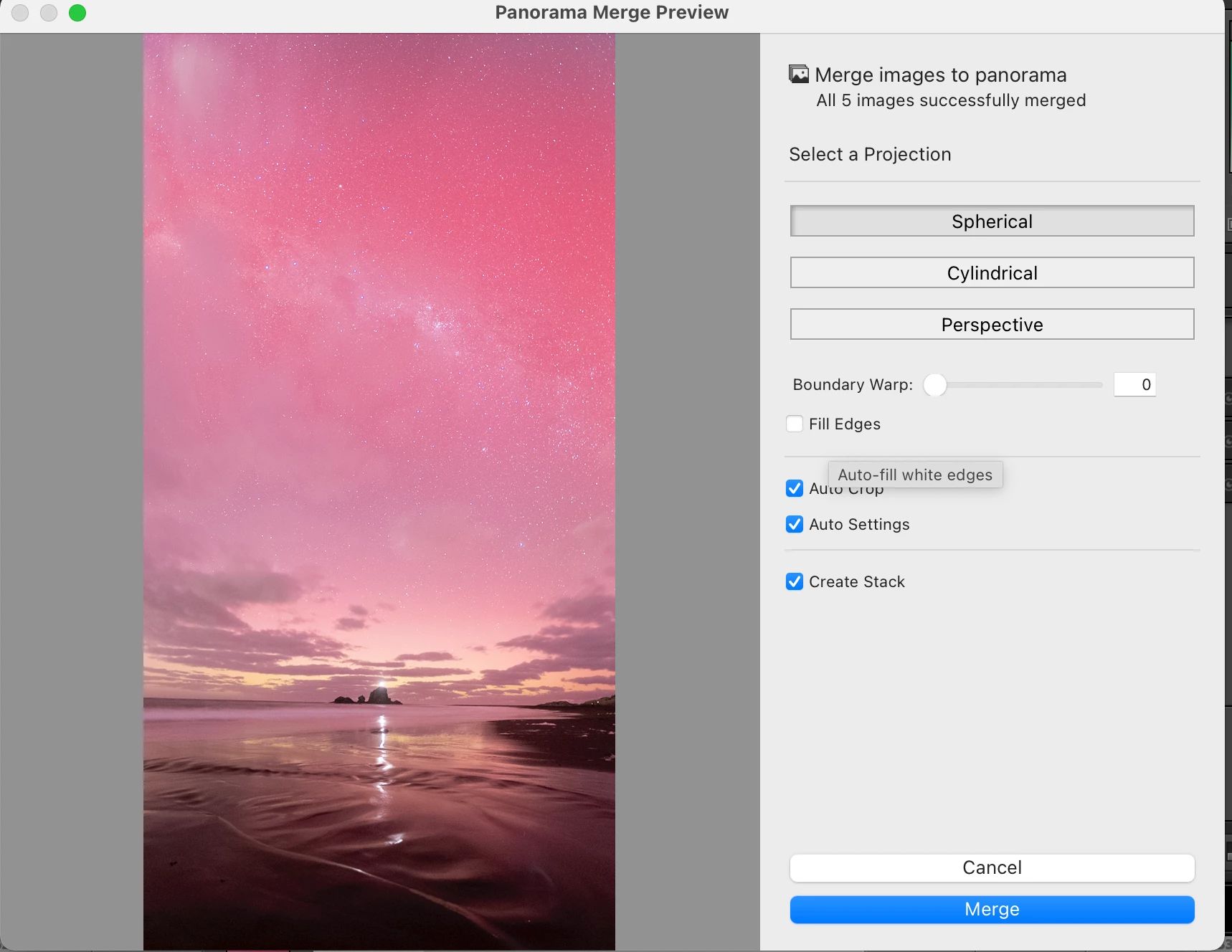
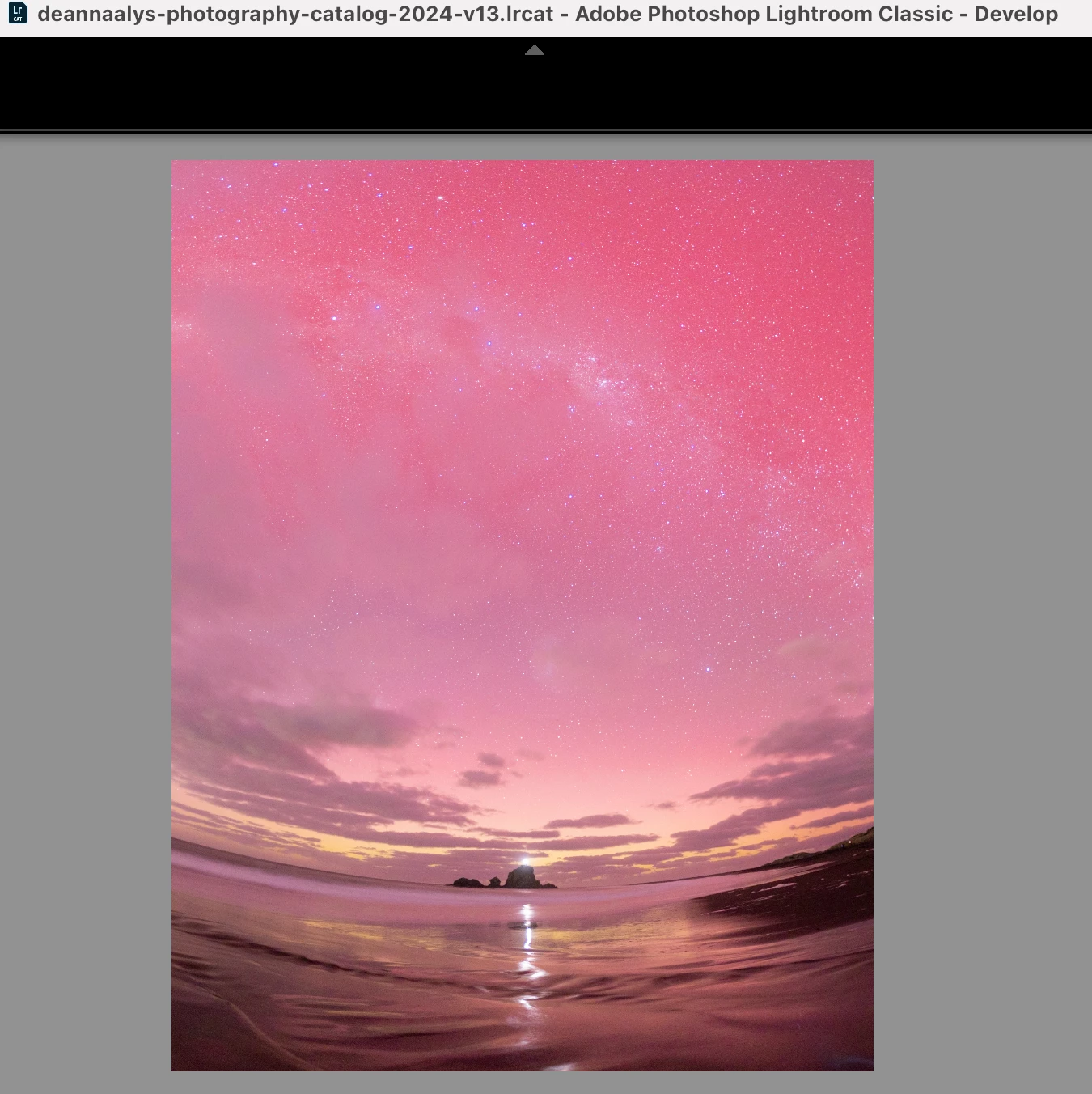
When merging a panorama in LrC the preview weindow gives a perfect rendition of what I would expect and like the output to be. However, when the merge is completed, the image is completely warped and not the same height as the preview either. It is as if the entire output has been squashed.


This is now happening to a lot of my panoramas since updating to the 13.2 update, where the results after merging look squashed, warped, or incorrect. The preview window often displays a correct image. 


Attached are screenshots of the preview vs merged output. The preview has straight horizon lines and produces a nice image. The actual merged output after completing the stitching is squashed, wider, and shorter. It has also cropped out the bottom most part of the image which appears correct in previews.


Anyone encountered this before or know the fix? 


I am running MacOS Monterey 16GB M1 Chip Macbook Pro if relevant.
 

Correct answer thomas_bredenfeld

i recommend to untick auto setting and auto crop and to do all this later in the dev module.

3 replies

thomas_bredenfeld
Community Expert
thomas_bredenfeldCommunity ExpertCorrect answer
Community Expert
September 27, 2024

i recommend to untick auto setting and auto crop and to do all this later in the dev module.

Participant
February 17, 2025

Thank you – this seems to have worked on all my images now. Cheers.

GoldingD
Legend
May 14, 2024

The five original images in the bracket, is that a single column or a single row (less likely) or multiple column and row?

I suspect five images in one column.


I notice that you selected spherical for projection, as in a multiple columns and row bracket, as opposed to cylinder as in a single column, or single row. And you did not mention if you attempted changing the projection.


Oh, and occasionally, perspective might help, not sure why/when.


Mind you that preview should not be all that different from the merge.


johnrellis
Legend
May 13, 2024

1. Please do the LR menu command Help > System Info and copy/paste the entire contents here so we can see exactly which versions of hardware and software LR thinks you're running and important LR options that are set.


2. Upload sample originals that aren't merging properly to Dropbox, Google Drive, or similar and post the sharing link here. We can see if this happens on other LR installations or is particular to yours, and it could allow Adobe to reproduce the problem (they generally don't pay attention unless they can easily reproduce problems).