Participating Frequently
January 4, 2020
Question

Panorama Stiching - Photo Merge Error, unable to merge the photos

  • January 4, 2020
  • 13 replies
  • 3266 views

Hello,

after a couple of years away from photo editing, I am back and discovering the latest version of Lightroom classic, the 9.1. Last version I used was version 6.

I am bumping into an issue with Lightroom classic 9.1 and don't understand what is happening and how to solve the issue.

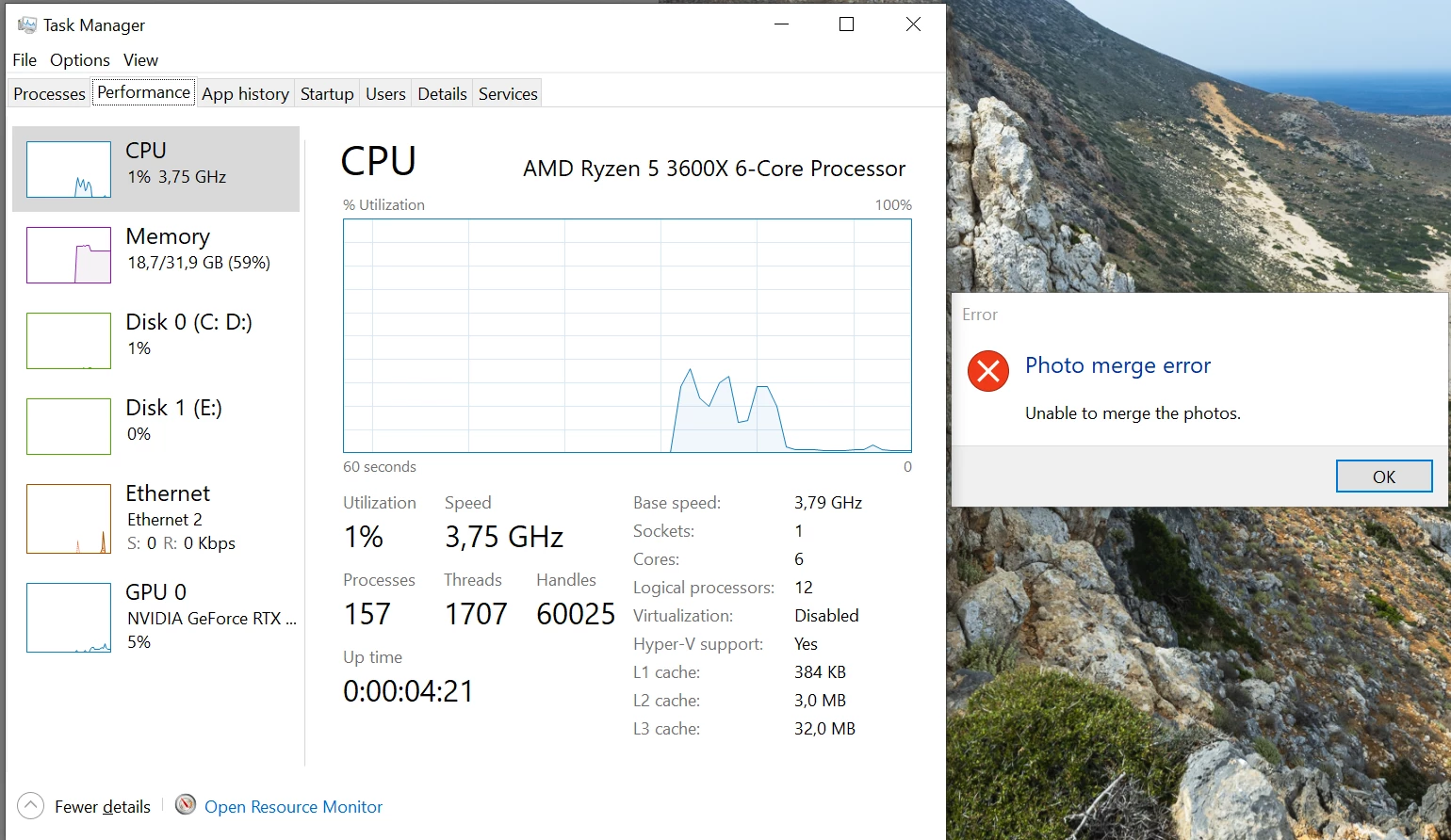
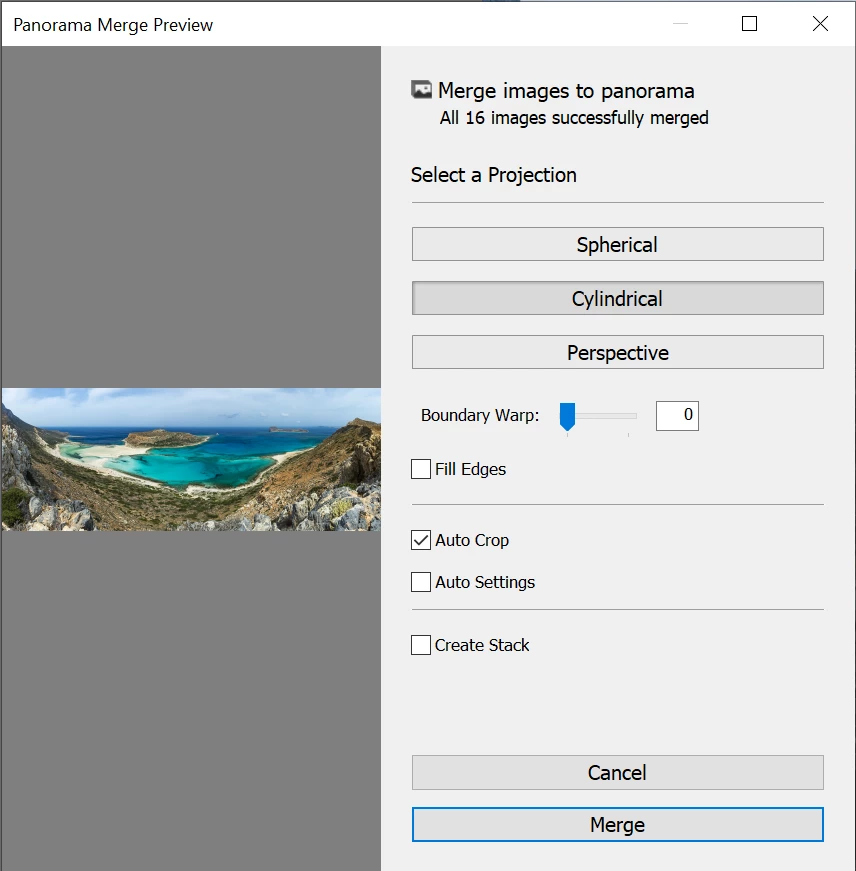
Basically whenever I am trying to merge a few pictures together as a panorama, Lightroom will be able to render the preview, but then it zill drop me an error message after a while when I carry on to merging the panorama.

It doesn't depend on the number of pictures. it gave me the error with 2 pictures as well as with 16...

I was able to flawlessly stich 16 vertical pics panoramas in Lightroom 6...

Anybody has an idea of what is happening ?
This topic has been closed for replies.

13 replies

GoldingD
Legend
January 9, 2020

Ah, I see you did in fact post your problem at the feedback site


https://feedback.photoshop.com/photoshop_family/topics/panorama-stiching-photo-merge-error-unable-to-merge-the-photos


And you got a response from an Adobe tech.


Lets us know how that reset of preferences file goes


snipecmoiAuthor
Participating Frequently
January 26, 2020

Hi,

sorry for the delay in response, I got quite busy.

I tried to reset my Lightroom preferences, sadly the result is still the same... I really don't get it 😞

snipecmoiAuthor
Participating Frequently
January 26, 2020

I actually just tried to stitch a panorama with horizontal photos instead of vertical ones, and it worked. Looks like the issue occurs with panoramas based on vertical frames ?

Will have to experiment a bit more to confirm this 100%

GoldingD
Legend
January 9, 2020

One thing, it has never been clear to me, what exactly does the merge photo process consume in terms of system resources


Oh, I know probably Camera RAW CACHE, but what else? and if you have uncefficent Camera RAW CACHE allocated, would an error message appear?


So, you see the following inquiry is very weak, but I will inquire anyhow.


That resultant DNG file is huge. So, how much space are you allowing the Camera RAW CACHE to consume?


If you purge your CACHE first, does anything improve?


If you ramp up the Camera RAW CACHE does anything improve?


GoldingD
Legend
January 7, 2020

Should have inquired earlier. And when you post at the feedback site include:;


Please post your System Information as Lightroom Classic reports it. In LRC click on Help, then System Info..., Then Copy. Paste into a reply. Include info from first line down to just past plug-in info


Bob Somrak
Legend
January 7, 2020

They merged fine for me in Lr 9.1 and macos 10.14.6


M4 Pro Mac Mini. 48GB
GoldingD
Legend
January 7, 2020

Ah, and the images in dropbox do not match your first screenshot(s)


snipecmoiAuthor
Participating Frequently
January 7, 2020

I know, I uploaded pics from another panorama, both don't stitch 😞

GoldingD
Legend
January 7, 2020

You might want to ask about your problem over at the Adobe Feedback site: 

https://feedback.photoshop.com/photoshop_family/categories/photoshop_family_photoshop_lightroom?topic-list[settings][type]=problem


Adobe Techs actual respond on that site. And additional members


snipecmoiAuthor
Participating Frequently
January 7, 2020

I will try, thanks a lot !

GoldingD
Legend
January 7, 2020

Brought the 5 images into my copy of LRC 9.1 on a Windows 10 PC. No problems at all

One thing of note, overlap between first and second image very small, usually go for 30%


Resultant file to large to fit into my itty bity dropbox account.


snipecmoiAuthor
Participating Frequently
January 7, 2020

thanks for giving it a try !
I don't understand why it works for you and not on my computer 😞

GoldingD
Legend
January 5, 2020

And, I will not assume, have you tried those on a set that you merged before?


snipecmoiAuthor
Participating Frequently
January 5, 2020

I hadn't tried.

Oddly enough, with RAW files from an older lightroom 6 catalog works fine, even with 10+ RAW files.

They have been taken exactly with the same camera, so it is definitely not a number of pixels related issue...

snipecmoiAuthor
Participating Frequently
January 5, 2020

I thought issue might be related to me importing my old Lightroom settings when upgrading to LR Classic 9.1, so I uninstalled it,, selectng the option not to keep settings, manually deleted all the Lightroom related folders from my disk and re-installed LR Classic 9.1

Had of course to re-configure everything, but issue is sadly still the same 😞

GoldingD
Legend
January 5, 2020

You might want to upload the RAW files to Dropbox, and let some members see if they behave in thier copies of LRC.


GoldingD
Legend
January 4, 2020

4. Can the merge be completed in a Photoshop?


snipecmoiAuthor
Participating Frequently
January 4, 2020

I don't know, I am not using PS and have never been using it and am not wanting to use it when the LR embedded stitching feqture used to work well for me 😞

GoldingD
Legend
January 5, 2020

As a diagnostic, not a long term workaround.