Aimee V Photo
Known Participant
February 27, 2023
Question

paste settings not working on multiple image selections

  • February 27, 2023
  • 2 replies
  • 590 views

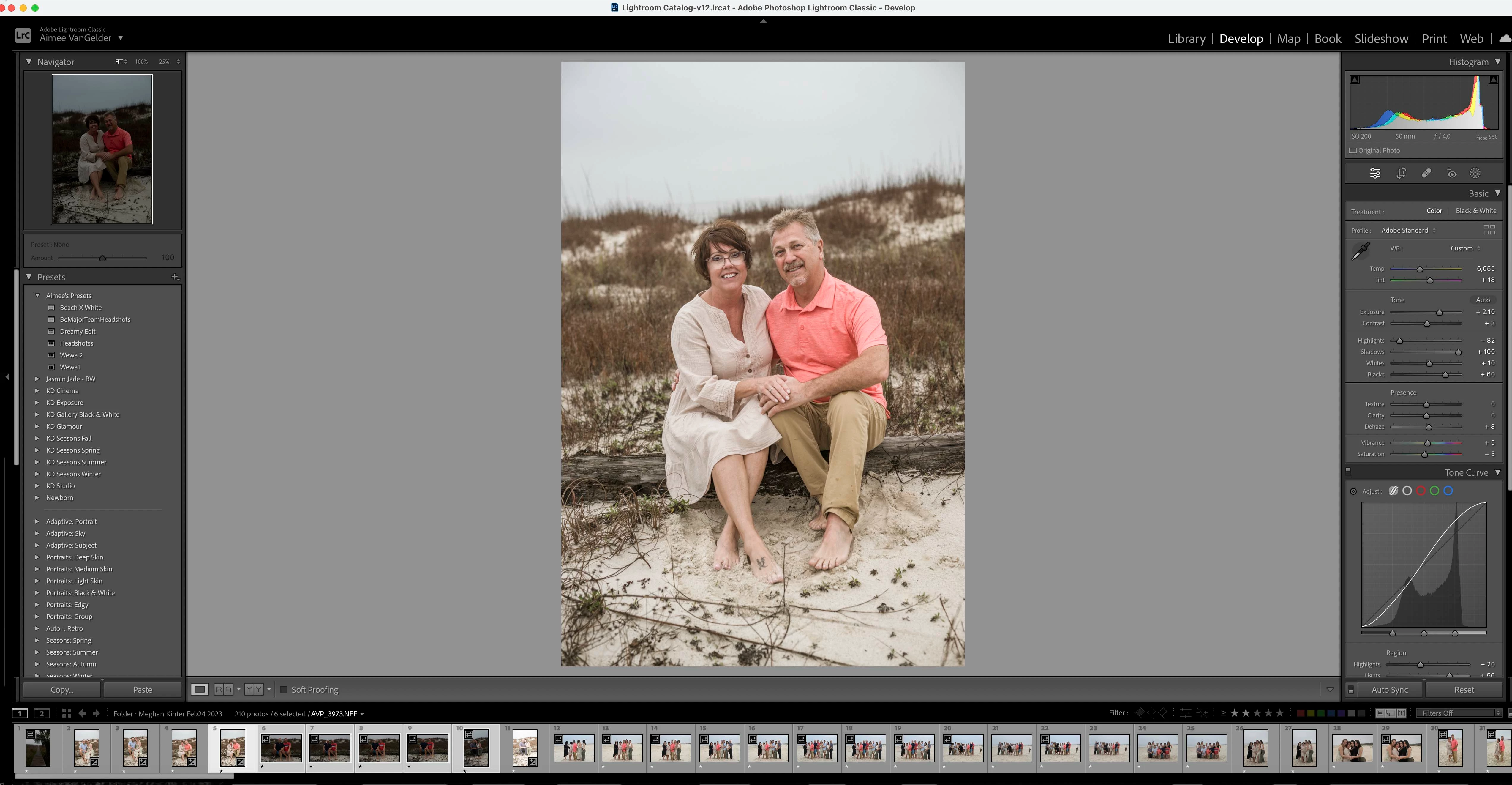
I am copying settings from one image & selectong mutliple other images to paste the settings to. LRC is only pasting the settings only to the first image in the selction of images.

This topic has been closed for replies.

2 replies

JohanElzenga
Community Expert
Community Expert
February 27, 2023

If you want to paste settings on multiple images while you are in the develop module, then you need to toggle the little switch on the left of the Synchronize button. Strangely enough, that button already says 'Auto Sync' in your screenshot, even though the switch is turned off and the button itself is not highlighted...


-- Johan W. Elzenga
Aimee V Photo
Known Participant
March 7, 2023

yes, did not even think abbout looking at that because I have it on as default & had not changed with updates until this on, along with the Metadata "selected / target photos" change.

Rikk Flohr_Photography
Community Manager
Community Manager
February 27, 2023

That is how Copy/Paste works in the Film Strip.

Try using [Sync…] button for using an image's settings across multiple images. 

Rikk Flohr: Adobe Photography Org