
Participant
January 20, 2025
Answered

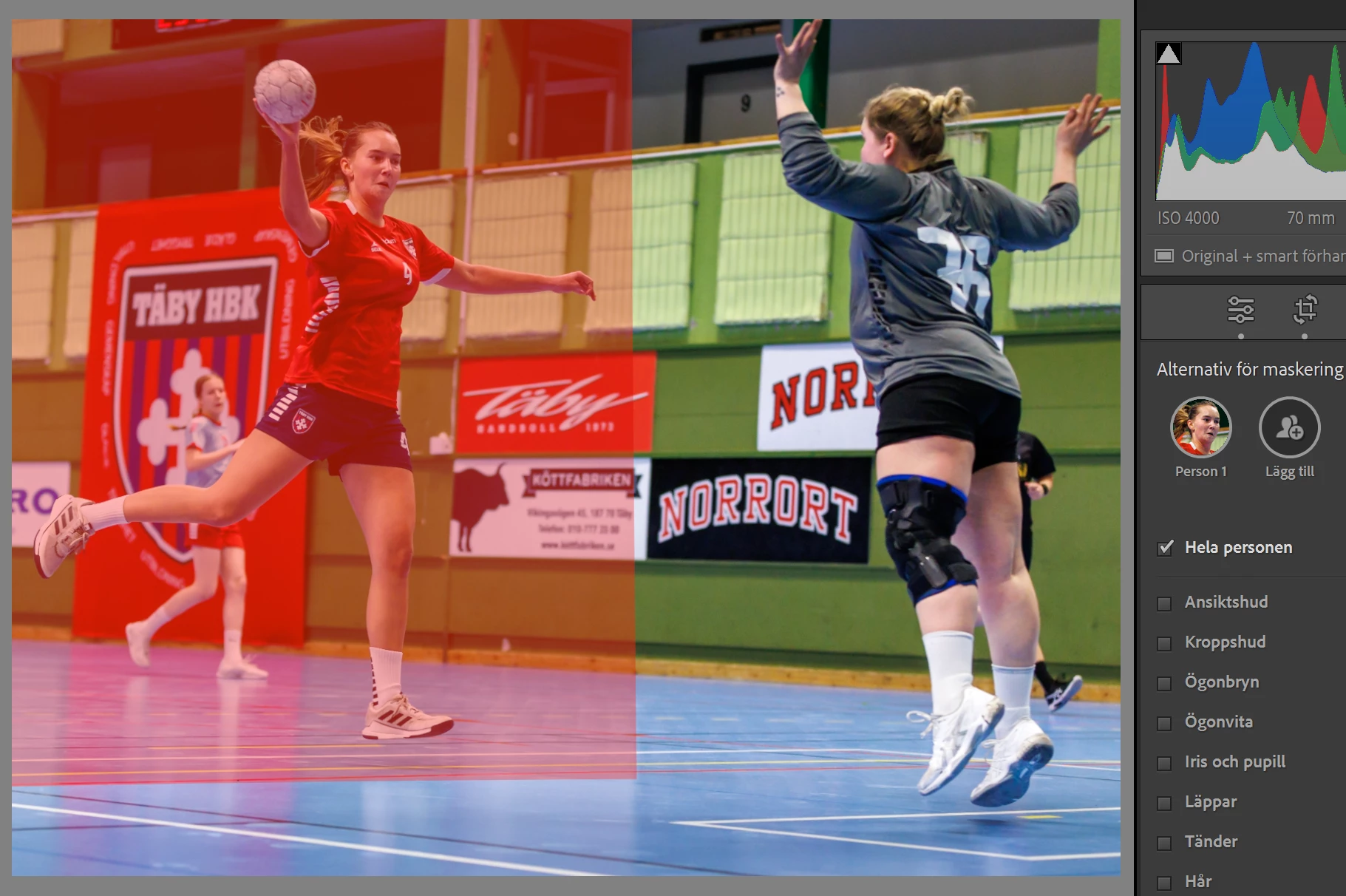
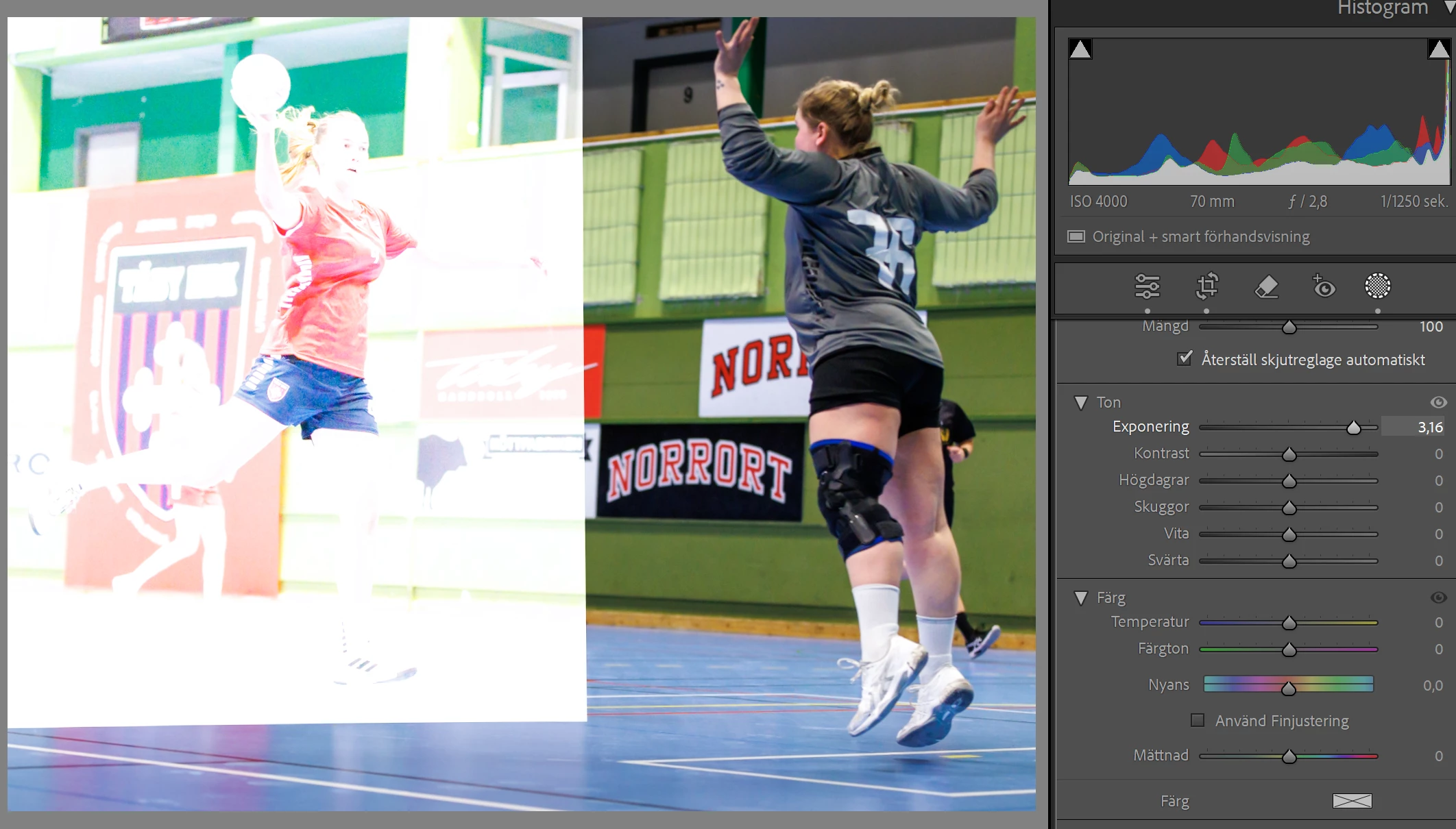
People Mask creates rectangular masks

  • January 20, 2025
  • 2 replies
  • 330 views

The people masking tool has started creating rectangular masks when I select people.

Any solution on how I can get the mask to be applied properly? The problem started some weeks ago.

Below is an example showing the mask generated.
Below is an example where I have increased the exposure for the generated mask.
I am using Lightroom Classic 14.1.1 and Camera Raw 17.1. I get the same issue in Photoshop when using Camera Raw.

I use a Microsoft Surface Pro 10 for Business with 64 GB RAM.


[Moved from ‘Bugs’ to ‘Discussions’ by moderator, according to forum rules.]

Correct answer johnrellis

Windows Update is notorious for not providing the latest graphics drivers. Try updating your graphics driver by going directly to the manufacturer's web site:
https://helpx.adobe.com/lightroom-classic/kb/troubleshoot-gpu.html#solution-4

If that doesn't help, please copy/paste here the entire contents of the LR menu command Help > System Info -- that will let us see exactly which versions of hardware and software LR thinks you're running.

2 replies

Participating Frequently
February 11, 2025

I would actually love rectangular masks from time to time. Too bad you can only get them via software bugs...

JohanElzenga
Community Expert
Community Expert
January 20, 2025

This is almost always caused by outdated GPU drivers.


-- Johan W. Elzenga
Participant
January 20, 2025

Thanks. You seem to be correct. However, all drivers on my Microsoft Surface Pro 10 for Business are administrated and updated from Microsoft Update and they are all up to date. If I try to update from the Device Manager, it also says I have the most recent updates. I tried to inactivate the GPU driver, and then Lightroom worked correctly. But this is not a resolution for me. 

johnrellis
johnrellisCorrect answer
Legend
January 20, 2025

Windows Update is notorious for not providing the latest graphics drivers. Try updating your graphics driver by going directly to the manufacturer's web site:
https://helpx.adobe.com/lightroom-classic/kb/troubleshoot-gpu.html#solution-4

If that doesn't help, please copy/paste here the entire contents of the LR menu command Help > System Info -- that will let us see exactly which versions of hardware and software LR thinks you're running.