
Inspiring
August 27, 2022
解決済み

Persistent sync issues in Lightroom Classic with DNG and TIF

  • August 27, 2022
  • 返信数 5.
  • 1528 ビュー

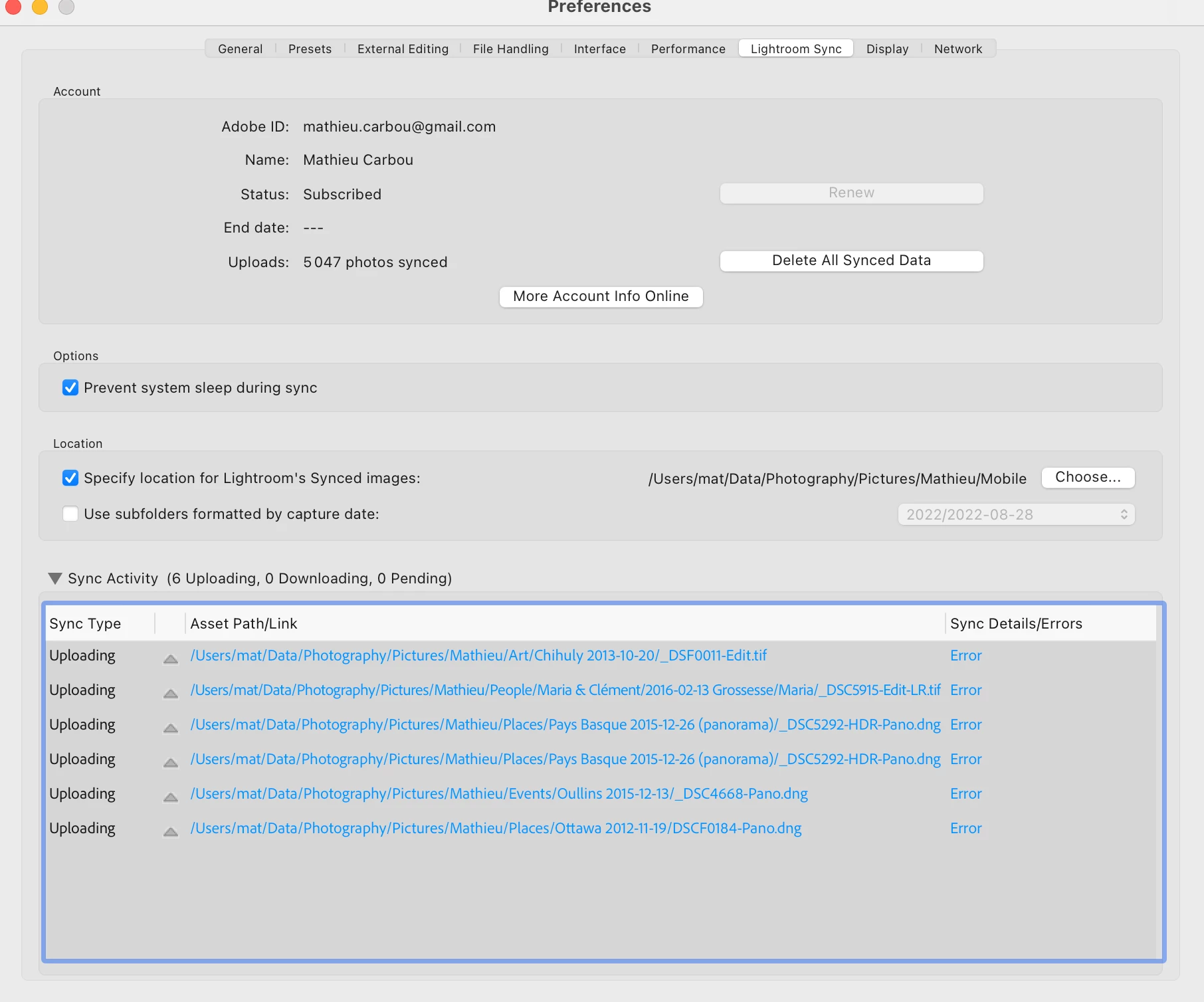
Lightroom sync is constantly showing 6 photos in: "Error". I don't have any detail aout what's the error.


But their metada is syncing correctly: when I add or remove star or do some edits, I can see them on my other devices. But the LR Classic app always show sync errors for these 6 photos.


The common point is that they are all DNG or TIF. I don't have any issue with RAW (NEF) or JPEG. I don't have any issue iwth my other DNG and TIF.


Note that I have the original versions both in LR Classic locally and on the cloud.


I have tried the following, without any luck:


1) Rebuild sync cache

2) Remove photos from "All Sync Errors" collection, wait for the removal to sync, then add them back


I start to think it is a bug regarding the sync status and the state of these photos in the Sqlite catalog and maybe the size ? Is there some API limits ?
 

解決に役立った回答 mathieucarbou

FIXED!


Steps:


1.  Remove DNG from LR Desktop

2. Wait for the removal to sync on LR Classic (In Lightroom collection view)

3. Empty the trash in LR Desktop

4. Re-upload the photos


The sync problem disappear now.


It seems there is a bug when some versions of an image remains in the trash.

返信数 5

mathieucarbou作成者解決!
Inspiring
August 28, 2022

FIXED!


Steps:


1.  Remove DNG from LR Desktop

2. Wait for the removal to sync on LR Classic (In Lightroom collection view)

3. Empty the trash in LR Desktop

4. Re-upload the photos


The sync problem disappear now.


It seems there is a bug when some versions of an image remains in the trash.

Participating Frequently
June 14, 2023

Experiencing the same issue, but I wasn't able to get your fix to work even after emptying CC's trash and removing the > 200 MB panoramas from Classic. They appear in the Imports folder on Classic after adding to CC, and I briefly see a green all-synced checkmark. Then, seconds later it tries to upload metadata and errors out. I may leave them deleted for a week or so and try again.

Participating Frequently
March 7, 2025

Has anyone ever found a solution to this problem.  I am having the same issues related to DNG files.  My own stupid fault converting them to DNG from NEF thinking it might make things smaller and the the Adobe statement that DNG is an archival format...  I have the same set of DNG files locking up sync everytime when synching from Lightroom CC back to Lightroom desktop.  I do not think it is all DNG files because I have many more that are syncing fine but I have the same 200 or so locking up everytime.  I am running the latest patch levels on CC and Classic.


Ed

mathieucarbou作成者
Inspiring
August 27, 2022

I saw this article: a user got the exact same issue.


https://www.lightroomqueen.com/community/threads/hdr-and-pano-merge-photos-dont-sync-to-lightroom-cc.40423/


there's a 200mb limit for syncing files from Classic to the cloud....but as Classic is syncing smart previews, it's not a limit that should come into play.


Apparently there is a 200 MB limit ? Can someone from Adobe confirm ? Is there a way to work around that ? This limit is completely absurd now with high resolution cameras, especially in the case of HDR or pano merges...

mathieucarbou作成者
Inspiring
August 27, 2022

I have also tried to delete the photos in LR, then add the original back from LR.

It worked for the 2 tif files.

For for the 3 panorama DNGs (> 200MB) that I have, as soon as it is finished uploading in LR, it is marked as Error in LR Classic.

mathieucarbou作成者
Inspiring
August 27, 2022

Also, DNG files that have problem uploading are all panoramas. The files are more than 200MB each, some more than 300MB.

mathieucarbou作成者
Inspiring
August 27, 2022

MacOS M1 12.5.1

LR Classic 11.5 (latest one as of today)