
Participant
October 18, 2017
Answered

Photos glitch in Develop mode with GPU turned on.

  • October 18, 2017
  • 1 reply
  • 1923 views

Hi people,

Just updated to the new Lightroom CC Classic. It took one of my catalogs from last version and updated it to the new version. I was getting heavy glitches in the preview window on the develop module. I turned off GPU and it fixed it. Is anyone familiar with this issue, and a way to get the images to show with GPU on? See reference image attached. I'm on a Mac Pro El Capitan with Nvidia geforce 980ti card. 96 GB RAM and on 500 GB SSD. Thanks for any insight.
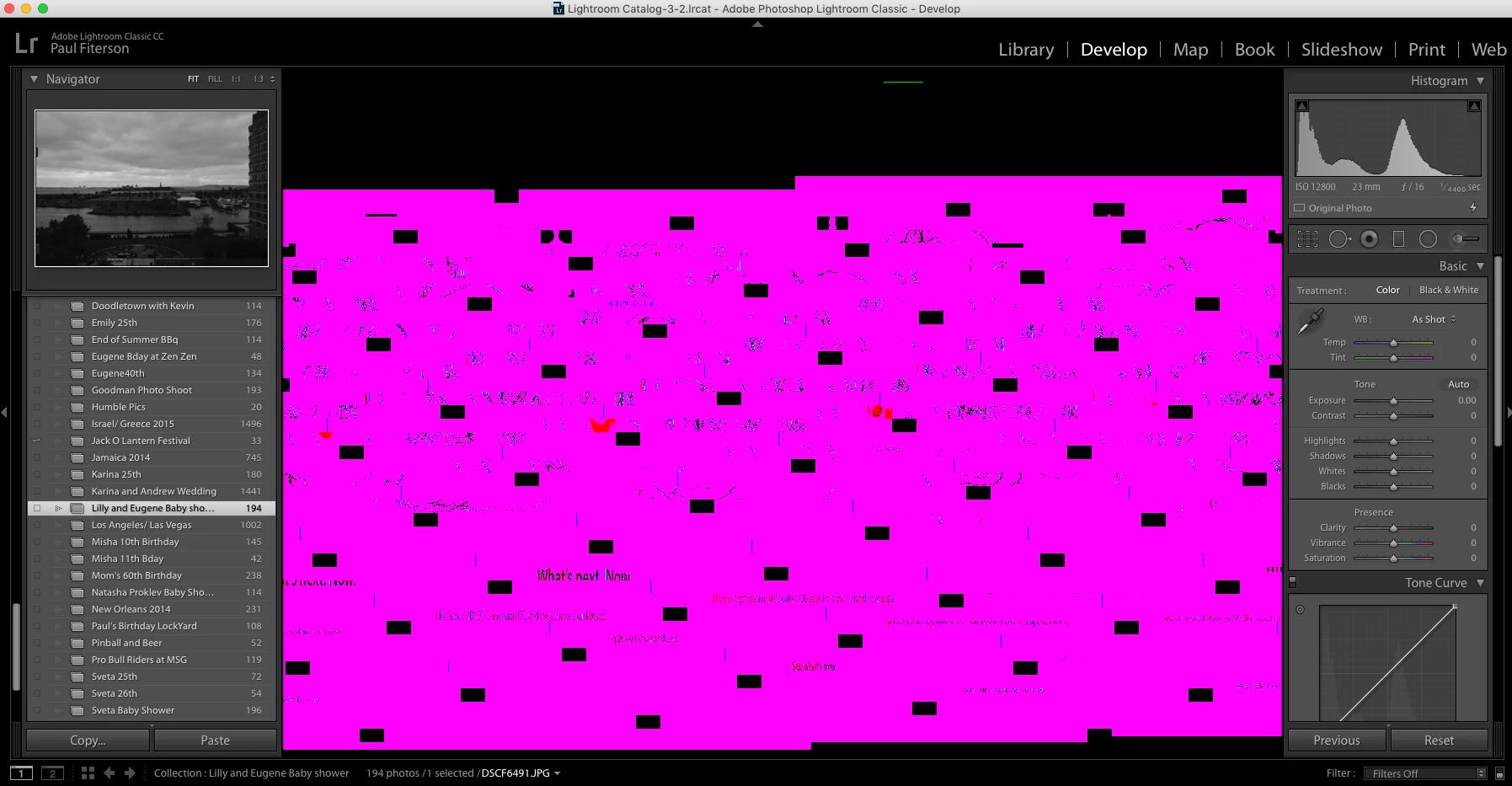
This topic has been closed for replies.
Correct answer JP Hess

I suppose the first thing to do would be to make sure that the driver for your graphics card is up to date. If it is, and you still have the problem, then the best thing to do would be to leave the GPU support not enabled. As has been the case in the past, that support has been added primarily for those with 4K/5K high-resolution monitors anyway. If you don't have one of those type monitors you probably won't see any benefit from using GPU acceleration.

1 reply

JP Hess
JP HessCorrect answer
Inspiring
October 18, 2017

I suppose the first thing to do would be to make sure that the driver for your graphics card is up to date. If it is, and you still have the problem, then the best thing to do would be to leave the GPU support not enabled. As has been the case in the past, that support has been added primarily for those with 4K/5K high-resolution monitors anyway. If you don't have one of those type monitors you probably won't see any benefit from using GPU acceleration.

Participant
October 18, 2017

OK. Thanks. That makes sense.

Just odd that it was working on the last version of Lightroom.

JP Hess
Inspiring
October 18, 2017

I don't know how to respond to that. I'm working with a five-year-old computer that doesn't have a graphics card. Just built-in Intel graphics. So Lightroom automatically disables  GPU support. Lightroom works just fine on my computer.