Exit
  • Global community
    • Language:
      • Deutsch
      • English
      • Español
      • Français
      • Português
  • 日本語コミュニティ
  • 한국 커뮤니티
0

Photos won’t synchronise

New Here ,
Dec 16, 2018 Dec 16, 2018

I recently bought a new computer, which meant that I had to move my Lightroom Classic catalog from my old computer to the new one. It worked fine and all of the photos that were on my old computer are now in Lightroom on my new computer.

However, when I import a new photo into Lightroom on the new computer and try to syncronise it with Lightroom CC (on my mobile phone), this message comes up:

PROBLEM SYNCING WITH CURRENT CATALOG

This appears to be a duplicate or automatically created backup of your catalog. As it may not be current, sync has been disabled for this catalog. To make this your sync catalog, please relaunch Lightroom and enable sync.

I have of course tried to restart Lightroom Classic, but it does not make any difference. Some people say that you should remove ”sync.lrdata”, but I can not find that file using this path.

C:\Users\<user>\AppData\Local\Adobe\Lightroom\Caches\Sync Data\Sync.lrdata​

What can I do to solve this problem?
312
Translate
Report
Community guidelines
Be kind and respectful, give credit to the original source of content, and search for duplicates before posting. Learn more
community guidelines

correct answers 1 Correct answer

LEGEND , Dec 16, 2018 Dec 16, 2018

And from that error message

"PROBLEM SYNCING WITH CURRENT CATALOG

This appears to be a duplicate or automatically created backup of your catalog. As it may not be current, sync has been disabled for this catalog. To make this your sync catalog, please relaunch Lightroom and enable sync."

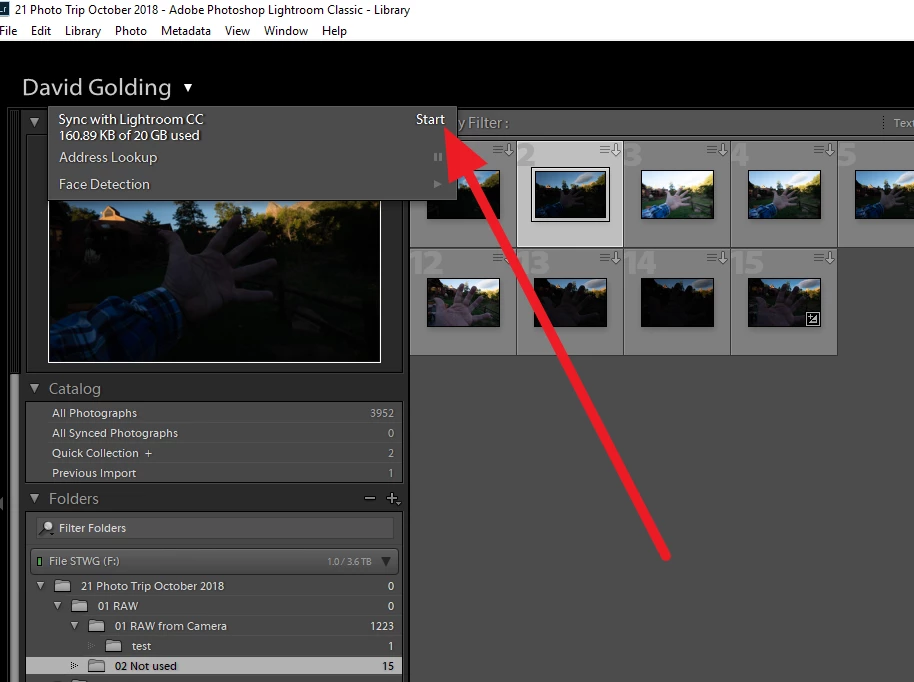
did you enable sync? I have never ever done this so following might be bull hockey

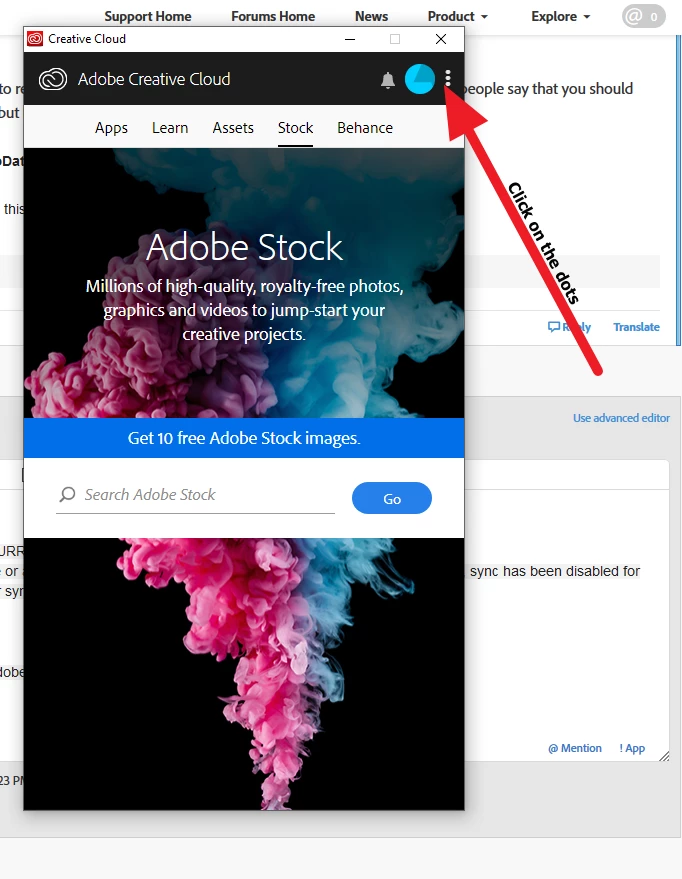
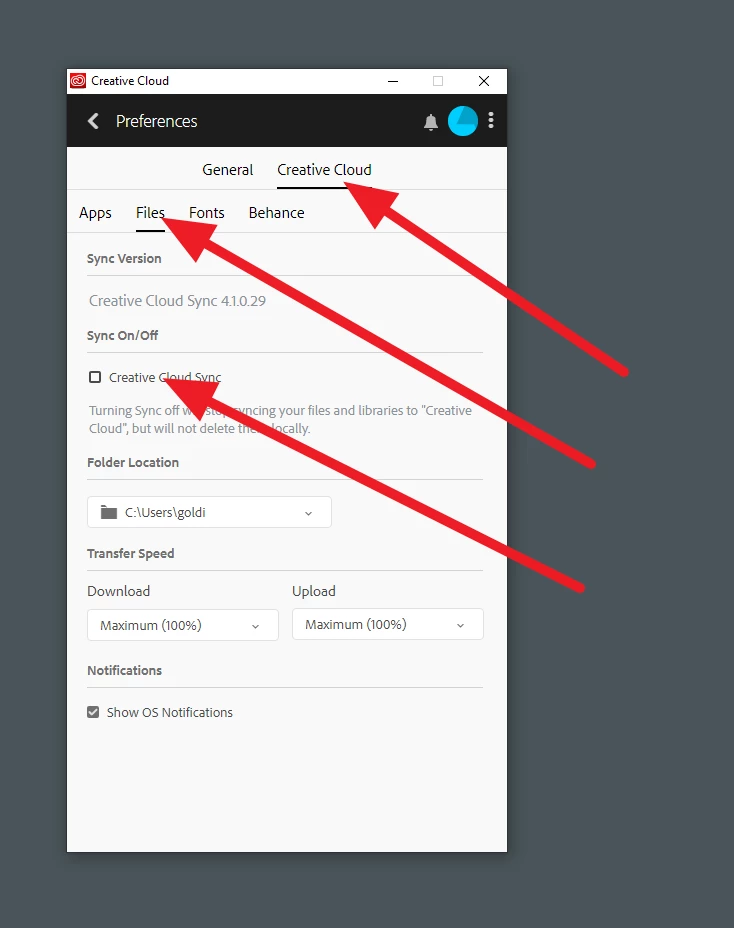
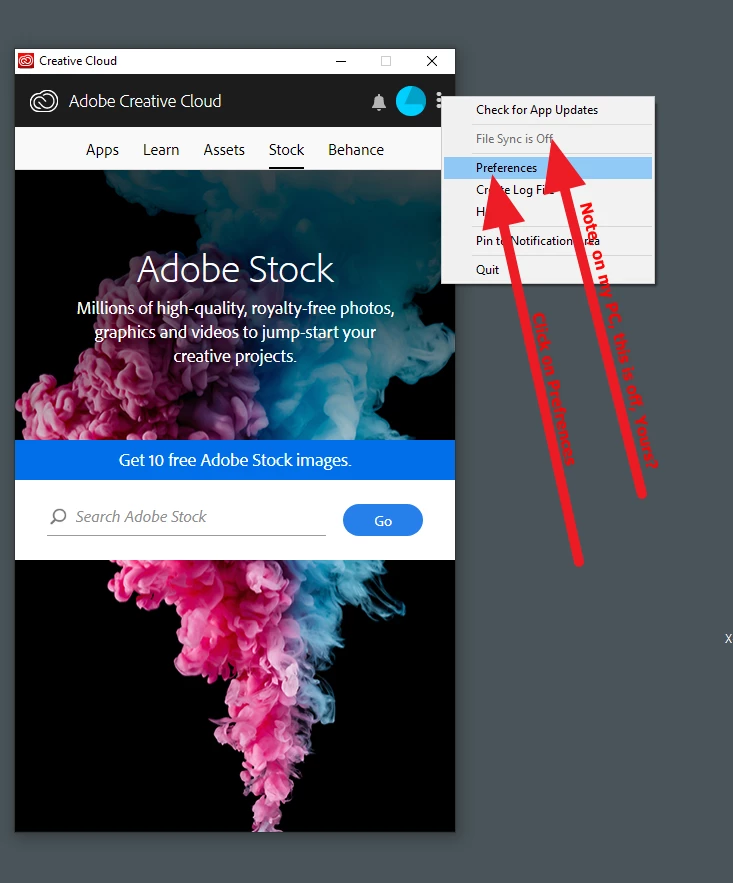
Incidentally also check your Adobe Creative Cloud Desktop application for sync.

Translate
LEGEND ,
Dec 16, 2018 Dec 16, 2018
LATEST

And from that error message

"PROBLEM SYNCING WITH CURRENT CATALOG

This appears to be a duplicate or automatically created backup of your catalog. As it may not be current, sync has been disabled for this catalog. To make this your sync catalog, please relaunch Lightroom and enable sync."

did you enable sync? I have never ever done this so following might be bull hockey

Incidentally also check your Adobe Creative Cloud Desktop application for sync.

Translate
Report
Community guidelines
Be kind and respectful, give credit to the original source of content, and search for duplicates before posting. Learn more
community guidelines