photoshop and Lightroom on Mac the tools are inaccurate in their size
Ok so as long as i have used photoshop and lightroom classic on my m1 macbook basically any spot removal or brush tool per se does not accurately show the size of what is being modified/affected. as you see in the two pictures the round circle where im trying to fix some dust spots is basically twice the size of what is actually modified/affected.
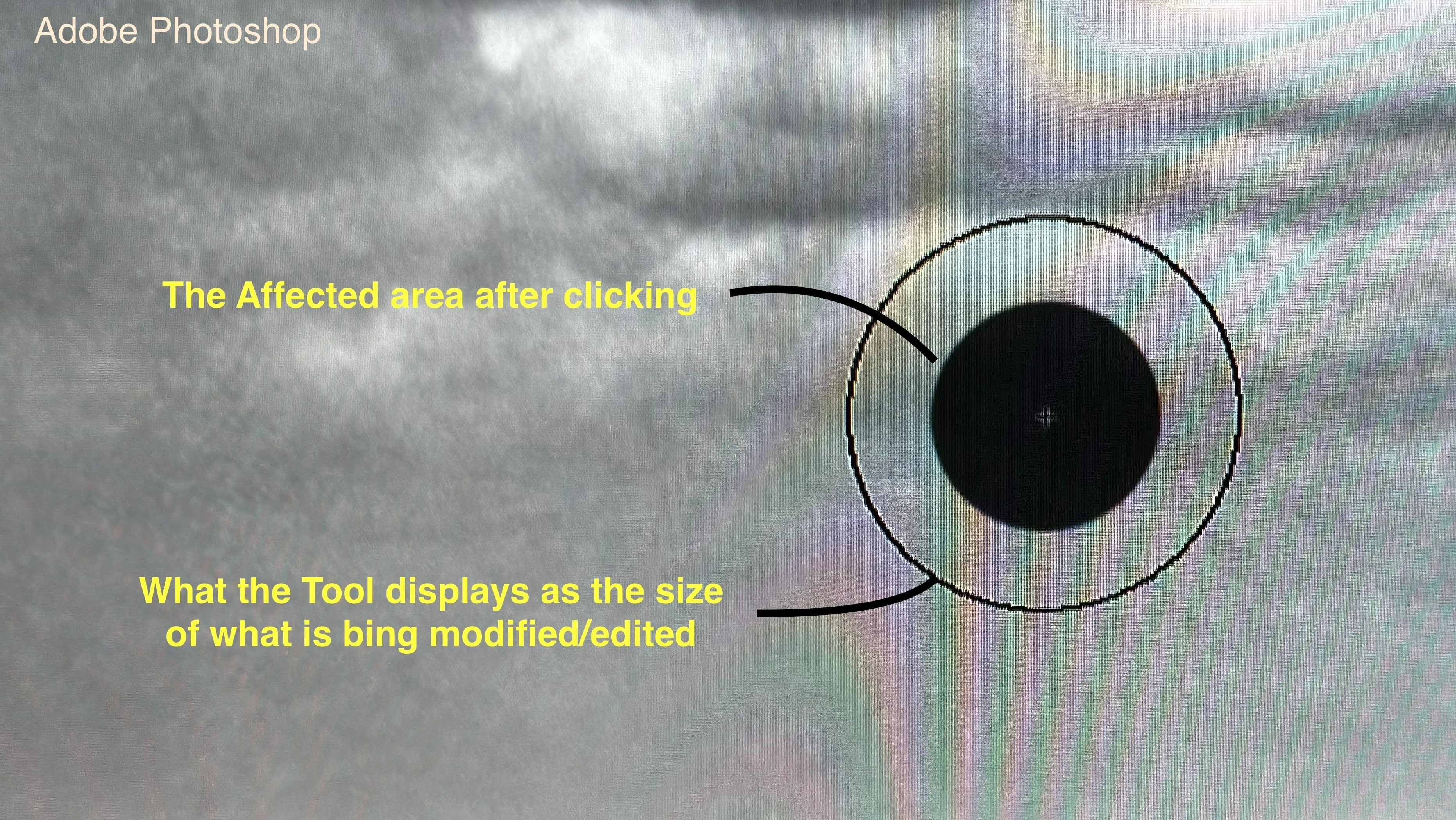
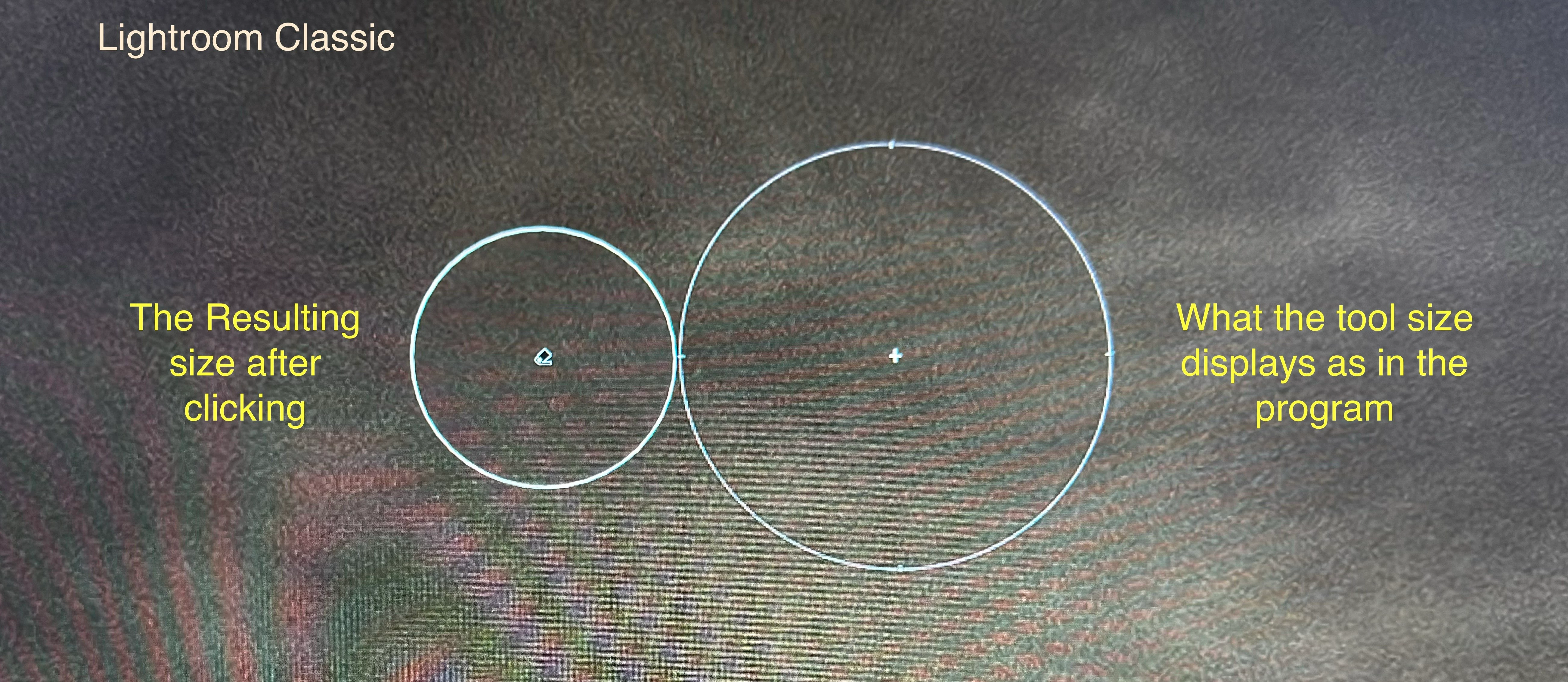
This does not occur on my windows laptop so there is something to do with how the adobe products are programmed for mac.
Also im running the Latest versions too
This has been the case for all versions of Lightroom classic and Photoshop, for as long as i have been using mac (which is for about a year or so)
Edit: the Cursors setting in photoshop is supposed to adjust cursor settings but when sellecting full size brush tip or the normal brush tip there is no change in the cursor size and the issue still persists
Please FIX thank you
 AdChoices