stefank48580375
Participant
April 9, 2022
Question

Pictures available but "empty"

  • April 9, 2022
  • 3 replies
  • 381 views

Hi,

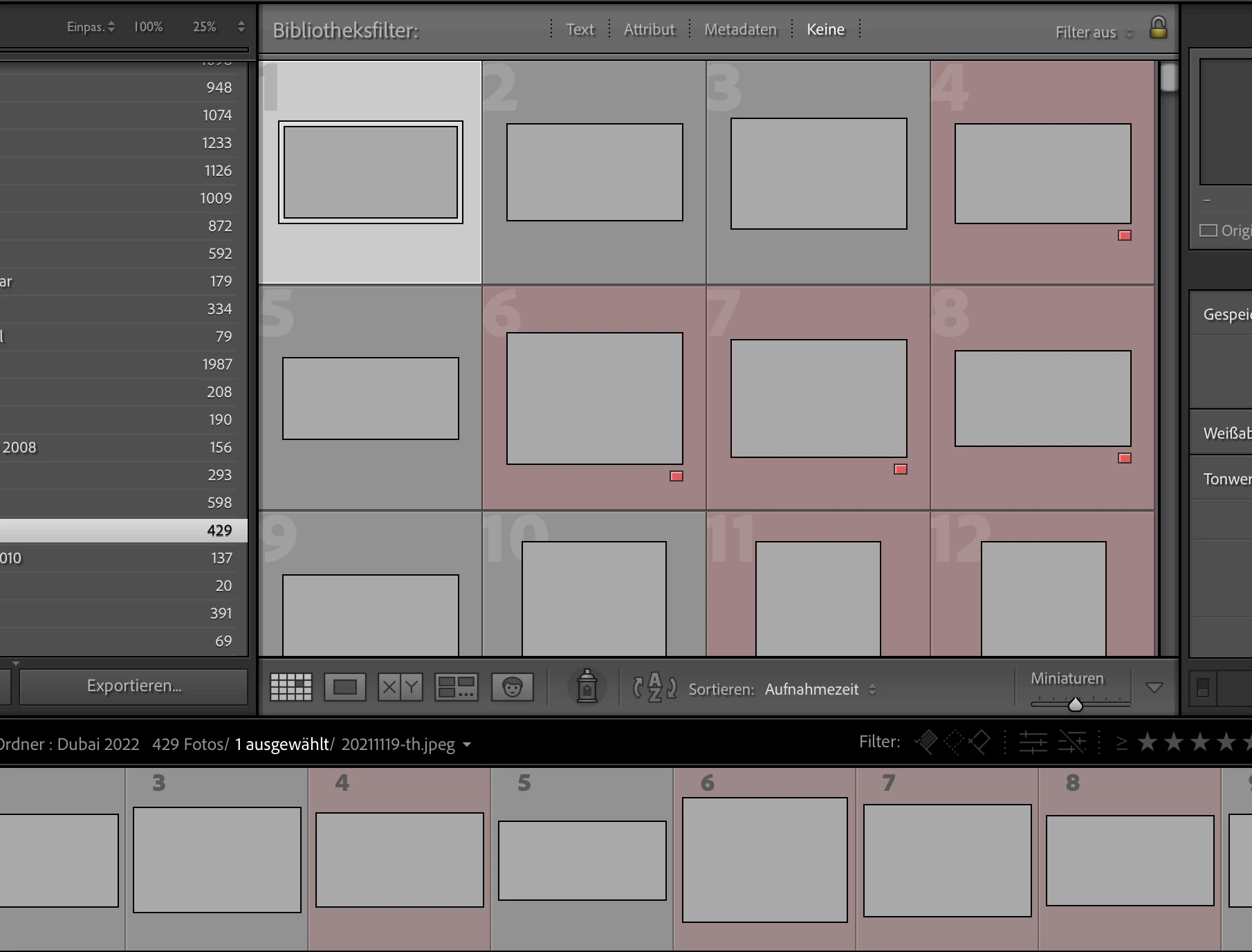
when I open Lightroom Classic all my pictures are there but they are just grey. See screenshot.

How can I solve that?


MacOS is up to date as well as LrC.


Thanks

Stefan
 

This topic has been closed for replies.

3 replies

GoldingD
Legend
April 11, 2022

I think that the Author also posted this in Germain but with a different screenshot at:

https://community.adobe.com/t5/lightroom-classic-discussions/leere-bilder-thumbnails/m-p/12870455#M270044

the screenshot shows a more complete view, and that includes the Folders panel, showing lots of ? marks. 

I have inquired if folders got moved outside of LrC and have included

https://www.computer-darkroom.com/lr2_find_folder/find-folder.htm


JohanElzenga
Community Expert
Community Expert
April 11, 2022

I don't think these are missing photos for two reasons:

1: None of the photos in the film strip shows the missing photos exclamation mark.

2: Yes, there are missing folders on Macintosh HD, but none of these folders is selected. We cannot see the selected folder, but it seems to be a folder on the My Passport for Mac disk.


To the OP: did you recently upgrade MacOS? In that case, check that Lightroom has the necessary permissions:


-- Johan W. Elzenga
stefank48580375
Participant
April 10, 2022

Nope, nothing what you recommended worked yet.

Yes, the Metadata seems to be filled.


Attached is a screenshot.


Thanks

Stefan

johnrellis
Legend
April 10, 2022

Another possibility that's less likely but easy to test: Set Preferences > Performance > Use Graphics Processor to Off and restart LR.

JohanElzenga
Community Expert
Community Expert
April 9, 2022

I can think of two possibilities:


1: Your previews cache is corrupted. Move 'catalogname previews.lrdata' out of the catalog folder and then start Lightroom. Lightroom should now start to rebuild the previews.


2: This is caused by a corrupted monitor profile. Select a different profile (any profile) in System Settings - Displays to see if that solves it.


-- Johan W. Elzenga
johnrellis
Legend
April 9, 2022

There's a third possibility that has struck a few in the past -- "zombie" thumbnails.


3. Click on one of the empty thumbnails. In the Metadata panel, do you see the standard fields like File Name, Dimensions, Camera, etc. or are they all blank?


If you're not sure, post a full-resolution screenshot of your entire LR window.


JohanElzenga
Community Expert
Community Expert
April 10, 2022

Yes, I thought about that one too, but I never heard of a situation where all images were zombie thumbnails. Usually there are only a few dozen, and the real images do have normal previews.


-- Johan W. Elzenga
