
Participating Frequently
January 29, 2024
Question

Pictures missing after import

  • January 29, 2024
  • 2 replies
  • 418 views

Hi there!

I´m working on a Macbook M1 Pro (with Lightroom Classic 13.1) and have a frustrating problem. After coming home shooting with my Sony A7 IV i put my SD card into my Macbook and open Lightroom. After clicking on "Import" i can take a look at every single picture on the SD Card and decide which to import onto the macbook.

After the import-process is finished I have the problem that some of those imported pictures are not getting shown. The picture is completely greyed out and won´t show any information. If i look up the same picture in the file browser it opens just fine, but not in Lightroom. I can also open them in Topaz or Luminar and work with them.

Do you have any ideas for that?

Already tried using different SD cards and reinstalling Lightroom.
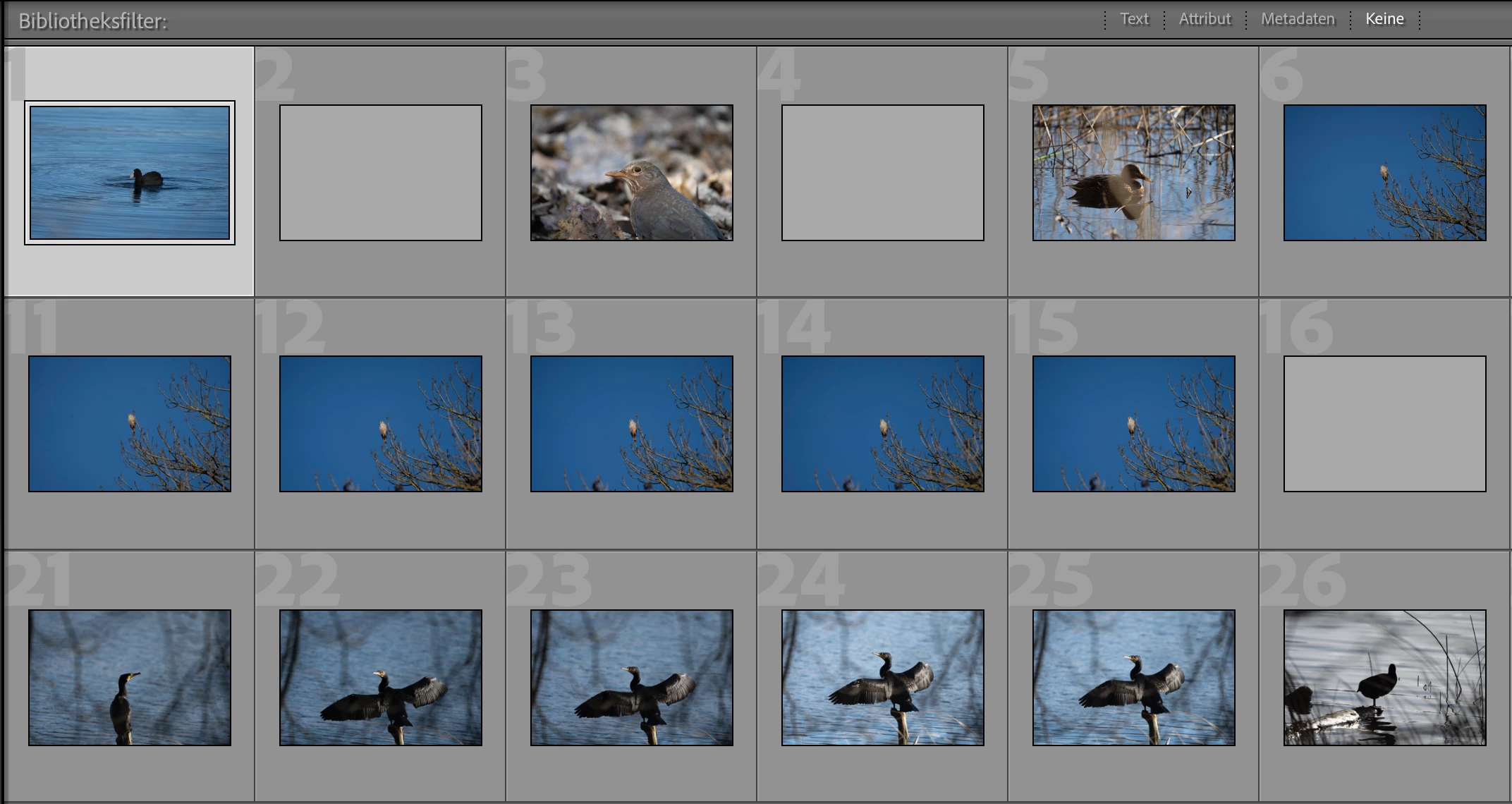
 

This topic has been closed for replies.

2 replies

kentdesign
Community Expert
Community Expert
January 29, 2024

i have a copole of clients who found the same problem and it ws resolved doing what JoahnElzenga suggested. you might try repeatingthe process and also clearing the cache before you reimport 

HoochesAuthor
Participating Frequently
January 29, 2024

Mhm, atleast I´m not the only one.

Tried it a few times now and cleared the cache - still doesn´t work. But thanks!

JohanElzenga
Community Expert
Community Expert
January 29, 2024

As answered in the LightroomQueen forums too, your 'catalogname previews.lrdata' file may be corrupted. Move it out of the catalog folder and start Lightroom Classic. Initially you will not see any previews at all, but then Lightroom Classic should start rebuilding them one by one. See if that solves it.


-- Johan W. Elzenga
HoochesAuthor
Participating Frequently
January 29, 2024

Thanks for the advice, unfortunately it didn´t help and the pictures are still not getting shown correctly.