Inspiring
December 6, 2019
Answered

Print module draft printing a contact sheet excruciatingly long

  • December 6, 2019
  • 2 replies
  • 953 views

Hi


I'm using Lightroom Classic 9.0 on Macbook Pro High Sierra


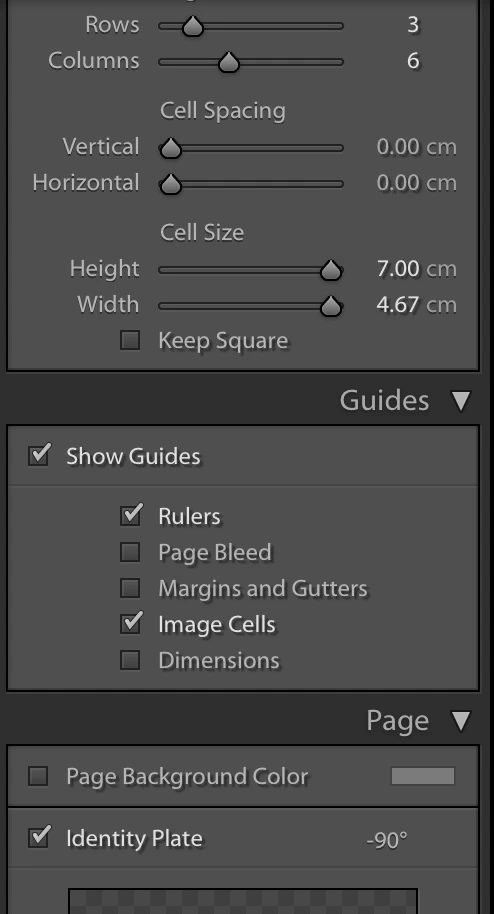
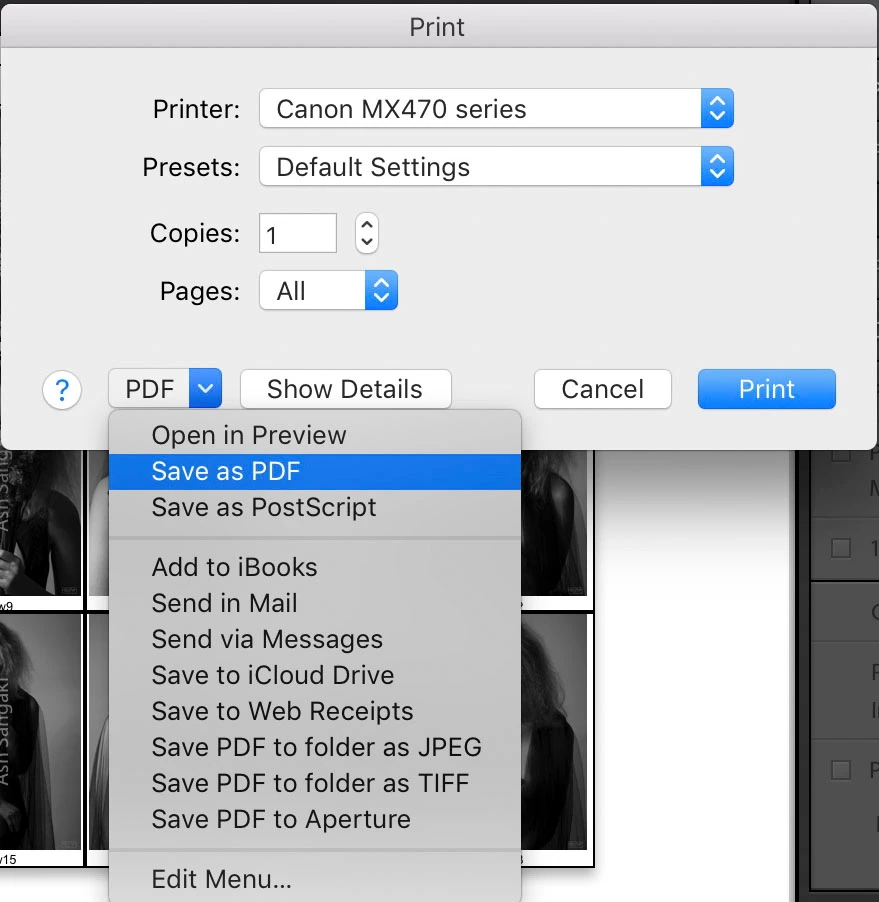
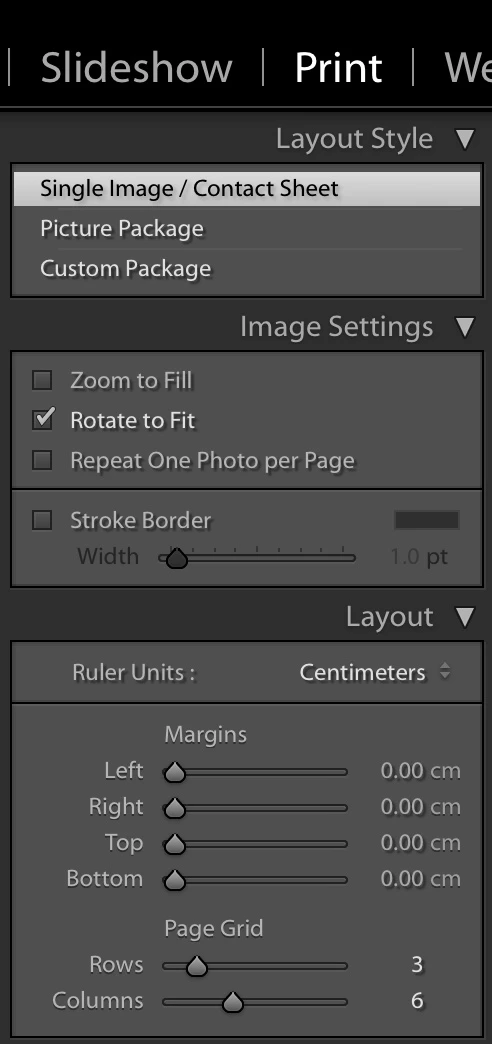
I have configured a contact sheet (3 rows x 6 columns) within the Print module of Lightroom Classic to print in Draft mode and then instead of printing to a printer, I use Mac's option of saving as a PDF.  For reasons which elludes me, it either succeeds in a reasonable time or it would literally take hours to finish the job.  This is especially egregious when there are more than 2 pages.  As far as I can see I have ample disk space for any scratch work needs it may need internally.


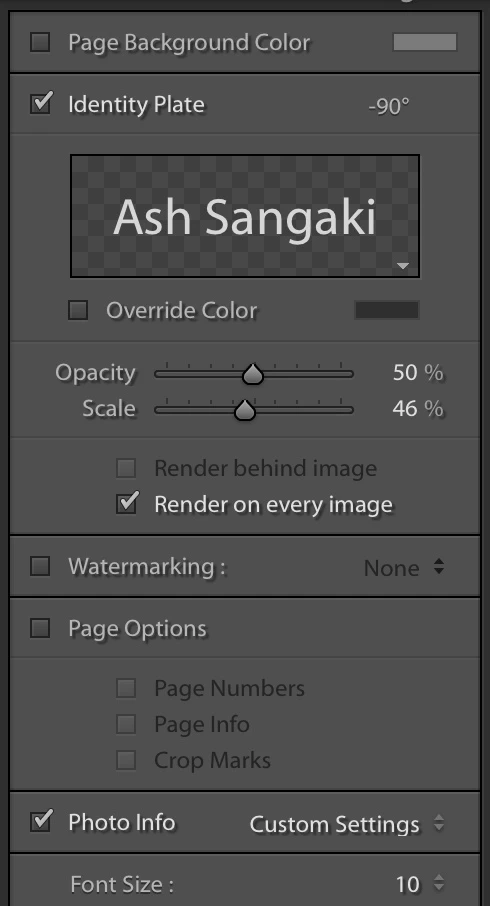
Also to note is that the photos being processed are not raw - they are relatively tiny 900x1350 pixels jpegs. The only processing needed would be reducing the size of the files before composing the contact sheet grid.  Also to note is that I am adding a watermark to each image using the Identity Plate option and turning this off does not seem to affect the processing time.


To get an idea of the time it takes, it takes as long to process the PDF as it would take to export my original Fuji RAF raw files to 900x1350 jpegs!


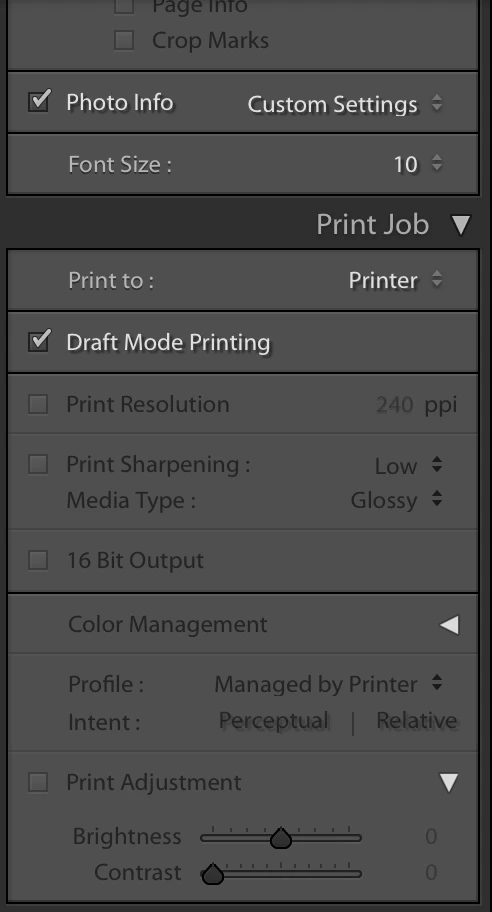
I'm including screenshots of my settings.


Thanks in advance for your help


Correct answer ash_ess

OK. I think I've finally narrowed it down.  The issue is when you check "Draft Mode Printing".  The workaround is to print normally but setting the Print Resolution to something like 72 dpi.  Am happy I found this workaround.


2 replies

ash_essAuthorCorrect answer
Inspiring
December 11, 2019

OK. I think I've finally narrowed it down.  The issue is when you check "Draft Mode Printing".  The workaround is to print normally but setting the Print Resolution to something like 72 dpi.  Am happy I found this workaround.


Tony_See
Inspiring
December 7, 2019

Can I ask how have you customised the Photo Info menu?

What task have you set the software to perform there?

ash_essAuthor
Inspiring
December 7, 2019

Hi Tony


This would give the ordinal number of the photo within the contact sheet preceded by the constant "c" for colour.  Thus, c12 would mean the 12th photo in the (colour) contact sheet.


Thanks for your interest

ash_essAuthor
Inspiring
December 7, 2019

Hold on. I just tried something I haden't before.  Instead of saving as PDF, I actually printed it.  It goes very quickly.  The issue may be on the Mac side where it translating the (postscript?) file generated for the printer to a PDF...