

[Print Module] Lightroom won't apply the selected ICC profile when printing!
Setup:
MacBook Pro 16" running macOS 11.5.2
Canon imagePROGRAF PRO-1000 with driver 22.20.0.0
Lightroom Classic 10.4
Calibrated display with X-Rite i1Display PRO
Issue:
I am unable to print in Lightroom anymore since the latest 10.4 update. The problem is that Lightroom will completely ignore the ICC profile set in the Print panel, and the print will come out without any sort of color management.
Let me walk you through my finding step by step.
I am trying to print this photo:

First, I tried to use the same workflow I have always used. I choose to manage the ICC profile in Lightroomm, therefore I select the correct Ilford Smooth Pearl profile as shown below. As you can see, the printer driver seems to be correctly set to "ColorSync" under the color matching menu.
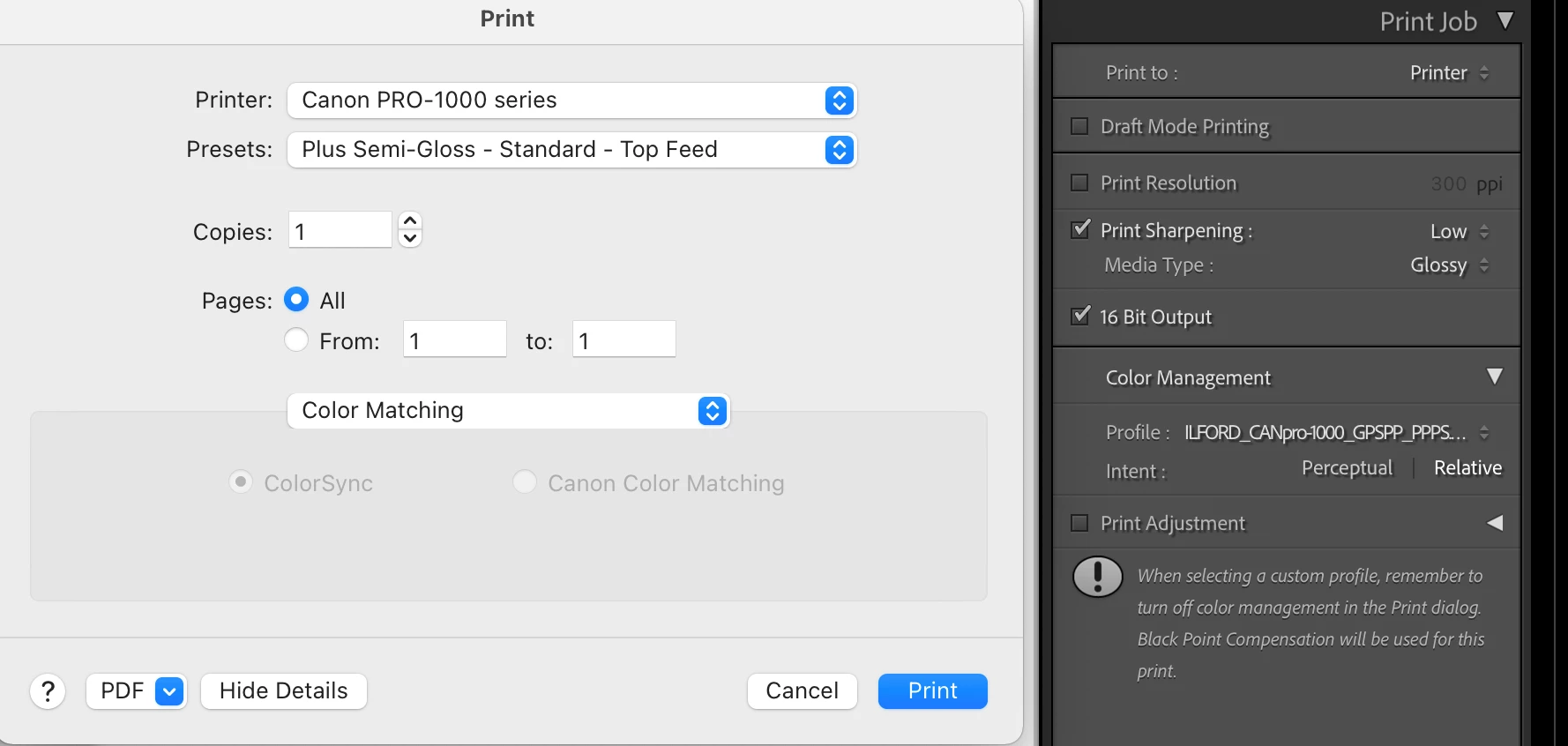
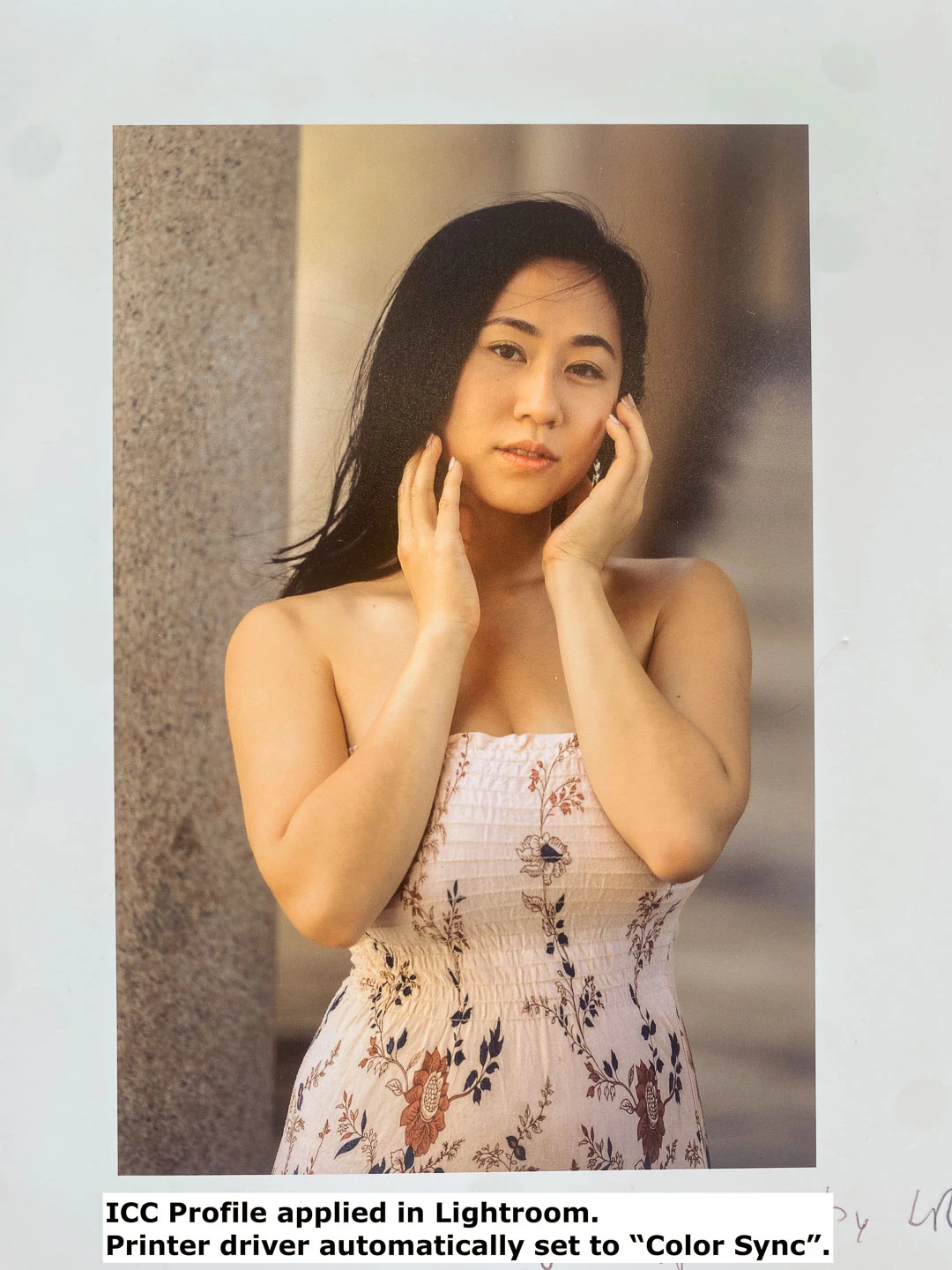
I make sure the paper media is set correctly, then I click on Print. This is what comes out of the printer. The colors are completely shifted towards a yellow dominant, they are not even close to the original picture.
I then tried to go the other way, I input the ICC profile in the printer driver instead of Lightroom, as shown below. Notice how Lightroom is correctly set to "Managed by Printer".
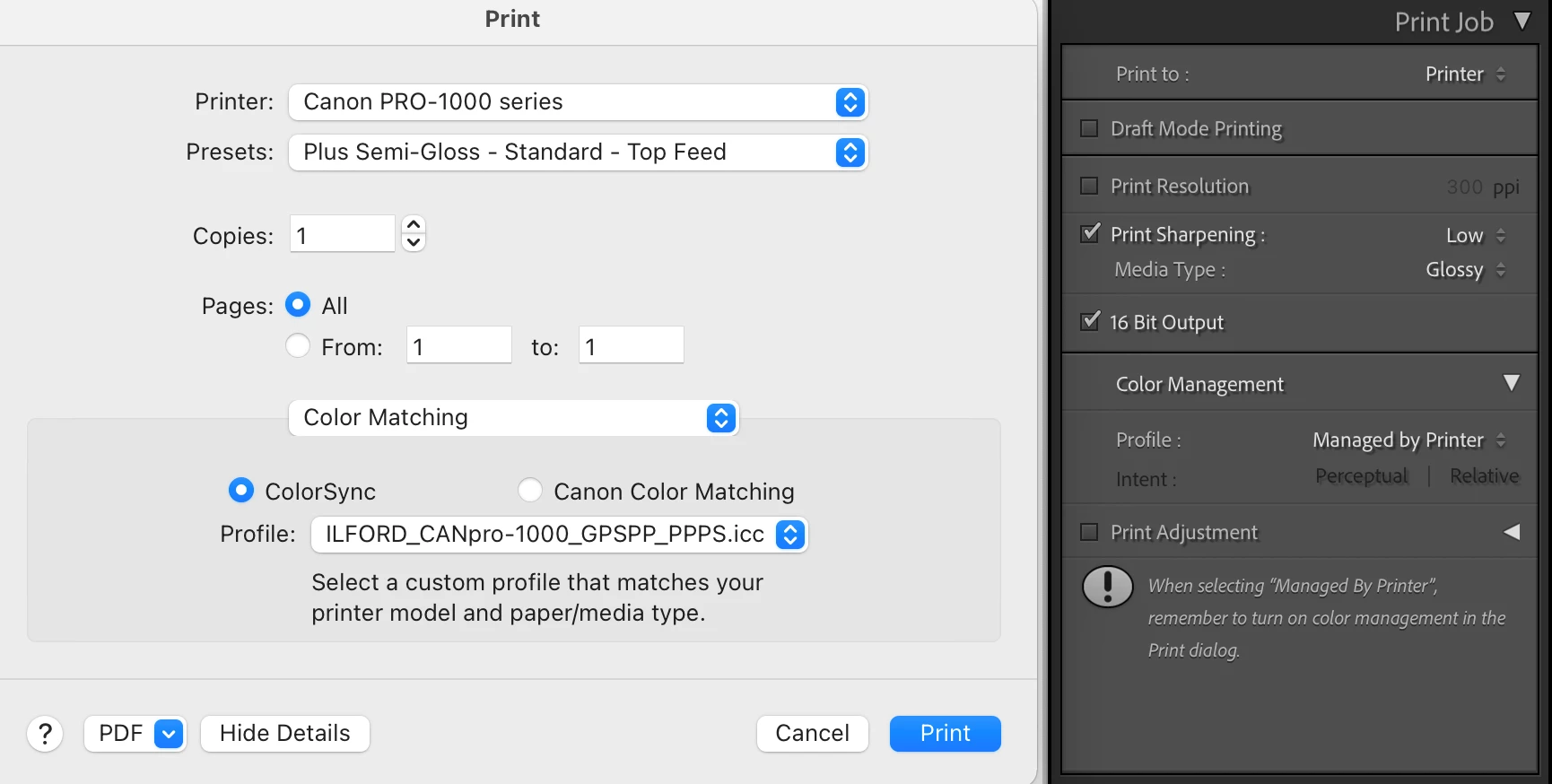
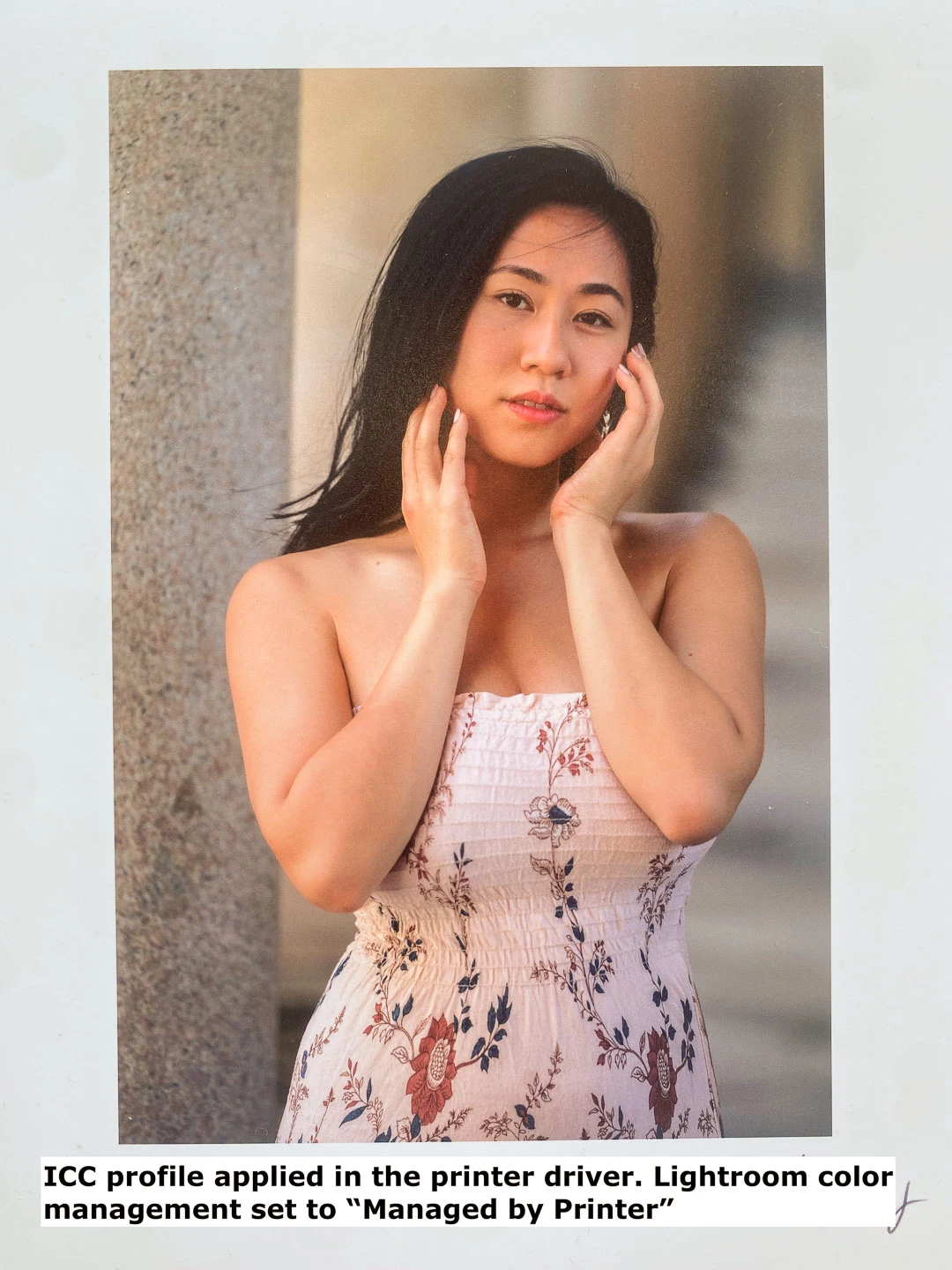
I leave all the other printer settings the same as before, and I click on Print. The result is shown below. The colors are now perfect, the skin tones match my original photo (you will not see how accurate they are since I took a photo of the print with my iPhone, but you get a good idea).
Next, I wanted to run one more experiment. I set the Lightroom color management to "Managed by Printer", and in the printer driver I selected "Canon Color Matching" in the Color Matching menu, then in the Quality & Media menu I set the rendering intent to "No Color Correction".
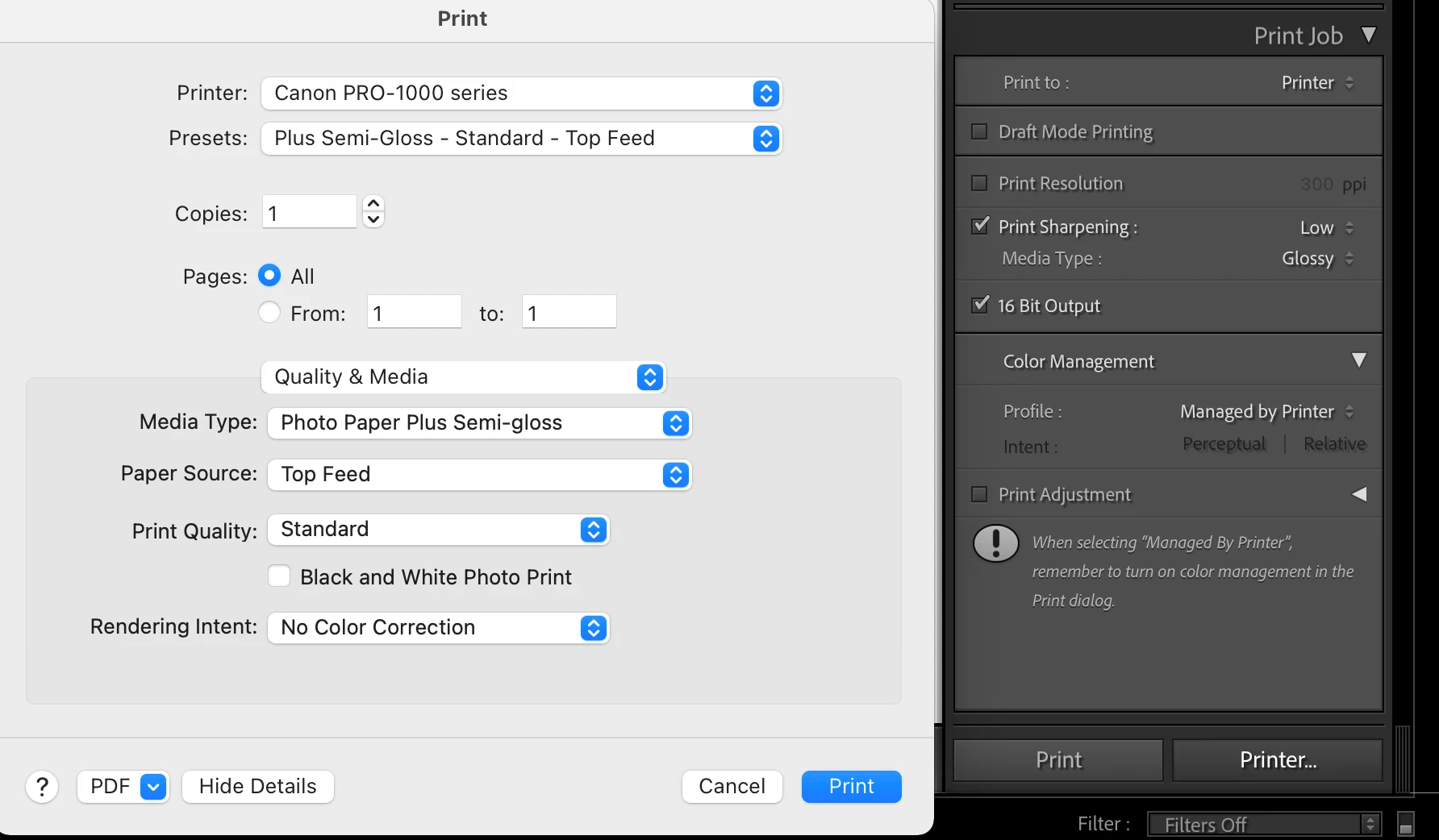
I left all the other printer settings the same, then I clicked Print. Below you can see the result: it looks 100% identical to the first picture I printed!
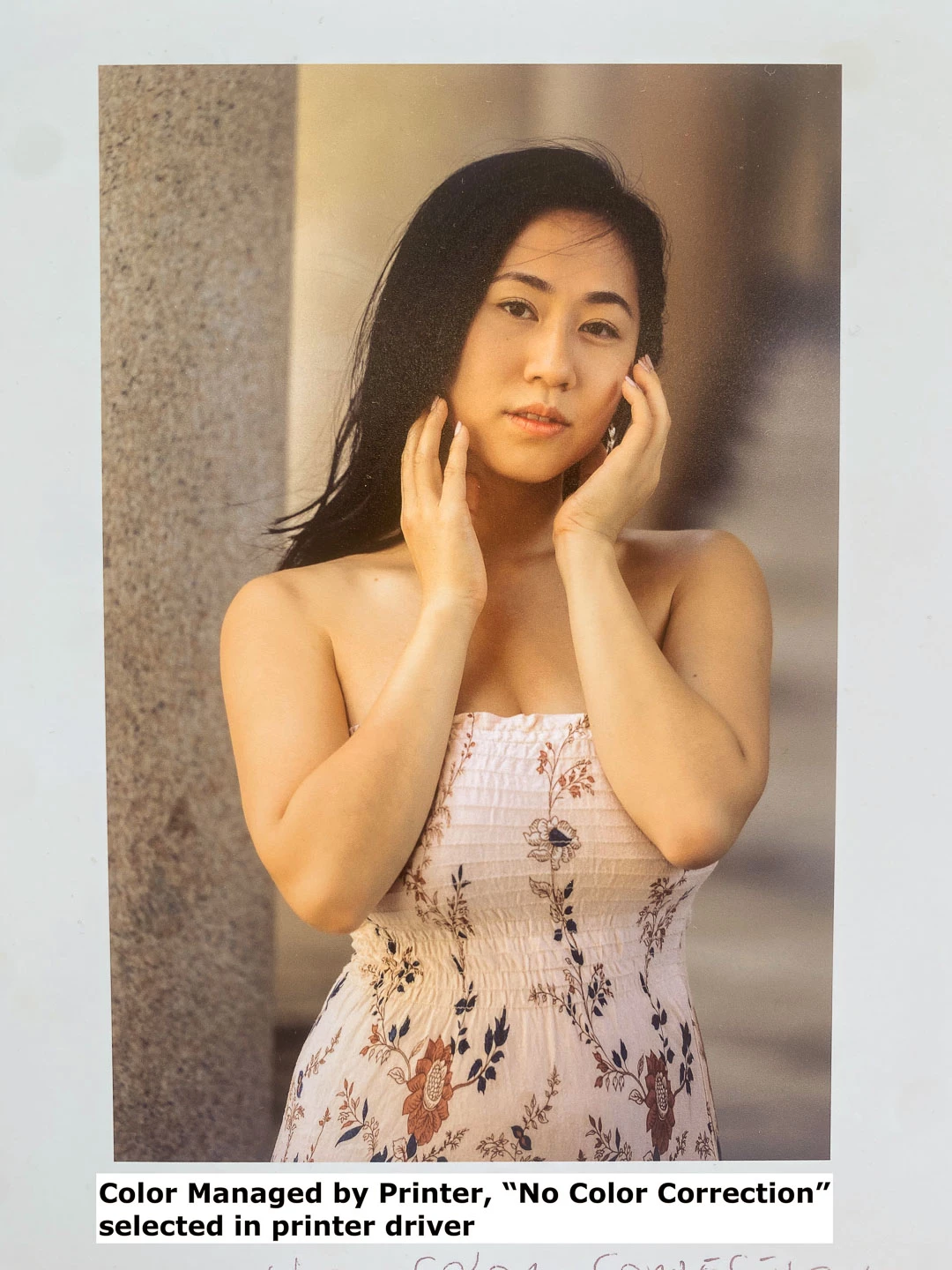
Based on these experiments, I think what is happening is clear. When color management is controlled by Lightroom, the printer driver won't manage color and it will rely on Lightroom to pass the correct ICC profile. It seems like Lightroom won't do that, because the print with color managed by Lightroom and the print with absolutely no color management look identical.
I have tried to restart Lightroom, restart my laptop, restart the printer... Nothing changes. I cannot print a single good photo if I let Lightroom do the color management.
For a professional photo application, this is absolutely unacceptable.
Please don't tell me to re-install the printer driver, this is not a Canon issue, the print comes out perfectly when the ICC profile is set directly into the printer settings.
 AdChoices