
Participant
March 14, 2024
Answered

Printing Canon Rag A4 in Lightroom Classic Print Module

  • March 14, 2024
  • 2 replies
  • 286 views

Hi all,


I recently received a batch 8.5x11 Canson Rag Photographique paper, which turns out to be 216mmx297mm, not your standard letter size of 210x297. When I tried printing through Epson Print Layout, my borders were off. despite being set in the module. See below image.
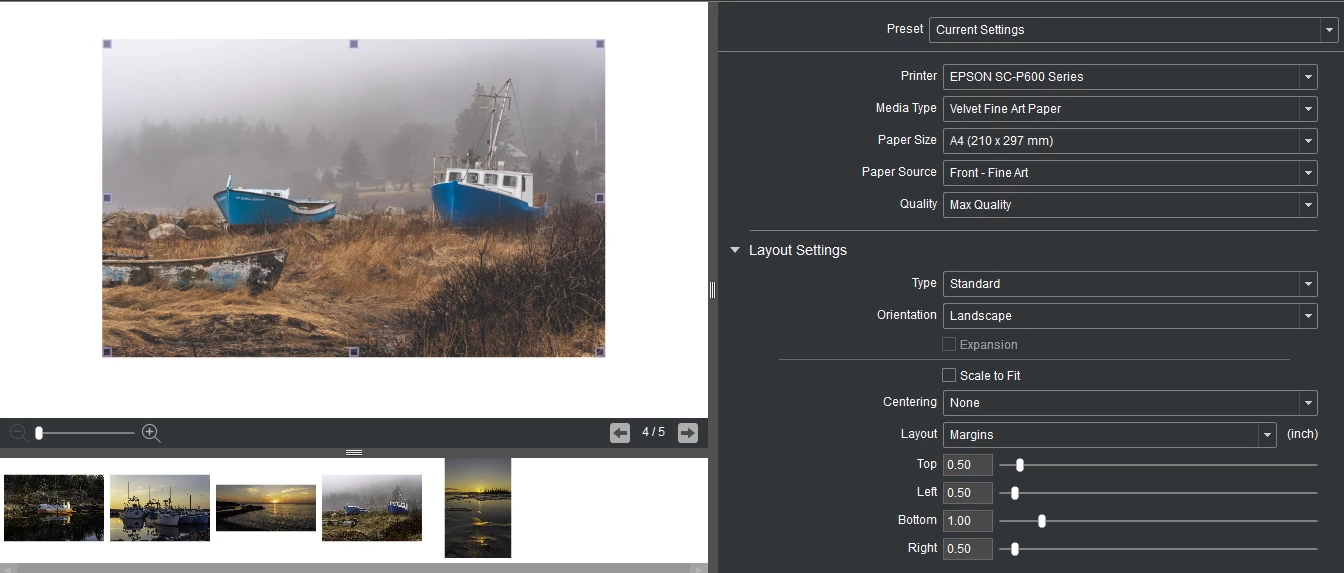
I tried to do something similar using Lightroom Classic, as illustrated below.
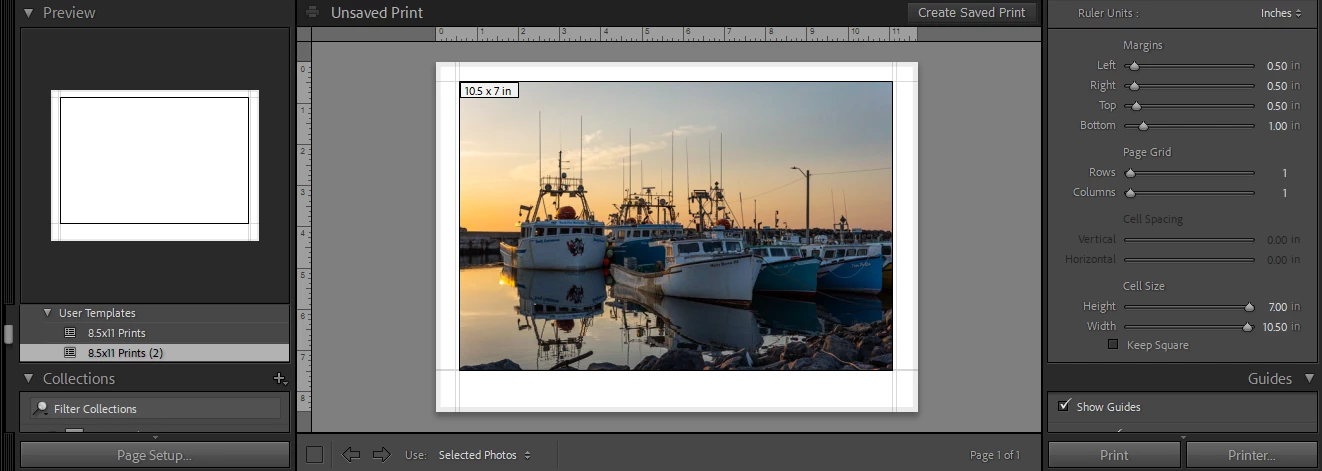
 

However, when I got the image off the printer, I noticed it looked like this:
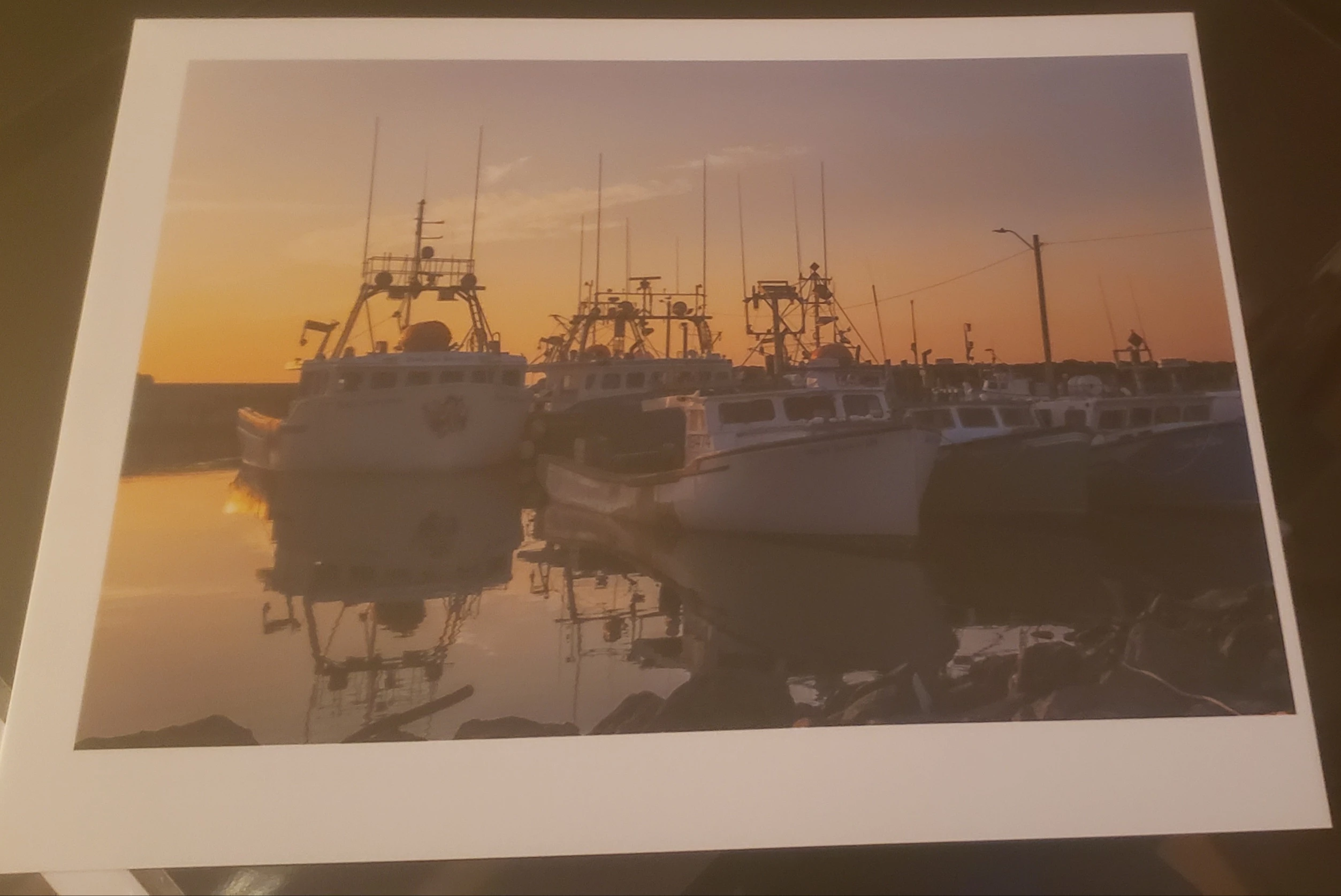


I am printing on an Epson P600 and have set the paper size as User Defined - and input the 216x297 to match on the Print Driver on my computer and checked that the settings are the same across the board. Why am I getting this uneven border on one side of the image, when the Lightroom Print module seems to tell me that the borders are the same?


Any assistance is greatly appreciated!

Cheers,


Jack.

This topic has been closed for replies.
Correct answer JohanElzenga

I remember this from a long time ago: If you set up a custom paper size, you often (depending on the printer) need to take into account that the printer uses some extra space at the very end, to keep a grip on the paper. You need to add this space, or else your border will be too small at the right side (or the bottom in case of portrait orientation). So measure how much is missing on the right side of the paper, and add that to the margin setting of the custom paper size.


2 replies

JohanElzenga
Community Expert
JohanElzengaCommunity ExpertCorrect answer
Community Expert
March 14, 2024

I remember this from a long time ago: If you set up a custom paper size, you often (depending on the printer) need to take into account that the printer uses some extra space at the very end, to keep a grip on the paper. You need to add this space, or else your border will be too small at the right side (or the bottom in case of portrait orientation). So measure how much is missing on the right side of the paper, and add that to the margin setting of the custom paper size.


-- Johan W. Elzenga
KR Seals
Community Expert
Community Expert
March 14, 2024

LrC Version number?

Computer type?

Computer OS Version?


Did you try to reset the LrC preferences?


I have seen that when trying to print from my MacBook Pro M1 Max to my Epson P800. Since my main computer is a PC that prints perfectly, I have never tried to trouble shoot the Mac. I do have friends who print with Macs that have not issues with the same printer.

Ken Seals - Nikon Z 9, Z 8, 14mm-800mm. Computer Win 11 Pro, I7-14700K, 64GB, RTX3070TI. Travel machine: 2021 MacBook Pro M1 MAX 64GB. All Adobe apps.