


Participating Frequently
January 30, 2018
Answered

Problem import photo on Lightroom

  • January 30, 2018
  • 2 replies
  • 2032 views

ENG

Hello, I've a problem with Lightroom...

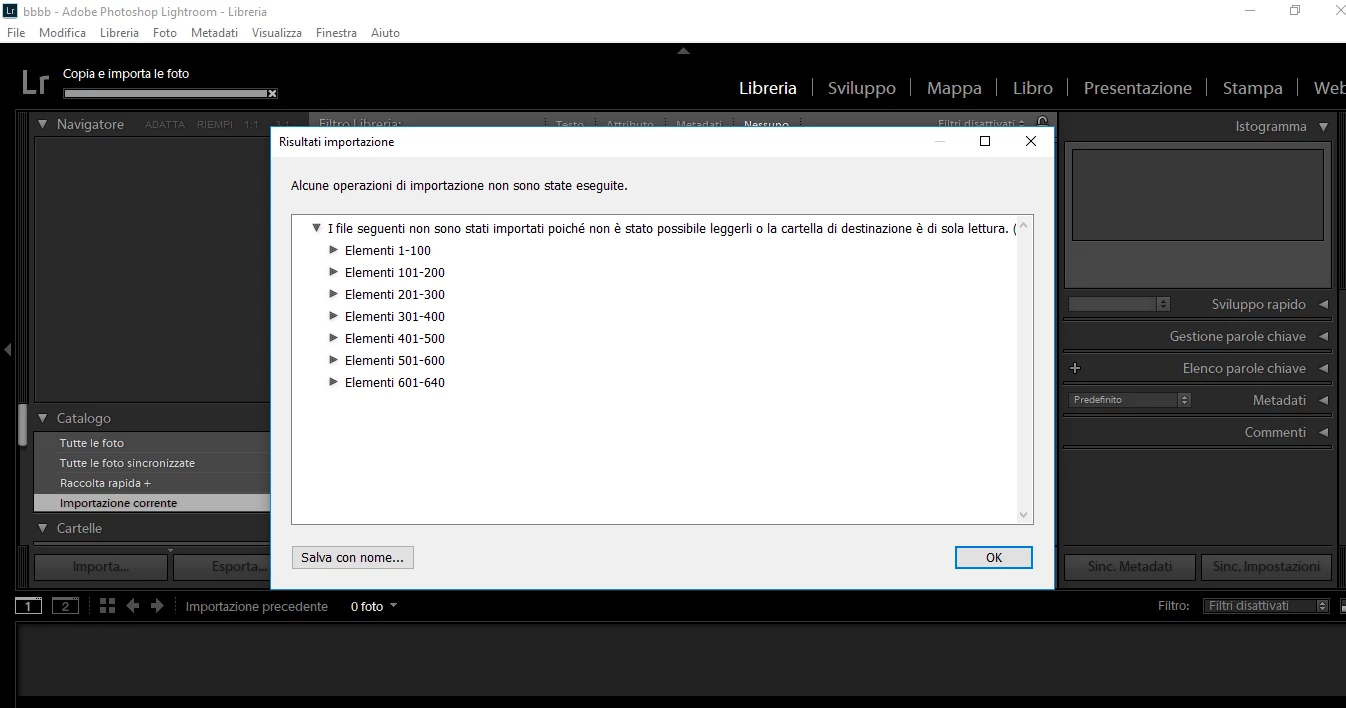
Importing the photos I open an error screen that says "the files were not imported because it was not possible to read them or the destination folder is read only" I don't understand what the problem is because up to 2 days ago it was perfectly.

I hope you can help me understand and solve the problem.

thank you

IT

Buongiorno, ho un problema con lightroom...

Importando le foto mi si apre una schermata di errore che dice "i file presenti non sono stati importati poichè non è stato possibile leggerli o la cartella di destinazione è di sola lettura" io non capisco quale sia il problema perchè fino a 2 giorni fa andava perfettamente.

Spero possiate aiutarmi a capire e a risolvere il problema. Grazie
This topic has been closed for replies.
Correct answer dj_paige

This error refers to the permission in your operating system on the Destination folder.

It may have just started happening because you accidentally changed the Destination folder in the Import dialog box.

To fix this, go to the Lightroom Import dialog box and make a note of the folder selected under Destination on the right hand side. Then, choose one of the two options

  • change the destination folder back to what it was previously (if the folder had accidentally been changed); OR
  • in your operating system, you must change the permissions on this exact folder to WRITE permission.

2 replies

Participant
January 4, 2019

I'm having the same issue on a 2018 Mac Mini. I keep getting the following error message and made sure the destination folder is writeable and has the necessary permission. I'm currently trying to import the photos from an SD card onto my external Hard drive.

dj_paige
Legend
January 4, 2019

dsantiago19  wrote

I'm having the same issue on a 2018 Mac Mini. I keep getting the following error message and made sure the destination folder is writeable and has the necessary permission. I'm currently trying to import the photos from an SD card onto my external Hard drive.

Show us a screen capture of the Destination Panel in Lightroom. Then show us another screen capture showing us the permissions on this folder.

dj_paige
dj_paigeCorrect answer
Legend
January 30, 2018

This error refers to the permission in your operating system on the Destination folder.

It may have just started happening because you accidentally changed the Destination folder in the Import dialog box.

To fix this, go to the Lightroom Import dialog box and make a note of the folder selected under Destination on the right hand side. Then, choose one of the two options

  • change the destination folder back to what it was previously (if the folder had accidentally been changed); OR
  • in your operating system, you must change the permissions on this exact folder to WRITE permission.
Participating Frequently
January 30, 2018

Thank you so much for your quick reply! Resolved!!
