
Participant
November 26, 2019
Question

Problem stitching panoramas

  • November 26, 2019
  • 2 replies
  • 1031 views

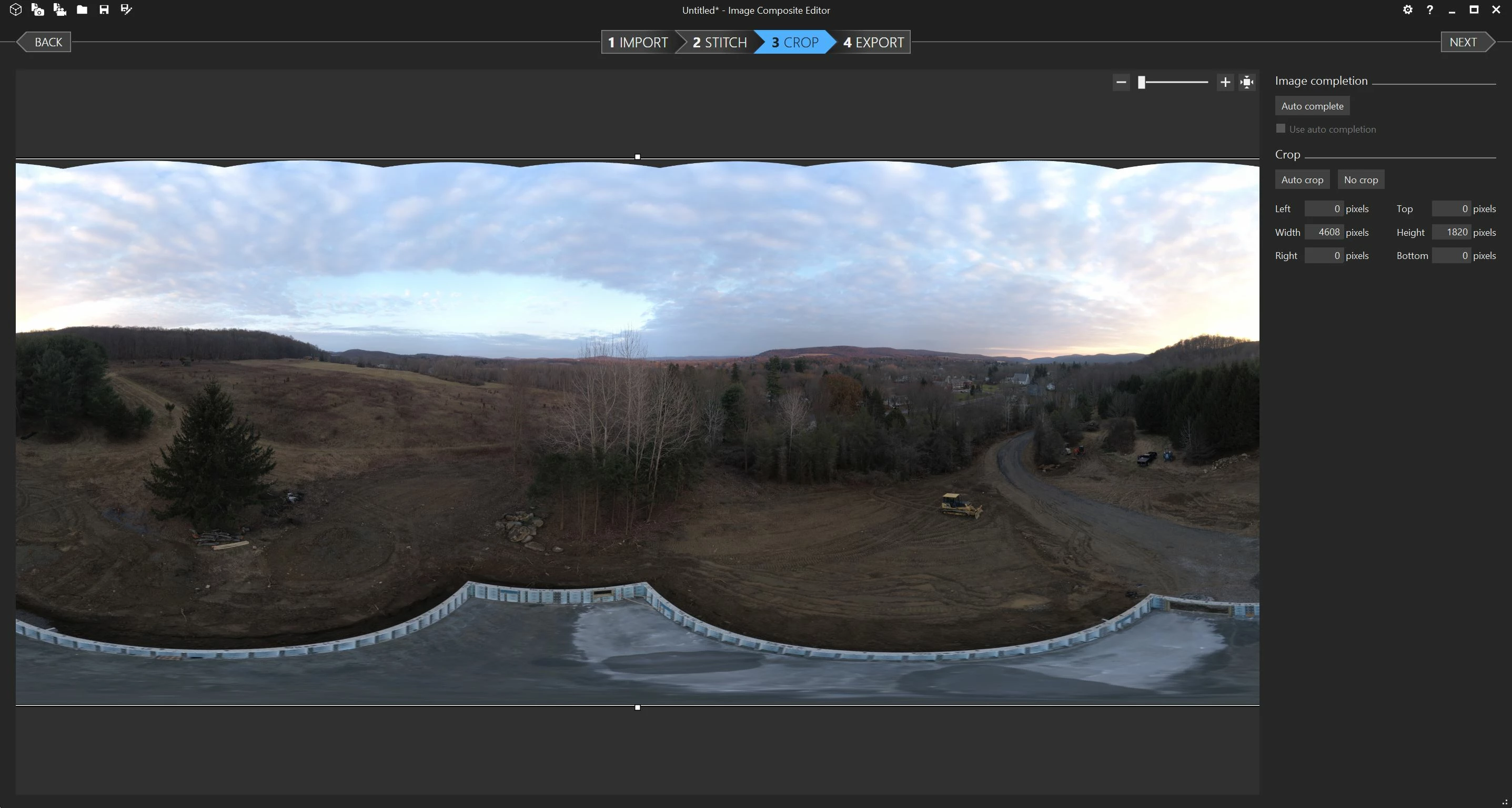
I have a problem with LR classic stitching spherical panos shot with a DJI Phantom 4 Pro. It distorts them such that the horizon rises in the center of the stitch. The Phantom shoots 34 images that Microsoft ICE has no problem stitching:
 

Here's what it looks like in LR, with merging options shown.
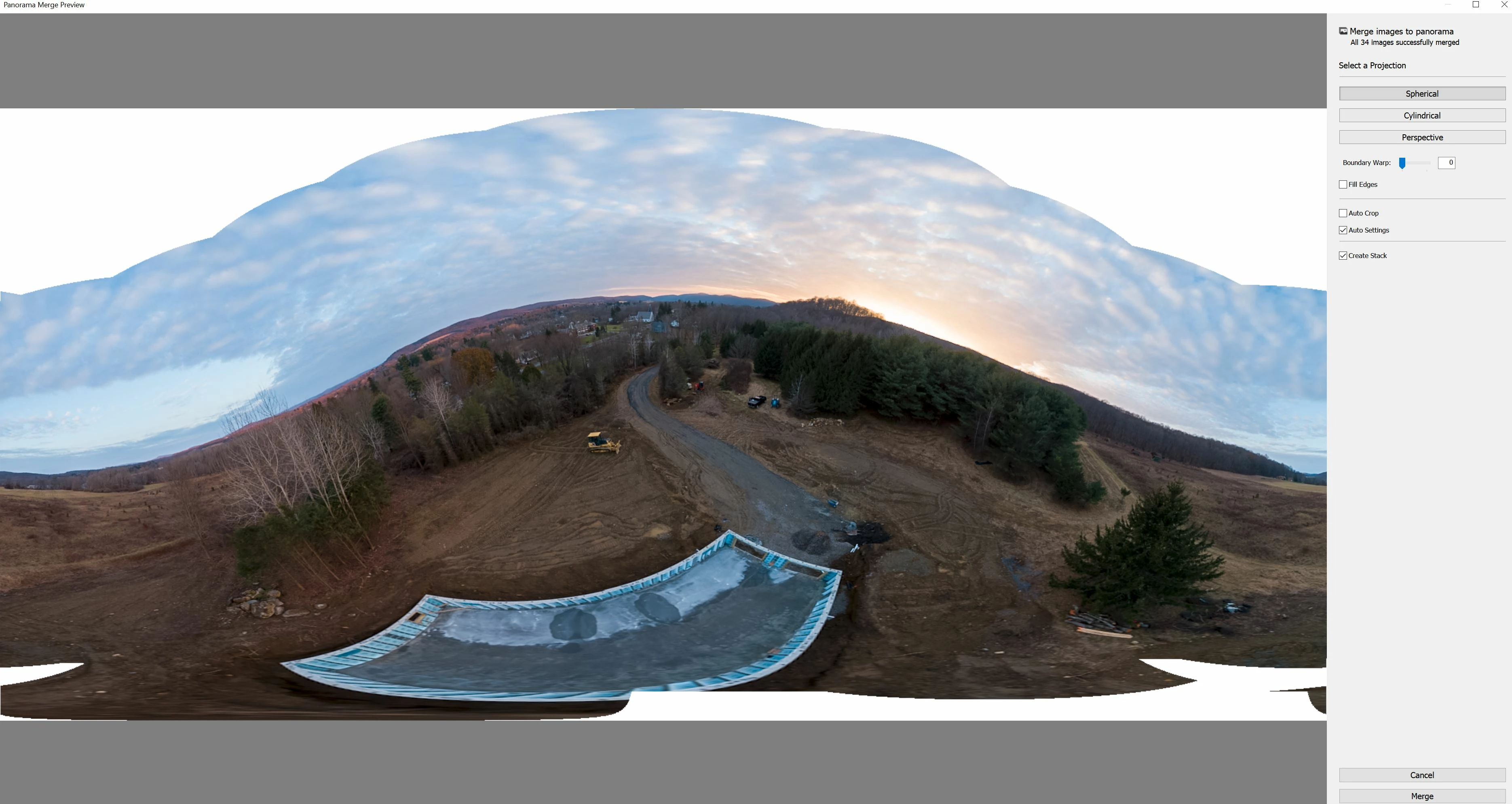


I was quite excited when I got the correct result on ONE pano after the latest update, but alas, that was a short-lived success. Multiple panos since then in the last couple weeks give the same distorted result.


I don't see any settings I can change in LR to fix this. No transform tool will correct it that I can tell.

Any idea what is going on here?


Some details: 

DJI 20MP Sony FC camera 24mm equivalent lens

3:2 Aspect Ratio: 5472 × 3648 raw DNG files

Lightroom Classic latest version as of 25-Nov-19

Windows 10 fast desktop PC


This topic has been closed for replies.

2 replies

GoldingD
Legend
November 26, 2019

Was this hoot multi row or single row?


And despite single or multi, what happens if you choose  Perspective and crank up the Boundry Warp slider?


donjiskraAuthor
Participant
November 26, 2019

Sphere, multi row, 34 images from a drone software algorithm. The drone camera cannot point straight up so I rely heavily on autofill boundary Warp scaling etcetera to fill in the sky.  

Any other pano format then sphere won't merge gives an error which is to be expected.

Community Expert
November 26, 2019

This is a limitation of the panoramic stitch tool in Liightroom. There are no settings whatsoever and it easily gets confused and gives you curved horizons. I always use hugin for all my stitches of spherical panos because of this.

donjiskraAuthor
Participant
November 26, 2019

Thanks for your response, Jao_vdl. I googled hugin and it looks interesting, will check it out when I get to the photo processing PC.  I was hoping there was some secret tip to make it work better in LR so that I can edit the stitched pano in raw format! 

Community Expert
November 26, 2019

Thanks again. Do you know of any that will ouput to a raw format rather than just tiff and jpeg?


No only Lightroom can do that. It is a quasi raw format that Lightroom creates (it is really a tiff but with the white point not baked in) by the way and there really is not that much difference between using a 16-bit tiff from hugin and a dng from Lightroom's own stitch. This is how I generate my 360 panos such as this one:

https://www.google.com/maps/contrib/103896020270046143315/place/ChIJe1TijlzbPocRV28IklPMkOw/@37.806,-107.773,3a,90y,2.02h,90.59t/data=!3m7!1e1!3m5!1sAF1QipOLtvffp1quch1-nJ0YBg7WCwocjEQZN9_xaeed!2e10!6shttps:%2F%2Flh5.googleusercontent.com%2Fp%2FAF1QipOLtvffp1quch1-nJ0YBg7WCwocjEQZN9_xaeed%3Dw365-h260-k-no-pi0-ya320-ro0-fo100!7i11988!8i5994!4m6!1m5!8m4!1e2!2s103896020270046143315!3m1!1e1