


Participating Frequently
January 19, 2025
Answered

Problem when trying to open LR6 catalog in LrC

  • January 19, 2025
  • 2 replies
  • 929 views

Good afternoon,

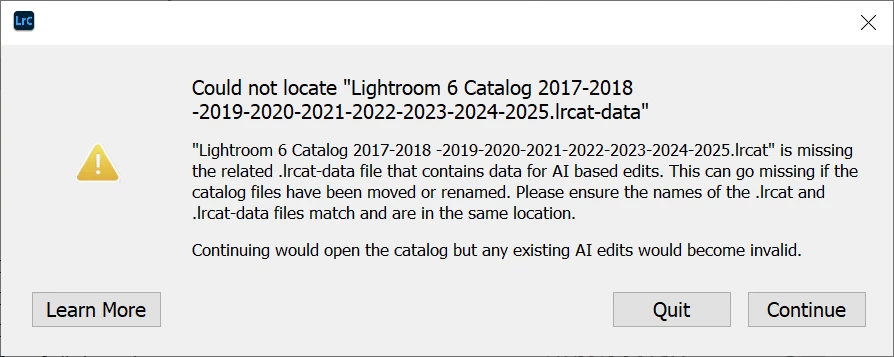
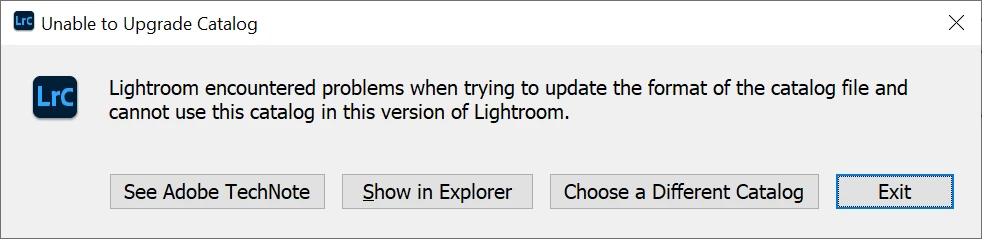
I recently bought Adobe Creative Cloud, end I'm extremely frustrated since I cannot open any of the LR6 catalogs that I have been using for several years.

Would yo have any experience on that problem ?

Thanks for youf feedbacks !

Arno
 

Correct answer Rikk Flohr_Photography

This information is now obsolete. 


14.2 corrected this issue: https://community.adobe.com/t5/lightroom-classic-bugs/p-error-when-upgrading-from-legacy-lr-6-to-lr-classic-14/idi-p/15019707 


2 replies

Rob_Cullen
Community Expert
Community Expert
January 19, 2025

Re: The error message "Unable to Upgrade Catalog"-

I have seen this message mentioned in a few forum threads when people upgrade from v6.

One suggested answer is to roll back to a previous version of Lightroom-Classic, upgrade the v6 catalog, then re-install the latest version of LrC (14.1.1) and upgrade the catalog again.

The version to roll back to should be v13.2 or earlier as it has been suggested that v13.3 (and later v14) had a major change to catalog structure and has difficulty reading the v6 catalog.

I would be curious to know if this works for @Arno_1111 


Regards. My System: Windows-11, Lightroom-Classic 15.1.1, Photoshop 27.3.1, ACR 18.1.1, Lightroom 9.0, Lr-iOS 10.4.0, Bridge 16.0.2 .
Participant
March 26, 2025

I have the same problem. How do I roll back to version 13.2?

Rikk Flohr_Photography
Community Manager
Community Manager
March 26, 2025
Rikk Flohr: Adobe Photography Org
AxelMatt
Community Expert
Community Expert
January 19, 2025

Depends of the folder name in which the catalog is stored it's possible that the name is to long. In Windows you can use only 256 characters for file names (including folder names).

Try to rename the catalog to an shorter name.

How do I find and move or rename my catalog? | The Lightroom Queen


My System: Intel i7-8700K - 64GB RAM - NVidia Geforce RTX 3060 - Windows 11 Pro 25H2 -- LR-Classic 15 - Photoshop 27 - Nik Collection 8 - PureRAW 5 - Topaz Photo
JohanElzenga
Community Expert
Community Expert
January 19, 2025

And don't worry about the message concerning the missing .lrcat-data. That is a standard message that is shown if .lrcat-data cannot be located, but Lightroom 6 did not create that because it does not have any AI-functions yet.


-- Johan W. Elzenga
Arno_1111Author
Participating Frequently
January 24, 2025

Thanks
