
Inspiring
February 16, 2019
Answered

problem with raw photos
  • February 16, 2019
  • 4 replies
  • 941 views

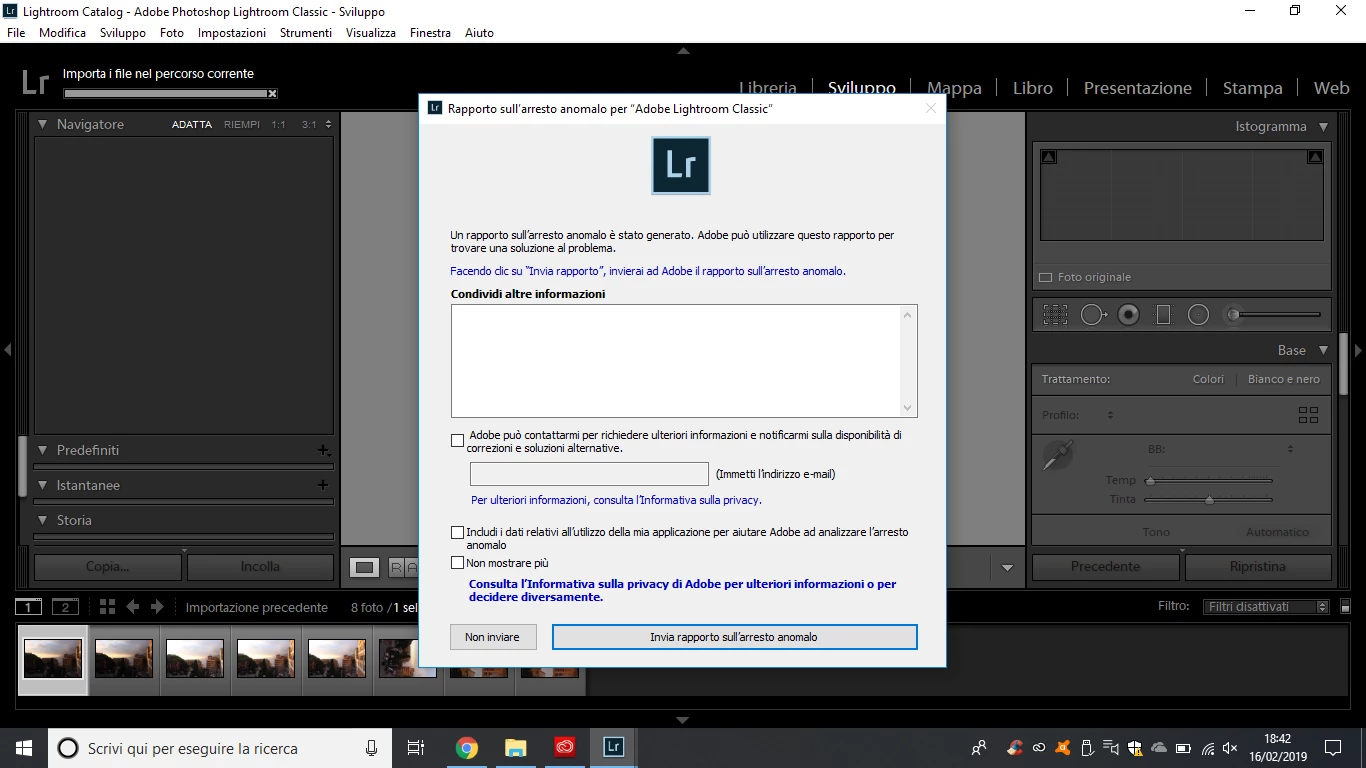
Hello, I just downloaded Photoshop CC 2019 and Lightroom on my computer and as soon as I try to import a photo in raw both programs open this window and close it. I also installed raw camera in the computer, but it does not change ... Anyone know why? Thank you

This topic has been closed for replies.
Correct answer carlottas78000239

I solved with both.

Obviously the only guide that I didn’t open from the search results on google was the one to give me the solution -.-

I had to disable from preferences the graphics processor.

Thank you

4 replies

carlottas78000239AuthorCorrect answer
Inspiring
February 17, 2019

I solved with both.

Obviously the only guide that I didn’t open from the search results on google was the one to give me the solution -.-

I had to disable from preferences the graphics processor.

Thank you

DdeGannes
Community Expert
Community Expert
February 17, 2019

Pleased that you have got things sorted out, now you can get back to enjoy using the application.

Regards, Denis: iMac 27” mid-2015, macOS 11.7.10 Big Sur; 2TB SSD, 24 GB Ram, GPU 2 GB; LrC 12.5,; Lr 6.5, PS 24.7,; ACR 15.5,; (also Laptop Win 11, ver 24H2, LrC 15.0.1, PS 27.0; ) Camera Oly OM-D E-M1.
dj_paige
Legend
February 16, 2019
Hello, I just downloaded Photoshop CC 2019 and Lightroom on my computer and as soon as I try to import a photo in raw both programs open this window and close it.

So, are you implying that importing JPGs works, but importing RAWs does not work and produces this error?

What is the exact version number of Windows? We need the version number and not words like "current" or "up-to-date".

Inspiring
February 17, 2019

yes, with the photos in jpg the applications works... the window with “abnormal crash report” it opens only with the raw files.

I’m using Windows 10 home version 1803

DdeGannes
Community Expert
Community Expert
February 17, 2019

There are reports that one of the new features in LR 8.2 requires Win 10 version 1809. Maybe you can try and update the OS.

Regards, Denis: iMac 27” mid-2015, macOS 11.7.10 Big Sur; 2TB SSD, 24 GB Ram, GPU 2 GB; LrC 12.5,; Lr 6.5, PS 24.7,; ACR 15.5,; (also Laptop Win 11, ver 24H2, LrC 15.0.1, PS 27.0; ) Camera Oly OM-D E-M1.
GoldingD
Legend
February 16, 2019

What does the title in the error message say? (Cannot translate an image of words)

Your language is Ok, as we can then translate via forum tool.

Inspiring
February 16, 2019

the title is "abnormal crash report" to be sent to Adobe after which the application closes

ManiacJoe
Inspiring
February 16, 2019

Which exact version of Windows?

Which exact version of Lightroom?

Which exact version of Photoshop?

Which camera are the photos from? Raw or JPG?

Are you directly connecting the camera by USB or using a card reader?

Inspiring
February 16, 2019

Windows 10

Lightroom classic cc 8.2

Photoshop CC 20.0.3

I put the photos from the sd card to a PC folder and from there to lightroom