
andersf35712587
Participating Frequently
July 1, 2023
Answered

Problems with AI Noise reduction in lightroom on Lenovo Thinkbook with AMD Radeon 620

  • July 1, 2023
  • 3 replies
  • 3578 views

On windows 11:

If I select "Use graphics processor" in Preferences I get "The selected photo is not supported by this feature".

When I disable "Use graphics processor" and restart my pc then Noise reduction sometimes work and sometimes give the same error as above. If it works it's oddly possible to then shift to Use graphics processor and sometimes even that works. When the GPU is working I can confirm that in "Task manager" under performance.

It seems to me that either Lightroom or AMD driver has a bug here as it works sometimes and sometimes not...
This topic has been closed for replies.
Correct answer davescm

I am sorry to say that my problem is still there in spite of driver update. Not every time but quite often. I am unable to see the pattern, I'm afraid. But it happens much more often (maybe every time) if I have the preferences set to use GPU.

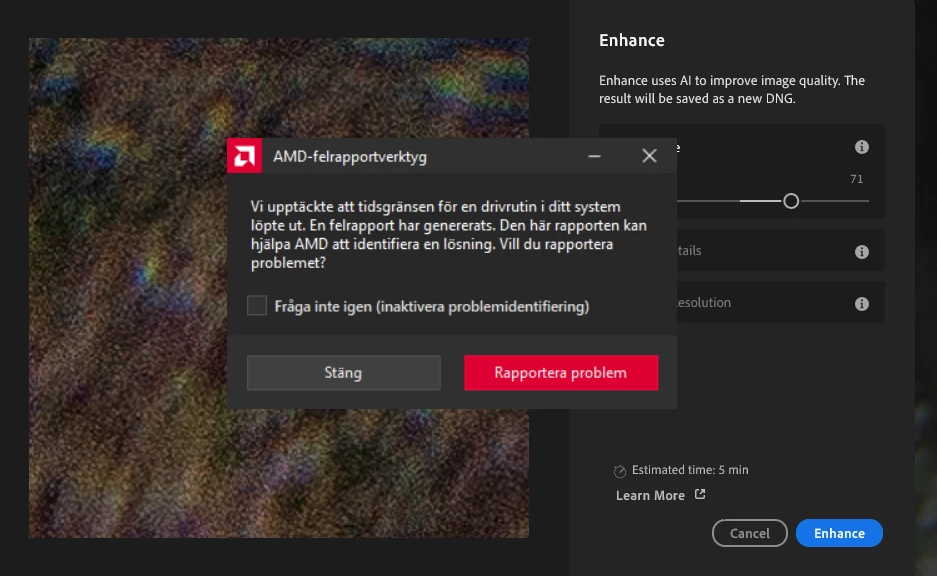
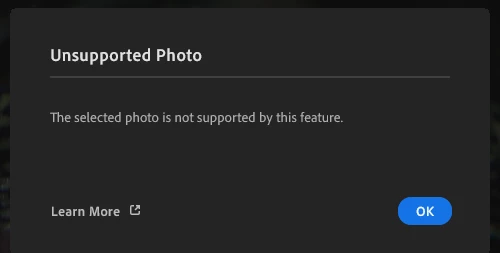
When it happens I get an error from the AMD software during preview stage saying something like "a driver in your system timed out" (sorry for the Swedish in the screen image below). If I try to click the blue "Enhance"-button at that stage I get "Unsupported photo"... See image 2 below.


@andersf35712587 

This is a long shot but a thought occured to me when you mentioned random time outs. Something that we do for long GPU based computations in 3D Substance software is adjust the TdrDelay and TdrDdiDelay values, which stops Windows killing the GPU driver if computations take longer than normal.

If you are comfortable editing the windows registry you could try following the instructions in the attached and see if that makes a difference to the issue you describe with Lightroom: https://helpx.adobe.com/substance-3d-painter/technical-support/technical-issues/gpu-issues/gpu-drivers-crash-with-long-computations-tdr-crash.html


Dave

3 replies

davescm
Community Expert
Community Expert
July 1, 2023

Hi , I've moved your post from the Photoshop forum to the Lightroom Classic forum which is more relevant to your issue description

Dave

D Fosse
Community Expert
Community Expert
July 1, 2023

Denoise will only work on mosaic raw files directly off a camera. It will not work on any kind of demosaiced RGB data.


Denoise runs entirely in the GPU and will always use the GPU regardless of the checkbox status.

andersf35712587
Participating Frequently
July 2, 2023

"Denoise runs entirely in the GPU and will always use the GPU regardless of the checkbox status.":

Yes, I noticed that, GPU load is 100% when Noise Reduction is running.

After extensive testing I have found that, in spite of the fact that Noise Reduction always is using GPU, I still only get this to work on my PC if I select "Use graphics processor" to Off in Preferences in Lightroom.

johnrellis
Genius
July 2, 2023

You're using Lightroom Desktop, not Lightroom Classic, but you posted in the Lightroom Classic forum. For this issue, though, it's not likely going to matter.


Most problems with LR's AI commands are caused by older, buggy graphics drivers. Try updating your graphics driver by going directly to the manufacturer's web site:
https://helpx.adobe.com/lightroom-classic/kb/troubleshoot-gpu.html#solution-4


If that doesn't help, please copy/paste here the entire contents of the LR menu command Help > System Info -- that will let us see exactly which versions of hardware and software LR thinks you're running.

andersf35712587
Participating Frequently
July 1, 2023

When I changed AMD Graphics Profile to Standard it works a lot better.

AMD Graphics options "Gaming" and "eSports" are giving the errors described above.