Known Participant
January 2, 2021
解決済み

profile missing for dng?

  • January 2, 2021
  • 返信数 8.
  • 4047 ビュー

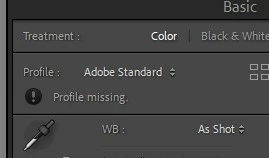
I just started shooting with a DJI Mini 2, which can do RAW.  However, when I import into LR using my normal preset, it says 'profile missing' under the calibration section.  If I go to the dropdown, I can select 'color', but the adobe color profile (and others) are nowhere to be found.  They are there when I import RAWs from my other cameras.  BTW, this image from the DJI is a DNG.  Not sure if that has something to do with it?


このトピックへの返信は締め切られました。
解決に役立った回答 johnrellis

[This post contains formatting and embedded images that don't appear in email. View the post in your Web browser.]


When I import your sample DNG, I see the same options for Profile that I see for the sample I downloaded from dpreview.com:
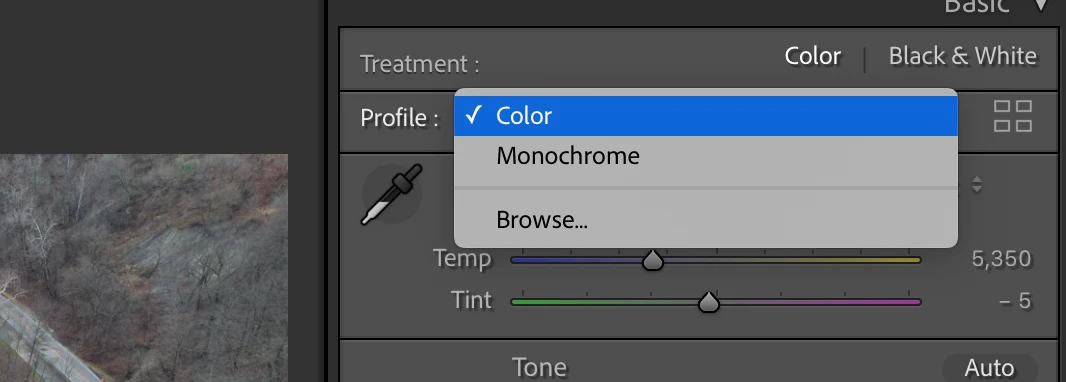


That threw me for a loop, but a little googling educated me: Adobe doesn't make "Adobe XXX" profiles for DJI cameras, so LR and Camera Raw use the profile that DJI embeds in the DNG (that's the "Color" profile). See the long discussion in this thread:

https://www.lightroomqueen.com/community/threads/dng-still-image-not-treated-as-a-raw-file.34879/ 


And in case other readers are wondering, this DNG really does contain raw data, not RGB data, as confirmed by the Metadata > DNG tagset:
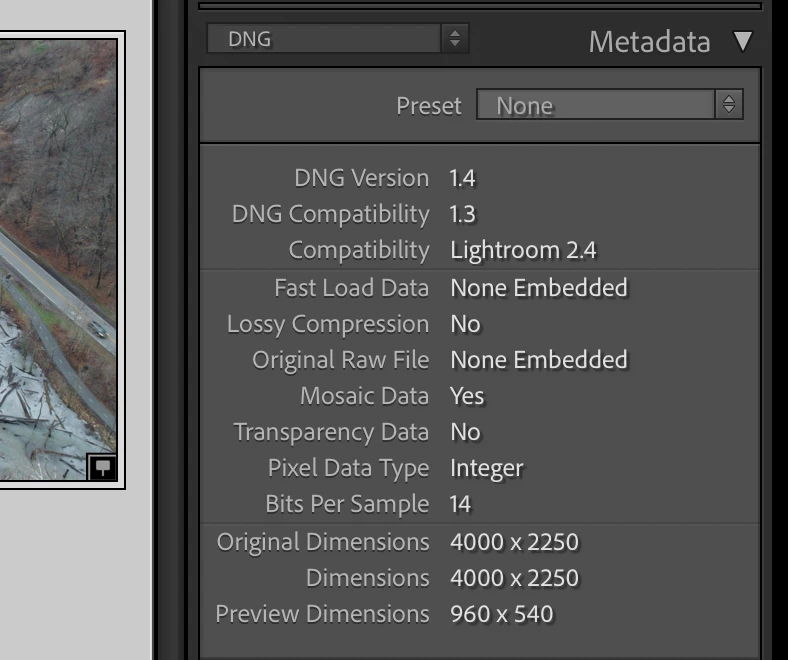


Evidently you got the "Profile missing" error because you applied a preset on import that tried to apply the Adobe Standard profile (or a profile based on Adobe Standard, such as Adobe Color or Adobe Landscape).


[Use the blue reply button under the first post to ensure replies sort properly.]

返信数 8

xrayzzz作成者
Known Participant
January 3, 2021

Ah, that explains it!  Thanks for that info.  I do have my import preset configured to default to Adobe Color.  So I guess I am just stuck using the "color" profile.  That's a shame because I do like Adobe Color, but I guess it is what it is.

johnrellis
johnrellis解決!
Legend
January 3, 2021

[This post contains formatting and embedded images that don't appear in email. View the post in your Web browser.]


When I import your sample DNG, I see the same options for Profile that I see for the sample I downloaded from dpreview.com:


That threw me for a loop, but a little googling educated me: Adobe doesn't make "Adobe XXX" profiles for DJI cameras, so LR and Camera Raw use the profile that DJI embeds in the DNG (that's the "Color" profile). See the long discussion in this thread:

https://www.lightroomqueen.com/community/threads/dng-still-image-not-treated-as-a-raw-file.34879/ 


And in case other readers are wondering, this DNG really does contain raw data, not RGB data, as confirmed by the Metadata > DNG tagset:


Evidently you got the "Profile missing" error because you applied a preset on import that tried to apply the Adobe Standard profile (or a profile based on Adobe Standard, such as Adobe Color or Adobe Landscape).


[Use the blue reply button under the first post to ensure replies sort properly.]
xrayzzz作成者
Known Participant
January 3, 2021

OK, here's a DNG shot from today.

https://fil.email/wD0nPfaH

johnrellis
Legend
January 3, 2021

I downloaded a sample DJI Mavic Mini 2 DNG from dpreview.com and don't observe that behavior. Upload a problem DNG to Dropbox or similar and post the sharing link here, and we can see if this issue happens on other LR installations and perhaps identify the problem.


[Use the blue reply button under the first post to ensure replies sort properly.]

GoldingD
Legend
January 2, 2021

While https://helpx.adobe.com/camera-raw/kb/camera-raw-plug-supported-cameras.htmldoes not list any DJI , it may be that DJI used another companies camera, Hasabald comes to mind.


Any literature on that?


If you look at a photos metadata, what camera id listed?


xrayzzz作成者
Known Participant
January 2, 2021

When I look at the import options for the DJI, it shows FC7303 as the camera model.

GoldingD
Legend
January 2, 2021

Ok, so my reply is a dead end.


josephlavine
Community Expert
Community Expert
January 2, 2021

The attached link shows Adobe's RAW file supported cameras. I do not see the DJI listed, but keep in mind this is routinely updated.

https://helpx.adobe.com/camera-raw/kb/camera-raw-plug-supported-cameras.html

warmly/j

xrayzzz作成者
Known Participant
January 2, 2021

P.S.  Maybe the camera for the Mini 2 isn't supported yet?