
Participant
February 5, 2025
Answered

Questions about Lightroom Catalog backups

  • February 5, 2025
  • 1 reply
  • 359 views

I am trying to better understand the function of Lightroom Catalog back-ups and how many I can delete in order to free up storage space.  These files are labeled "Lightroom Catalog-2-v12.zip" (the more recent) or "Lightroomn Catalog-2.Ircat.zip" (the older ones).
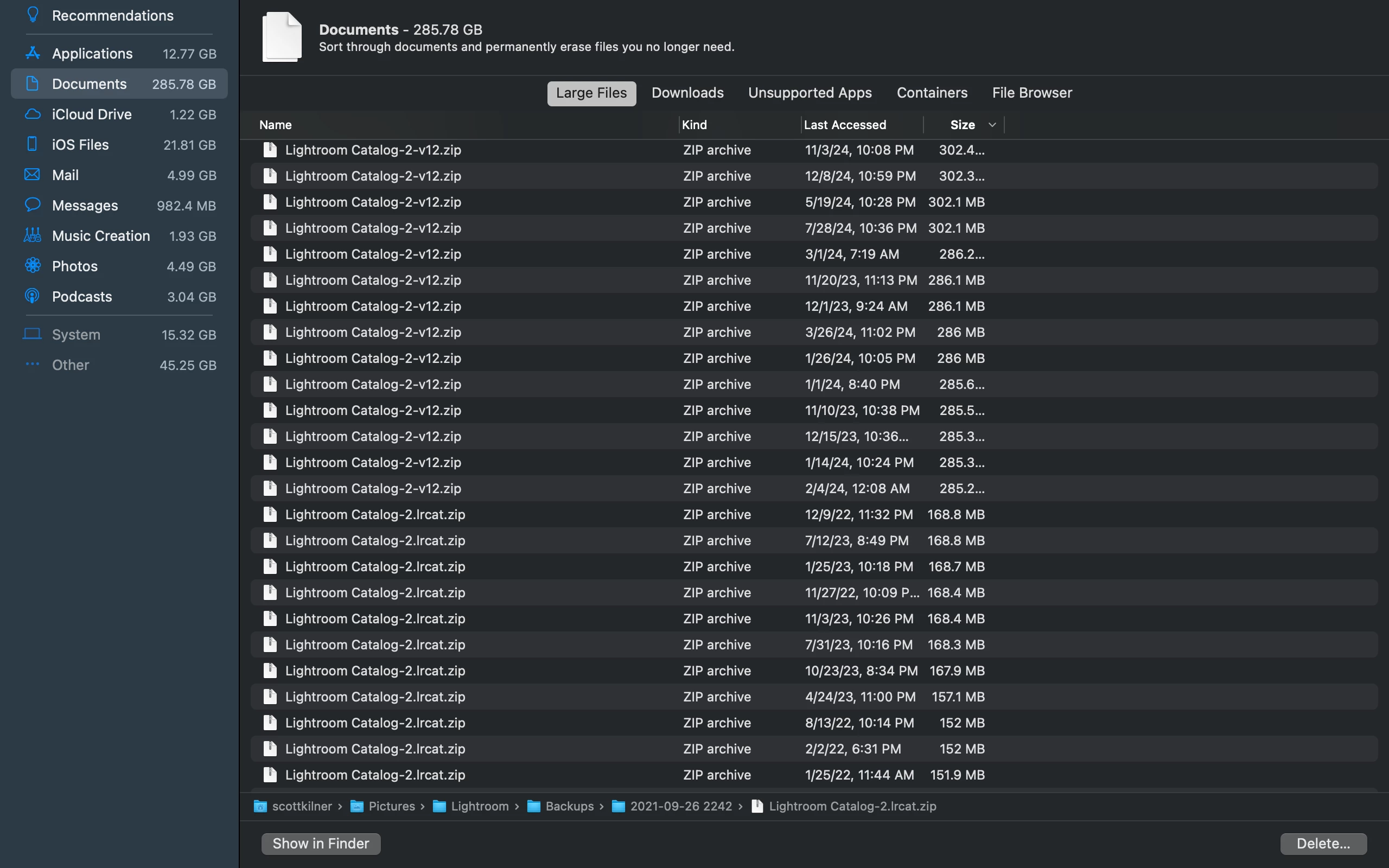
 

Is there any reason to keep more than the most recent catalog back-up?  If so, how many should I keep and/or how long should I keep them?


Any advice would be greatly appreciated.  Thanks,


Scott


{Moved from Lightroom Cloud to Lightroom Classic Forum by Moderator} 


Correct answer Rob_Cullen

"How many to delete..." is your decision, but-  Some people have a plan to keep -1 Daily for 1 week, 4 weekly for 1 month, 12 monthly for a year. But you need backups in the event of a catalog failure, or a drive failure when backups MUST be on a separate physical hard-drive to the catalog.

One "reason to keep more than the most recent catalog back-up" is that you might have unknowingly done something to affect many (all) files (eg. Deleting a common keyword) and this can easily happen with the [Auto-Sync] switch 'on', or many selected files when you make a change. You may have to go back months to find and repair a mistake.


1 reply

Rob_Cullen
Community Expert
Rob_CullenCommunity ExpertCorrect answer
Community Expert
February 5, 2025

"How many to delete..." is your decision, but-  Some people have a plan to keep -1 Daily for 1 week, 4 weekly for 1 month, 12 monthly for a year. But you need backups in the event of a catalog failure, or a drive failure when backups MUST be on a separate physical hard-drive to the catalog.

One "reason to keep more than the most recent catalog back-up" is that you might have unknowingly done something to affect many (all) files (eg. Deleting a common keyword) and this can easily happen with the [Auto-Sync] switch 'on', or many selected files when you make a change. You may have to go back months to find and repair a mistake.


Regards. My System: Windows-11, Lightroom-Classic 15.1.1, Photoshop 27.3.1, ACR 18.1.1, Lightroom 9.0, Lr-iOS 10.4.0, Bridge 16.0.2 .
Participant
February 5, 2025
Thank you very much.