
Participant
September 21, 2018
Answered

quick collection order them by date

  • September 21, 2018
  • 3 replies
  • 1199 views

Hello everyone! I have a problem with the quick collection of lightroom classic I can not order them by date .. or rather they are sorted but vice versa from the last taken at the first when in all the pictures the order is correct ... I do not understand .. and I can not find a system to give the chronological order to the bar .. thanks
    This topic has been closed for replies.
    Correct answer JohanElzenga

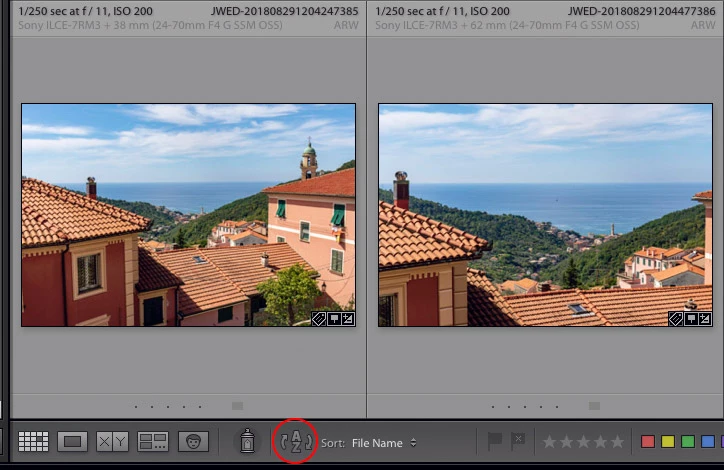
    You can set the sort of any collection at the lower left corner of the grid (in the toolbar). You may have to press the 'T' key to make the toolbar visible.

    3 replies

    Mohit Goyal
    Community Manager
    Community Manager
    September 21, 2018

    Hi gianlucar,

    You can sort the images in a different criteria in quick collection. As you are looking to sort the images according to the time then you can select the sort order to capture time.

    Refer the below screenshot.

    Let us know if that helps.

    Regards,

    Mohit

    Participant
    September 21, 2018

       in library!  thanks!!!

    JohanElzenga
    Community Expert
    JohanElzengaCommunity ExpertCorrect answer
    Community Expert
    September 21, 2018

    You can set the sort of any collection at the lower left corner of the grid (in the toolbar). You may have to press the 'T' key to make the toolbar visible.

    -- Johan W. Elzenga