Participant
September 15, 2025
Answered

"Find nearby missing photos" option has been REMOVED from Locate Missing Photo???

  • September 15, 2025
  • 2 replies
  • 512 views

Hi I will spare the boring details but all of my missing photos are in the same folder (but have different parent folders so I can't correct it that way). I thought it would be easy to relink them using the "Find nearby missing photos" option in the Locate missing photo dialogue. But apparently that's been removed in v14.4??? Screengrab attached.


WTF Adobe, why would you remove functionality?  I checked the Adobe help page for this and it still tells you to click that option in the missing photo dialogue.

 

Correct answer JohanElzenga

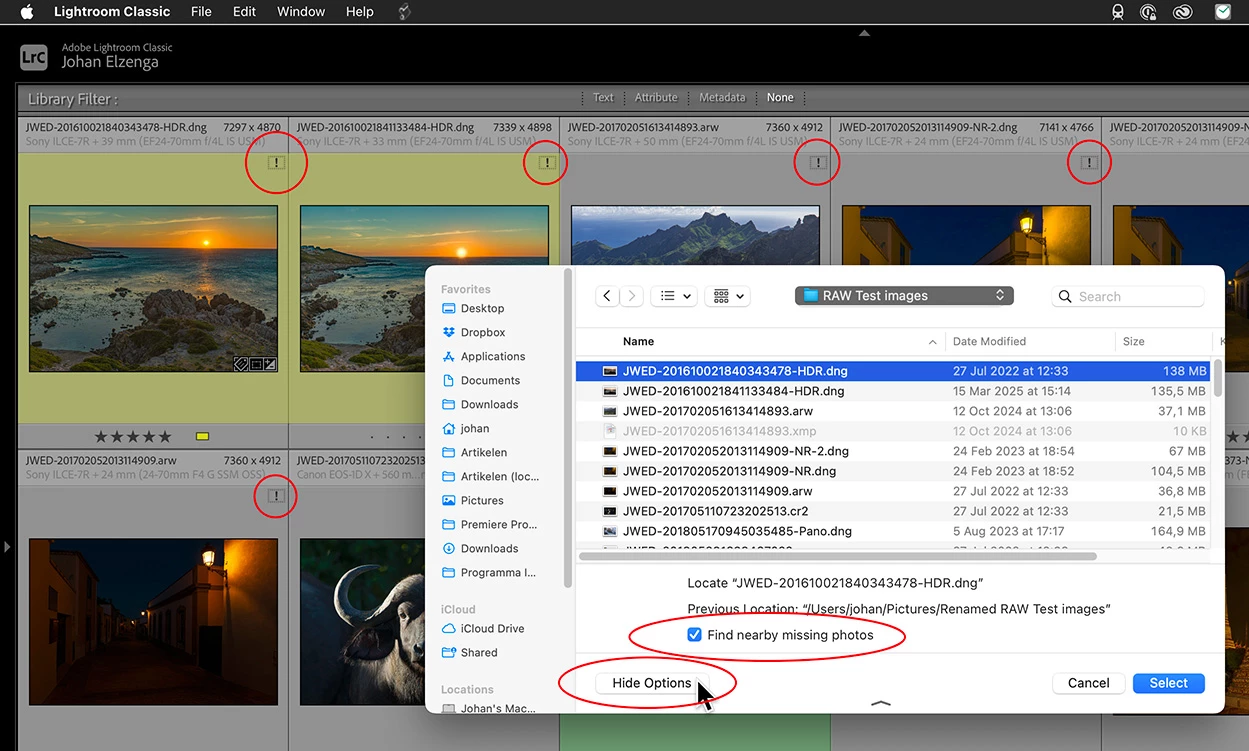
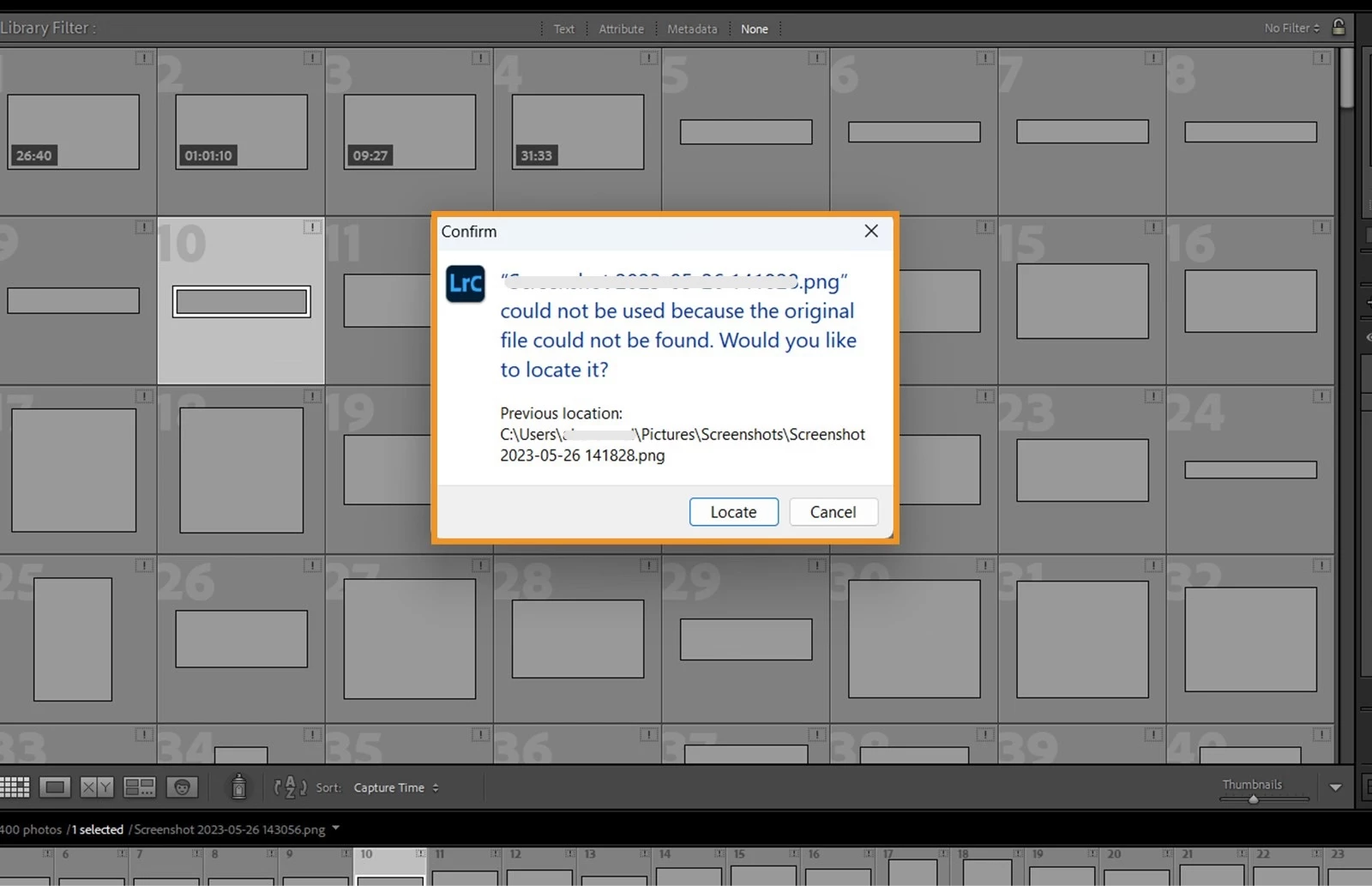
Actually, nothing was removed, but something was added! If you look at the screenshot in the first message, you will notice that Lightroom offers you to go to 'Locate File', but also to 'Locate Folder' (if the folder of that image is also missing, that is). This is even the default button and this is new for Lightroom Classic 14.5. Previous versions did not point to the missing folder option, you would have to look for that in the folder panel yourself. Maybe this new dialog is what causes the confusion about the aleged (but not really) missing 'Find Nearby Missing Photos' checkbox. This is how the old dialog looked:


OK, I finally had the chance to do a quick test on my Mac, running MacOS 15.6.1 and Lightroom Classic 15.4.1. I cannot reproduce any of the compaints. Nothing has been removed and nothing does not work on my system, so there is no bug. The 'Find Nearby Missing Photos' option is at the bottom of the dialog that you use to select the missing photo (where it always was), but you'll have to click the 'Show Options' dialog to see it. Maybe the latter is new, I don't know. It was checked by default, and worked as expected. Selecting the one photo reconnected all of them. 


2 replies

Known Participant
September 20, 2025

Having the same issue. What the hell is going on, why remove an important feature such as this?  I have litterally hundreds of photos that has to be relinked to another drive path


JohanElzenga
Community Expert
Community Expert
September 20, 2025

You do not give any more details than just "I have the same problem". The feature hasn't been removed, it's still where it always was. But there may be a bug making it not work, I don't know. Usually you can relink hundreds of photos by relinking their containing folder, rather than individual images. Isn't that possible in your case? And you can avoid missing photos altogether by moving them using drag & drop in the Lightroom folder panel rather than outside of Lightroom. https://www.lightroomqueen.com/lightroom-photos-missing-fix/


-- Johan W. Elzenga
Known Participant
September 21, 2025

No maam, it has indeed been removed, there used to be a button to relink the photos on the corners of the thumbnail and it no longer there. It was also relinking all the other missing photos automatically

JohanElzenga
Community Expert
Community Expert
September 15, 2025

"Find nearby missing photos" should be an option at the bottom of the next dialog, where you select the missing image. AFAIK, that is how it has always been.


-- Johan W. Elzenga
ofquietAuthor
Participant
September 15, 2025

I remember it being in the initial pop-up dialogue. It turns out that the box has been checked but Lightroom isn't finding the other files even though they are in the same folder. So my issue isn't that the box isn't checked, it's that it isn't working. Should I make a separate post for this?

JohanElzenga
Community Expert
Community Expert
September 15, 2025

Were these photos always in the same folder, or did you move them there outside of lightroom? Lightroom Classic should only reconnect nearby photos if it knows that these photos should be in the same folder.


-- Johan W. Elzenga