
Known Participant
December 11, 2021
Question

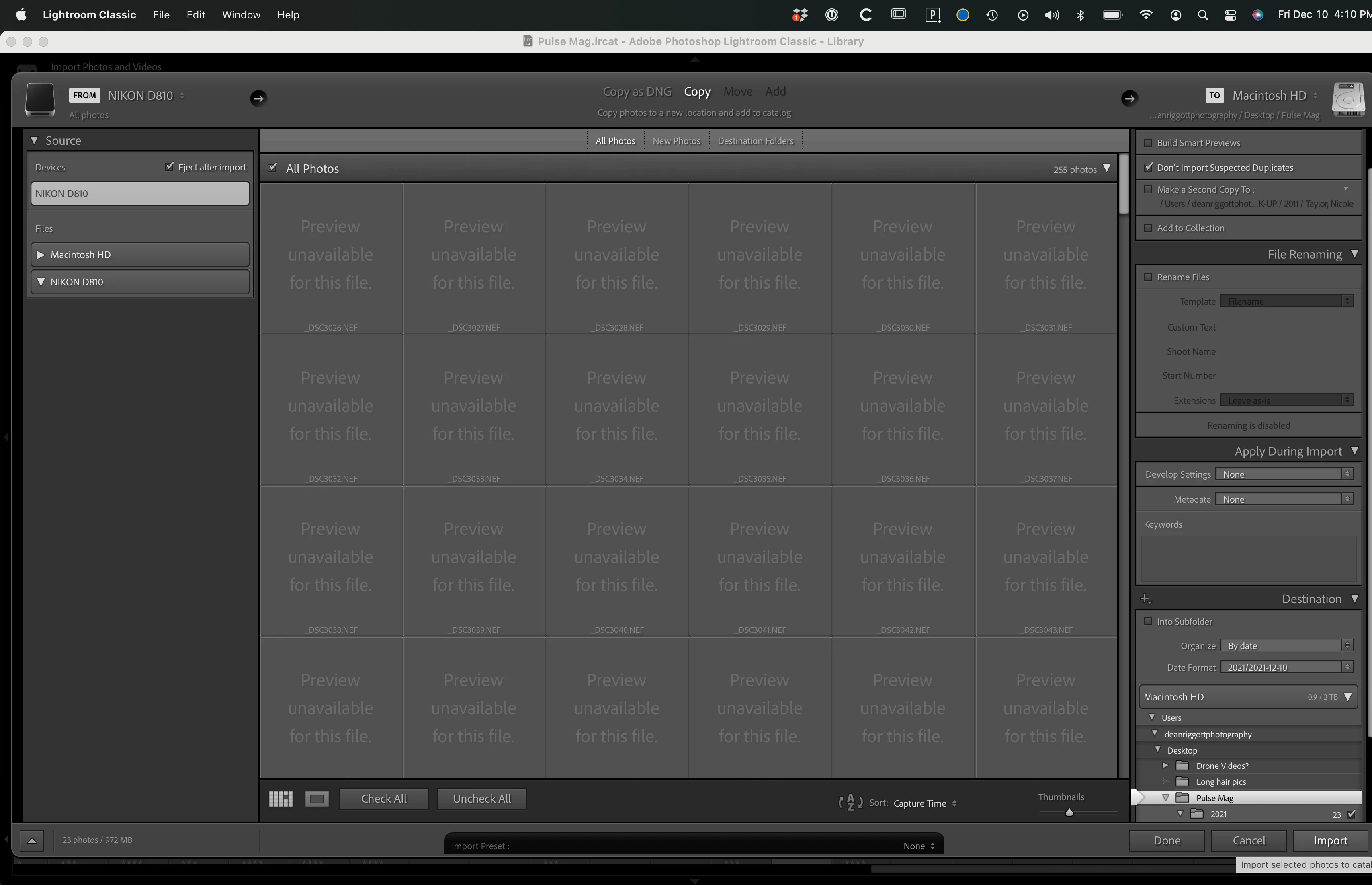
"Preview unavailable for this file" using Adobe Lightroom classic

  • December 11, 2021
  • 2 replies
  • 6173 views

I just started using my new Apple Macbook Pro M1 and now when I try to import raw files taken with my Nikon D810 I see grayed-out thumbnails and a message that reads "Preview unavailable for this file." Everything imports just fine but I'd really like to fix this issue, so I can see the previews prior to importing. I am using Lightroom Classic (Creative Cloud), which is up-to-date.


Any ideas?
This topic has been closed for replies.

2 replies

GoldingD
Legend
December 12, 2021

What happens if instead of importing from Devices, that you import from Files?


Known Participant
December 12, 2021

Oddly enough, when I select "Files," rather than "device," there is nothing there to import. 

TheDigitalDog
Inspiring
December 11, 2021

After import, doesn't LR try to build it's own previews and do you then see them?

Author “Color Management for Photographers" & "Photoshop CC Color Management/pluralsight"
Known Participant
December 11, 2021

Yes, once I import the files I am able to see previews using LR Classic. Just not prior to import, but I've always been able to until I started using this new MacBook Pro M1.

Known Participant
December 11, 2021

So the initial previews are embedded in the raw, from the camera and for some reason, LR is having issues with them. But it doesn't matter too much, LR has to regenerate them anyway.

I suppose if you're culling at import, yeah, be useful to see them. I'm not sure why they don't show. Maybe you can upload one or two of the original raws (with something like Dropbox) and we can see if the same issue takes place. I wonder if this is some kind of M1 issue, you should be able to see them hence, I could check on an Intel Mac.

EDIT: If you copy from camera card to folder on Desktop, then import, any difference?


Yes, if I copy the folder onot my desktop and then go to import them into LR Classic the thumbnails show-up just fine. What would be the reason for this?