
Participant
October 27, 2024
Answered

Rating and color labels not updating on thumbnail in grid view when changed

  • October 27, 2024
  • 2 replies
  • 842 views

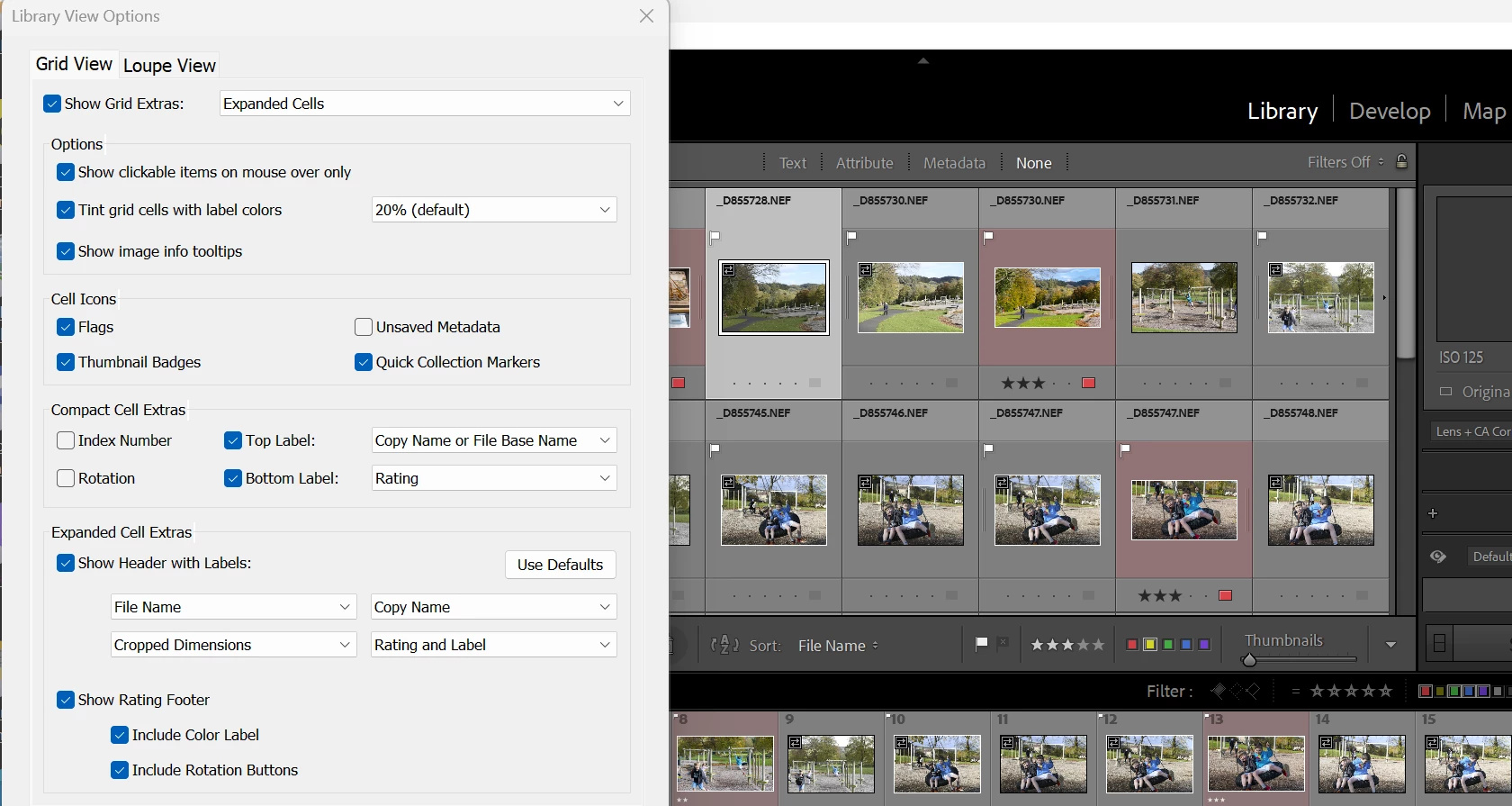
As of latest update to LR Classic (Windows 11, also up to date), I find that ratings and color labels are not updating on the thumbnail in grid view when changed. Photo info in bar at bottom of grid shows the rating and color label correctly. Rating and lables are displayed correctly after exiting and restarting LR.  See attached image which shows a selected photo with this issue.
 

[moved from 'bugs' to 'discussions' according to the community rules - Mod.]


This topic has been closed for replies.
Correct answer GoldingD

Ah, just noticed, your Histogram is empty, no graph, likely a preference file is corrupt. Have you considered resetting the preference file.


The preference file can get corrupted, leading to all sorts of odd behavior. Resetting the preference file is basically deleting the preference file (or relocating), and restarting LrC, whereupon LrC will recreate the preferences file. The preference file keeps track of all sorts of things, not just the preferences settings. Note that a side effect of doing this may/will return preference settings to defaults. Carefully read the following references.


It's recommended to backup your preferences before you reset the preferences to the default settings:


2 replies

GoldingD
GoldingDCorrect answer
Legend
October 27, 2024

Ah, just noticed, your Histogram is empty, no graph, likely a preference file is corrupt. Have you considered resetting the preference file.


The preference file can get corrupted, leading to all sorts of odd behavior. Resetting the preference file is basically deleting the preference file (or relocating), and restarting LrC, whereupon LrC will recreate the preferences file. The preference file keeps track of all sorts of things, not just the preferences settings. Note that a side effect of doing this may/will return preference settings to defaults. Carefully read the following references.


It's recommended to backup your preferences before you reset the preferences to the default settings:


rockgeoAuthor
Participant
October 27, 2024

Marvellous!! That fixed it. Many thanks for your help. Really appreciated.

GoldingD
Legend
October 27, 2024

I notice at the bottom that several color labels are selected for filtering. BUT in the grid view, that filtering is not in effect.


First thing to try, up in the menu, in the Library tab, turn filters off (Uncheck the Enable button), then in the Filter by Color label button, reset the filter


Then try filtering again

rockgeoAuthor
Participant
October 27, 2024

Thanks for the quick response. I followed those steps. Then changed the rating to 5* and label to another colour and then back to purple. Still does not update the thumbnail info. See attached image.


rockgeoAuthor
Participant
October 27, 2024

Correction ... changed to blue (not purple). I also just tried filtered on blue label. This correctly selects the blue labeled image, but it still does not correctly show the rating and color lable.