

reconnecting and combining folders moved outside Lightroom
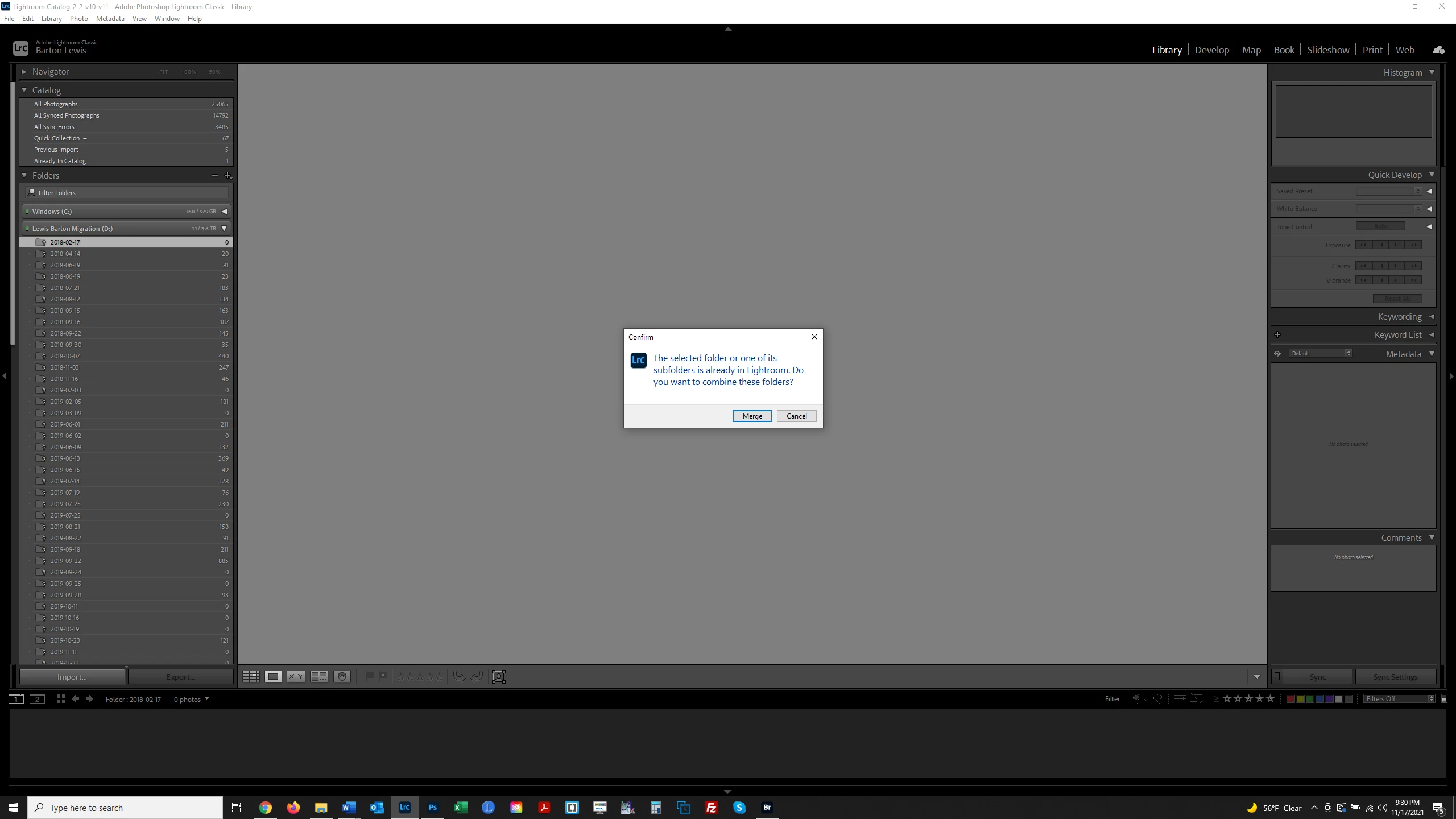
I store my RAW files on an external hard drive. The drive failed but fortunately I was able to have the files all transferred to a new drive. However I now need to reconnect all these folders and files in Lightroom. In the screenshot below, I have right clicked on a folder; selected Find Missing Folder; navigated to the folder on the new drive; and the message comes up "The selected folder or one of its subfolders is already in Lightroom. Do you want to combine these folders?" At this point, can I just say "Yes" and hope that Lightroom will reconnect my folders in Lightroom to the corresponding folder on the new drive? I have 2 photography projects and 2 separate folders for them. I name subfolders by date; if I have 2 folders with the same name (one in each project) will Lightroom know which folder to connect to the corresponding folder in Lightroom? Thank you.
 AdChoices