Inspiring
October 11, 2020
Question

Remove shadow

  • October 11, 2020
  • 4 replies
  • 405 views

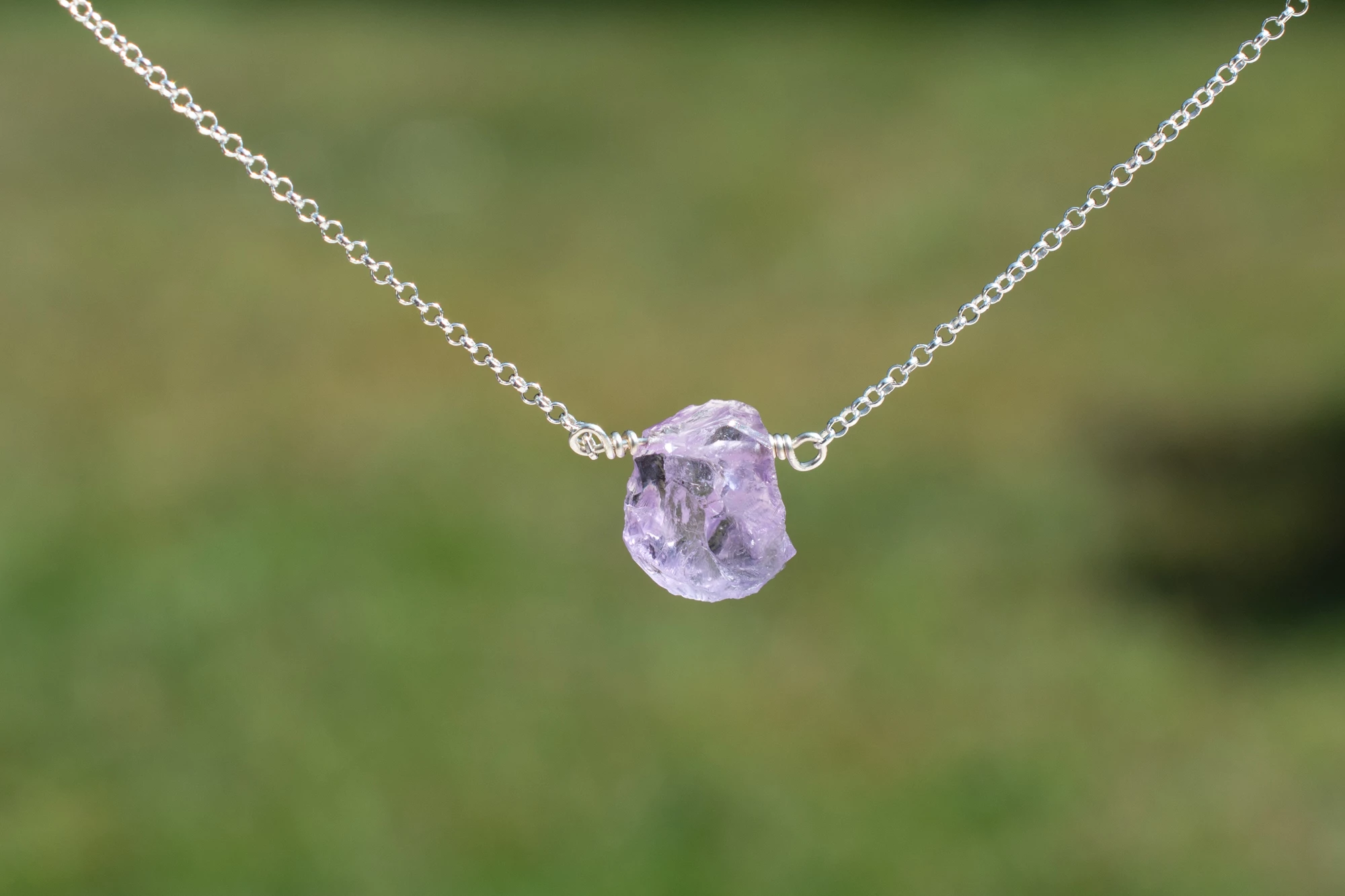
Could you please tell me how to remove this shadow. FYI I am a begginer.

Thank you!

This topic has been closed for replies.

4 replies

Geoff the kiwi
Community Expert
Community Expert
October 11, 2020

This is very simply done with the Clone/Healing tool and took me two minutes..... the best practise is to watch carefully when shooting! Good luck and thanks for asking for help!!

Just Shoot Me
Legend
October 11, 2020

Or simply Crop out the area with the shadow. That would also bring the subject of the photo, the stone, to the forefront.


kate2kateAuthor
Inspiring
October 11, 2020

This crop looks good. I thought it would get to blurry croped that tight. Is cropping the only thing you did? I do have some other photos that will be difficult to crop out.

Just Shoot Me
Legend
October 12, 2020

I did nothing else but crop out the shadow. And that was done on the screen shot you posted in your original post. Which is a 2000 x 1333 pixel image which is just a 2.6 MP image.

Just Shoot Me
Legend
October 11, 2020

This is better done in Photoshop and not LrC.

If you are a subscriber to the Adobe Photography plan you have access to Photoshop and it is that program you should tackle this task

kate2kateAuthor
Inspiring
October 11, 2020

Thank you but I have no idea how to use photoshop. I take pictures for my Etsy jewelry store, the store keeps me busy so I don't always have time for tutorials. I do the best I can.

josephlavine
Community Expert
Community Expert
October 11, 2020

Are you referring to the dark area in the background or something else? The tools to review are the Clone and Heal tools. Please see the attached screen capture

kate2kateAuthor
Inspiring
October 11, 2020

Yes the dark area in the background.