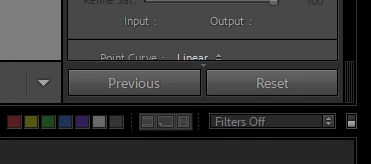
Richard, the bottom right of the Develop mode is Previous and Reste:
The bottom right of the Library mode is Sync and Settings:
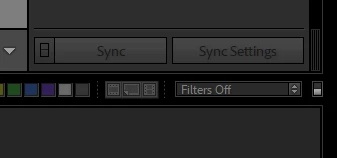
However, if you are in Devlop and you select 2 images on the filmstrip, the the 2 dialog boxes change to Sync and Reset.
THIS SOLUTION DOES WORK!!!
So to recap:
1) In Develop, edit the photo you want to heal. Meaning, "heal" it
2) Copy those settings. I suggest checking ONLY "remove" in the settings copy dialog box
3) Staying in Develop, (IMPORTANT! It won't work if you don't do it in this order)
a) first select the image that you just healed
b) next select any other image or images you want to apply the Heal to
c) press the SYNC button on the bottom right of the screen. Make sure that when the dialog box appears after you push SYNC that only Heal is checked (or only the items you want to sync).
You're done!!
Thanks!
yes, Sync only appears when you have more than one image selected - because otherwise it will have nothing to do. Sync is a close equivalent for Copy and Paste and uses the exact same working sequence. Sync is a verb.
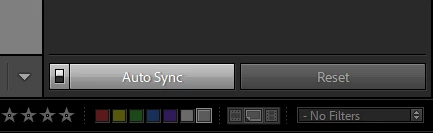
AutoSync is only available to turn on when more than one image is selected - but is a completely different method than Sync and uses a different working sequence. It then stays active - regardless whether one image or many images are selected - until turned off. When only one image is selected it does nothing; but the moment more images are selected, each new edit that you carry out automatically applies in BULK onto all of those immediately. AutoSync being on, or off, are two different working modes.

 AdChoices