Answered
Set crop to exact pixel size in Lightroom CC
I want to set the crop size to exactly 1200 x 1600 pixels. How can I do it?

I want to set the crop size to exactly 1200 x 1600 pixels. How can I do it?
I hope this better explains what I am talking about and what you are asking.
Original image.

This image is from B&W film shot with a Leica M3 that is 3/2 ratio. Note the number of pixels on the long and short sides.
Cropped to the 4/3 ratio. Note the number of pixels on the long and short sides.
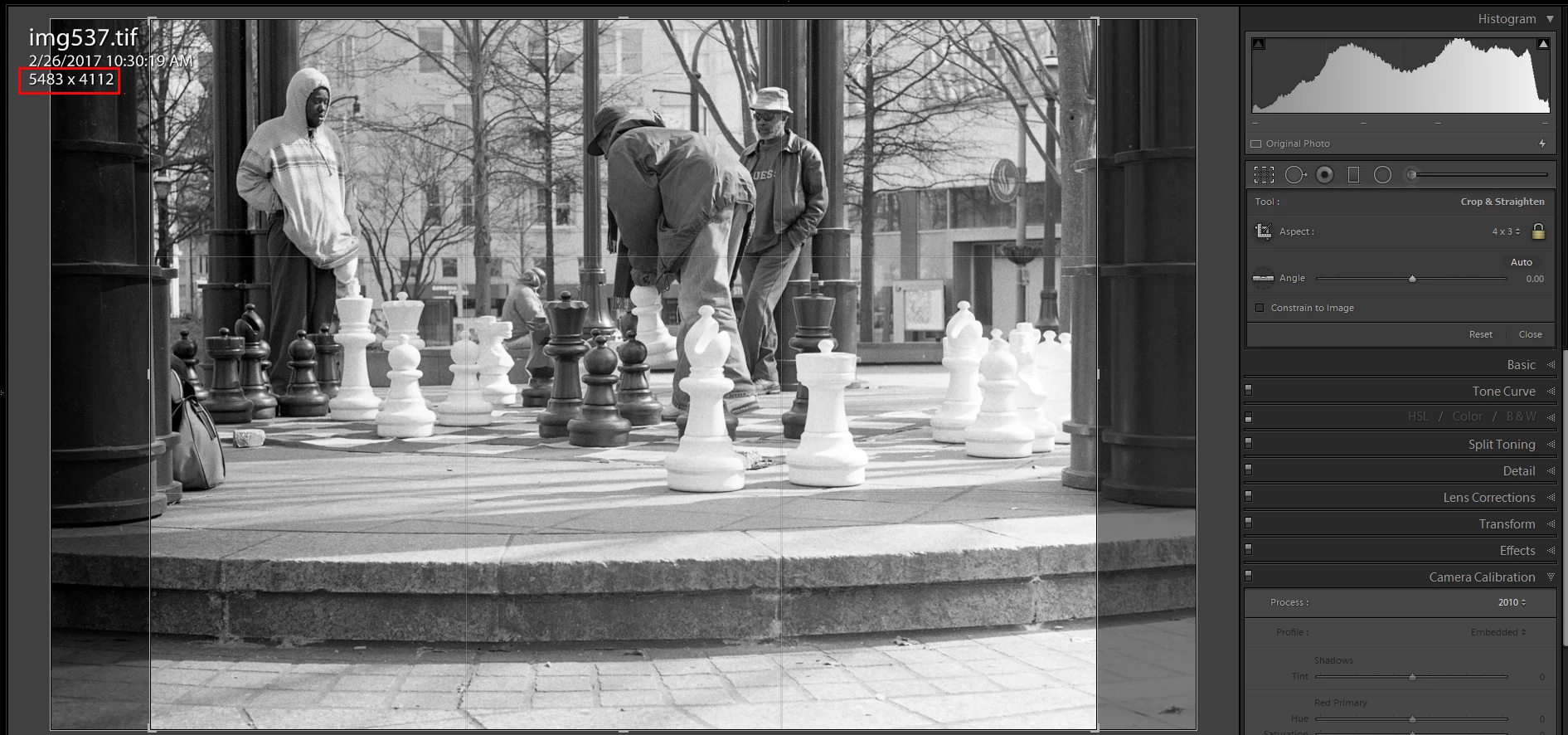
Then that image reduced to your 1200 by 1600 size (or as close as I can come to it using a mouse).
The bright area is what is left of the image when cropping to 1600 by 1200 Pixels.
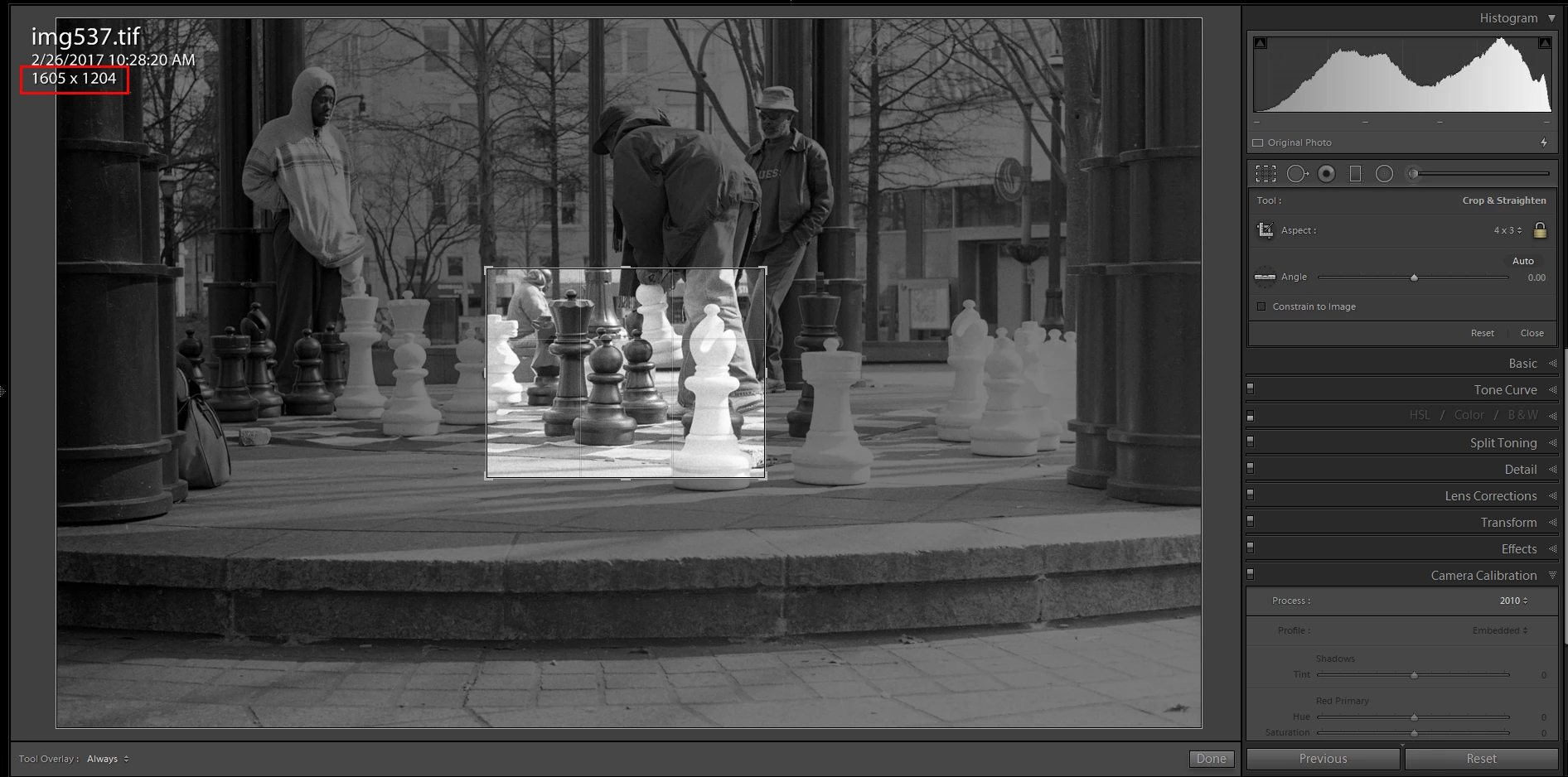
Is that what you want? I don't think so.
That same image, cropped to the 4/3 ratio size then Reduced on Export to a JPG file.


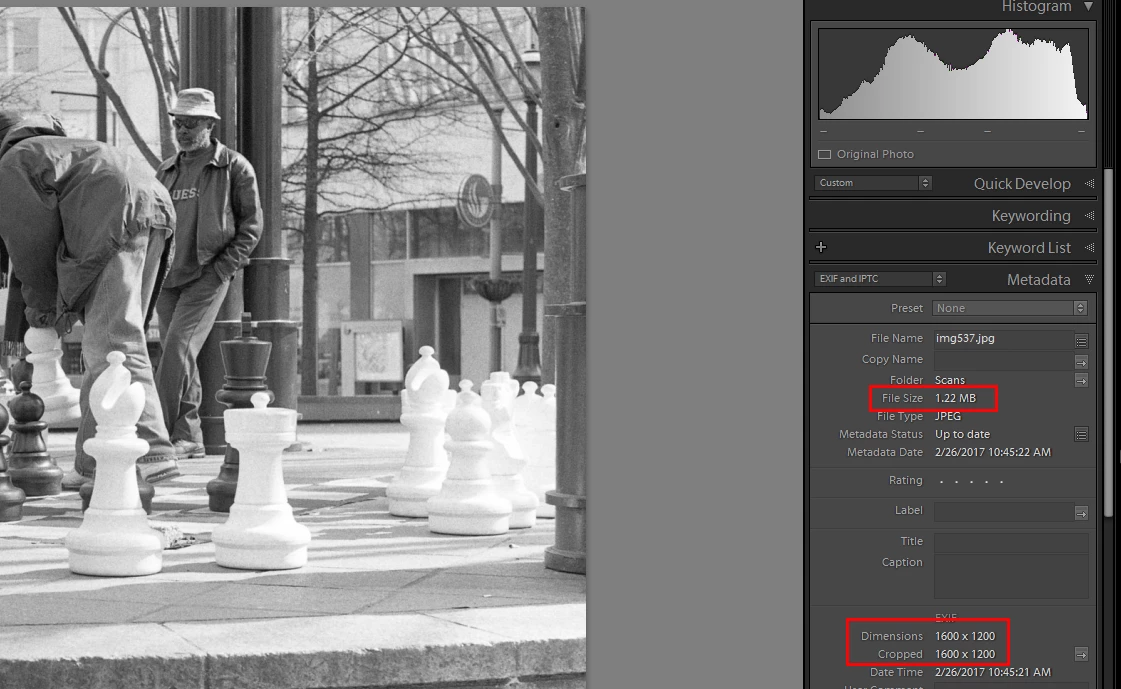
This is what I think you are after. IE to reduce the File size in MBs and Pixel dimensions but retain most of the original image.
Already have an account? Login
Enter your E-mail address. We'll send you an e-mail with instructions to reset your password.
 AdChoices