

sailor842
Inspiring
September 29, 2022
Question

setting up a new catalog

  • September 29, 2022
  • 3 replies
  • 362 views

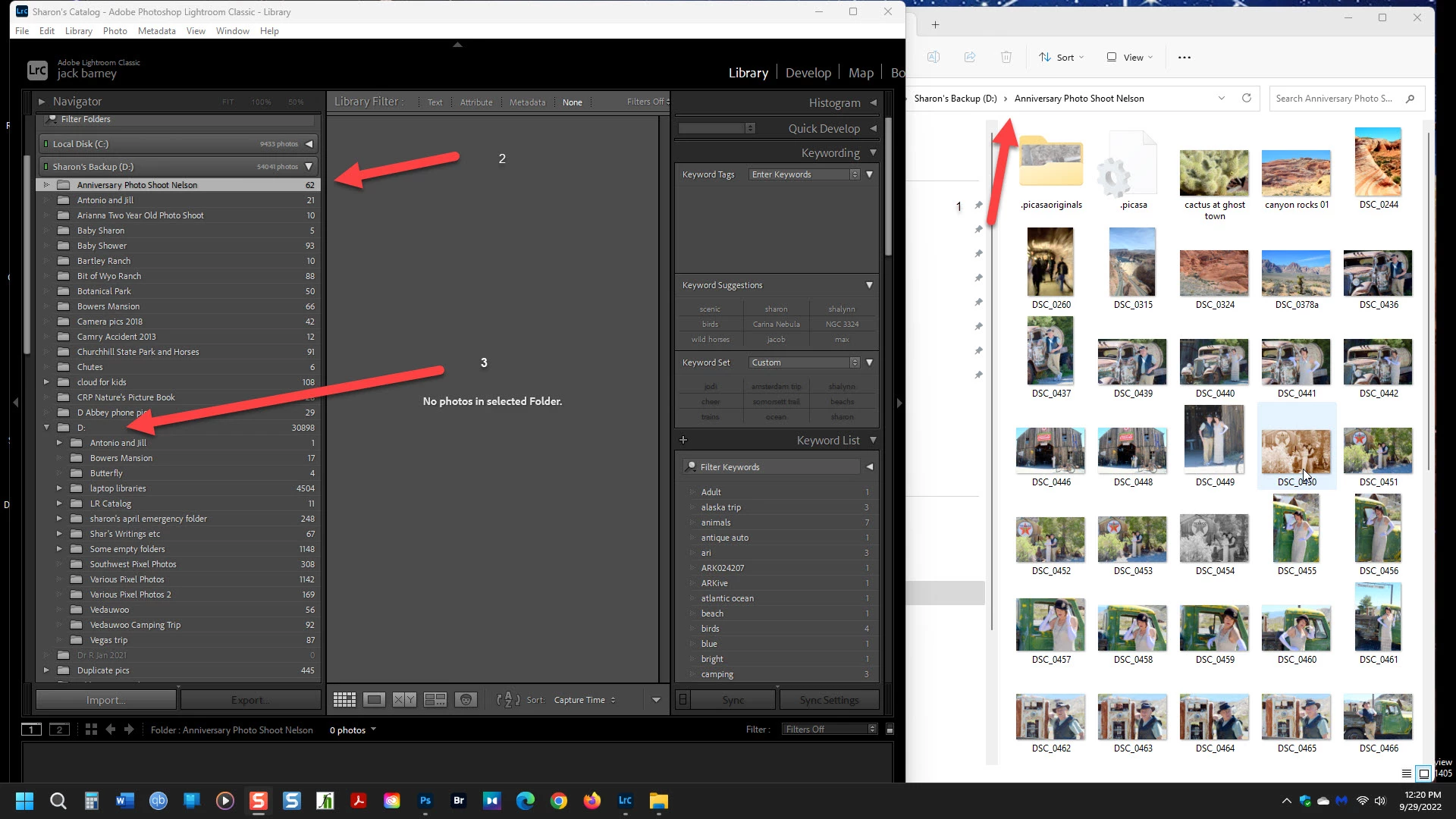
I am trying to set up a new catalog for my wife's backup HDD and I ran into this problem. (I've done the import 2x already). arrow 2 shows that LR does see the files but says: " no files in the selected folder. arrow 1 shows that they are there. 2 problems; why can't I see them? and the biggest problem for me is how do I move the files down to where arrow 3 is pointing.

My wife does mot believe in keywording and gets very upset when she can't find an image so I'll do it.(gnashing of teeth)
This topic has been closed for replies.

3 replies

JohanElzenga
Community Expert
Community Expert
October 1, 2022

😧 is not a folder, but the disk. It should not show as a folder and could well be the reason of the problem. Try the following (always make a catalog backup first); right-click on the 😧 folder and choose 'Hide This Parent'. Then restart Lightroom.


-- Johan W. Elzenga
sailor842
sailor842Author
Inspiring
October 1, 2022

well, that did nothing. 

JohanElzenga
Community Expert
Community Expert
October 1, 2022

Then most likely this is catalog corruption. If you are just setting up this catalog, then it's probably best to start all over again.


-- Johan W. Elzenga
sailor842
sailor842Author
Inspiring
October 1, 2022

It's not a case of wrong names (I think).

But how do I get them visible & in the same folder.

The above links do not address the problem that I am seeing.

dj_paige
Legend
September 29, 2022

Two possibilites:

https://helpx.adobe.com/lightroom-classic/kb/lightroom-displays-same-hard-drive-twice.html 

https://www.lightroomqueen.com/capitalization-catalog-error/