
Participant
September 14, 2021
Question

Setting up LR on a new laptop

  • September 14, 2021
  • 1 reply
  • 296 views

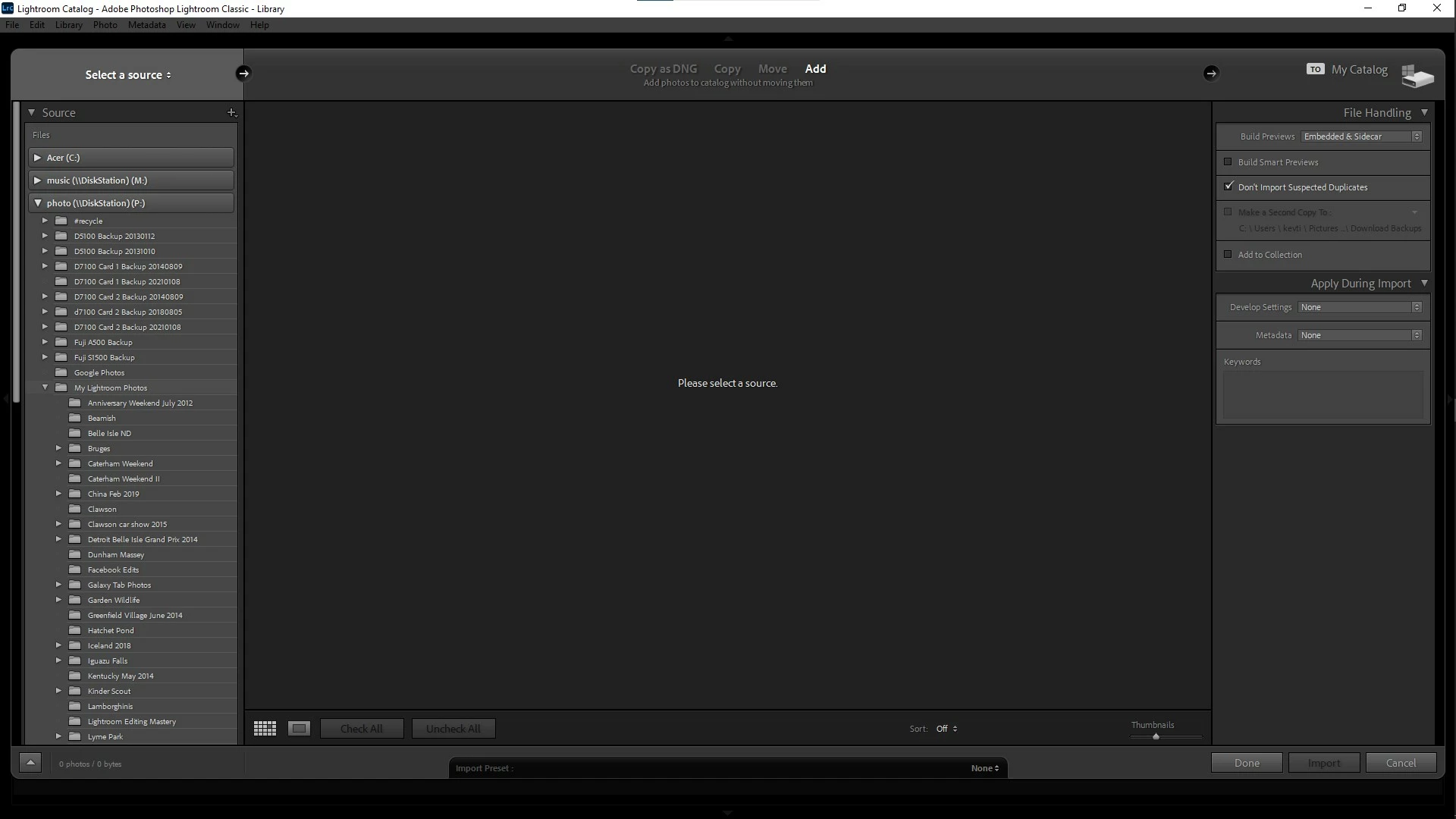
I've been using CC on a Windows desktop for years. Now trying to set it up on a new Windows laptop. The files I want to import are kept on a mapped NAS drive in a particular folder with subfolders for subject / trip / etc. This mapped drive also has backups of my DSLR's memory cards in separate folders, obviously I don't want to import these. However, when I choose Add and select just this folder, not only does LR import all the other folders on this mapped drive, but also the laptop's Pictures folder.


My Lightroom Photos is the folder I want to add to the catalogue.


I never had any trouble with this setup on my desktop, everything worked perfectly.


LR version is  10.4 Windows 10 64 bit.           
 

This topic has been closed for replies.

1 reply

dj_paige
Legend
September 14, 2021

Now trying to set it up on a new Windows laptop. The files I want to import are kept on a mapped NAS drive in a particular folder with subfolders for subject / trip / etc. This mapped drive also has backups of my DSLR's memory cards in separate folders, obviously I don't want to import these. However, when I choose Add and select just this folder, not only does LR import all the other folders on this mapped drive, but also the laptop's Pictures folder.


My Lightroom Photos is the folder I want to add to the catalogue.


DO NOT IMPORT PHOTOS ON YOUR NEW COMPUTER. This is so important, I am going to say it three more times.


DO NOT IMPORT PHOTOS ON YOUR NEW COMPUTER.


DO NOT IMPORT PHOTOS ON YOUR NEW COMPUTER.


DO NOT IMPORT PHOTOS ON YOUR NEW COMPUTER.


DO NOT IMPORT PHOTOS ON YOUR NEW COMPUTER.


DO NOT IMPORT PHOTOS ON YOUR NEW COMPUTER.


Please follow the instructions here exactly. https://www.lightroomqueen.com/how-move-lightroom-to-new-computer/ Do not add in your own steps. Do not skip steps (except the part where it talks about switching Mac to PC or PC to Mac if that doesn't apply). Follow the steps exactly as written.

Participant
September 15, 2021

OK. I am not importing photos, I am cataloging them on the laptop. I am not replacing my desktop, only using my laptop in addition. It seems to be a good idea to just copy over my catalog files. But, I'm using Classic, so how would LR know any previous settings? Why would it not just catalog the files in the folder I point it to? Why all the other files that I didn't want to be cataloged?

dj_paige
Legend
September 15, 2021

This is how the Lightroom Classic catalog works. Your edits are in the  catalog. So by copying the catalog file and moving the catalog file to the other computer, the edits are in there.