


- Home
- Lightroom Classic
- Discussions
- Re: Should I delete LR Catalog Previews.lrdata fil...
- Re: Should I delete LR Catalog Previews.lrdata fil...

Copy link to clipboard
Copied
Hi, I just got a new desktop w/ Windows 10. It has a small SSD drive for Windows/startup programs and I've transferred all of my Data onto the larger D:/ drive. I set up the latest version of Lightroom Classic via my Adobe Cloud account and imported all of my photo files. It automatically began to create Catalog Previews which took an entire day. After the fact, I updated my Catalog settings to recommended space-saving settings, but that still leaves me with a Lightroom Catalog Previews file that is 220GB (77,658 files) large! I need to free up some space. My entire Lightroom Catalog (.lrcat) file is 596MB large. I've cleaned up, deleted and/or transferred many files onto an external hard drive which I will continue to do, but the Previews file is just way too large and I'm looking for a solution.
I'm wondering if I should just delete the Previews file altogether. I've read conflicting information and nothing more recent than two years old. I've read that LR will automatically regenerate the previews into the same file again if I delete it? Also wondering if it could damage the LR program by deleting that file.
Any ideas out there would be greatly appreciated!
Thanks!


 1 Correct answer

Yes you can. The previews folder will be recreated but only the previews for images you view in the grid view or loupe view will be recreated in that folder.
Close LR and use the File manager for the OS to delete it.
I do this every now and then.

 15
Replies
15
15
Replies
15


Copy link to clipboard
Copied
If you delete it, it will just rebuild again, new previews being generated whenever LR needs to display files.
You won't do any damage, but you'll be affecting the speed of displaying thumbnails and full screen previews.
How big is the hard drive, how big is the previews folder? If this is a serious problem, maybe your hard drive is too small?
Copy link to clipboard
Copied
Thanks, John. It's a 2TB and since it's an all-in-one desktop, it would be difficult to change. It should be sufficient for my needs, using external hard drives for older files that I rarely use. Thanks for your response!
Copy link to clipboard
Copied
Yes you can. The previews folder will be recreated but only the previews for images you view in the grid view or loupe view will be recreated in that folder.
Close LR and use the File manager for the OS to delete it.
I do this every now and then.
Copy link to clipboard
Copied
"Just shoot me" - (chuckling at your forum name!). Thanks so much. I've just deleted the file with confidence, thanks to you. I appreciate your help!!

Copy link to clipboard
Copied
You can also keep the Previews folder smaller by selecting 'Medium' Preview Quality, which causes no issues from my experience. If you have it set to High I suggest deleting the Previews folder again and let the LR build new smaller file size previews.


Copy link to clipboard
Copied
Thanks - I had an 86gb file that was causing me problems. Changed preview to low and reduced preview size (it was set to 4k!) Now I have a happier laptop

Copy link to clipboard
Copied
I know this is marked as solved, but this image made me realize something. I never had problems with previews.lrdata being too big, so I checked and following advice from someone I had it set to Automatically Discard 1:1 Previews everyday. And thats it. At 18k photos my previews folder sits at 6GB.

Copy link to clipboard
Copied
Thanks in advance, sorry if it seems Banal, but delete folder? or contents?

Copy link to clipboard
Copied
Thanks in advance, sorry if it seems Banal, but delete folder? or contents?
By @struggleisreal

For simplicity: folder. But it really doesn't matter.

Copy link to clipboard
Copied
Hi, I did this as I read it here and in other forums. Now I cant see any preview and cant open any of my images anymore. Is it possible to reinstall this Lightroom Previews.lrdata folder again? Please help!
Copy link to clipboard
Copied
You have to CLOSE LrC before you Delete that folder.
Once you start LrC again it Recreates that folder system and then starts rebuilding preview for the images you display in the Grid view area.
This can take some time bepending on the settings you have select to the Size of the previews.
Post some screen shot of what you are seeing.
Look in the same Folder your catalog is stored in and see if the Previews.lrdata file has been recreated.
Copy link to clipboard
Copied
Hi and thanks for your reply! I think another problem is that most of the images are originally safed on seperate harddisk and in the cloud. But as you can see on my screenshot it says it has 1973 Problems to create a preview. Thats almost everything I have saved in there. On another hand I tried to restore the previews and it gives me a huge lists of errors.
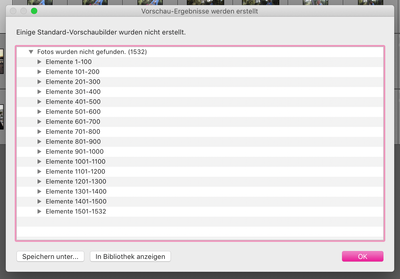
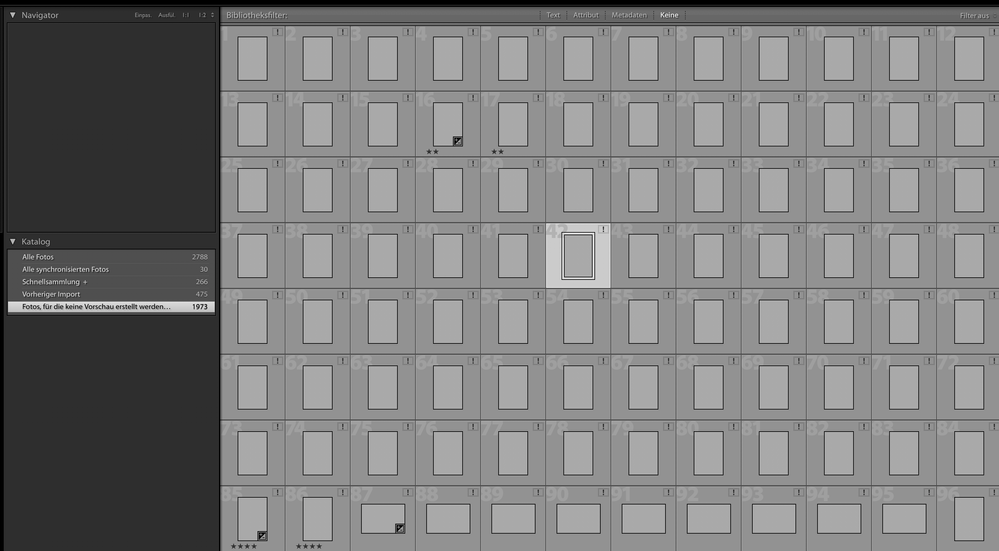
Copy link to clipboard
Copied
I need to ask why you didn't show the Folders section?
All the images you are showing in the Grid view area are MISSING. They are not where LrC thinks they should be.
If you had shown the Folder section I bet whatever folders (and drives) listed in that section would have a question mark next to them.
If you want help you need to start helping by showing the FULL LrC Library module with Relevant sections displayed. Like this. And you can collapse the Navigator section so other sections can be displayed.
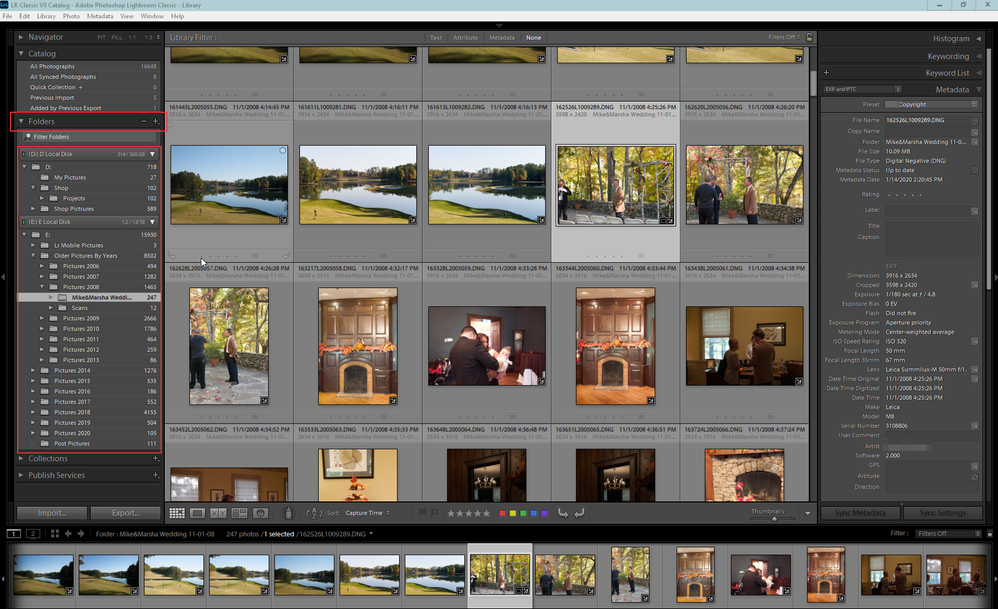

Copy link to clipboard
Copied
Nest question: 😉 What about deleting empty folders inside the Previews.lrdata folder? Can they be deleted?

Copy link to clipboard
Copied
You could. But since they are empty, why bother?
The *.LrData folders are not something you should be poking through.


Find more inspiration, events, and resources on the new Adobe Community
Explore Now
 AdChoices