
kleinski
Participating Frequently
February 28, 2024
Question

Smart Preview catalog Issue (You will not be able to make adjustments to the photo.)

  • February 28, 2024
  • 2 replies
  • 870 views

I'm working on this smart preview catalog from a client but it shows in the Histogram panel that it has Original + Smart Preview. Thumbnails won't load in Library both on Loupe and Grid View, photos will load in Develop module. Here's a screenshot of the catalog. What could be the possible problem for this issue? Is there any thing that I can do to fix this? It usually just shows Smart Preview below the Histogram but now it shows Original + Smart Preview.


OS: Windows 10

Lightroom Classic Version: 13.1
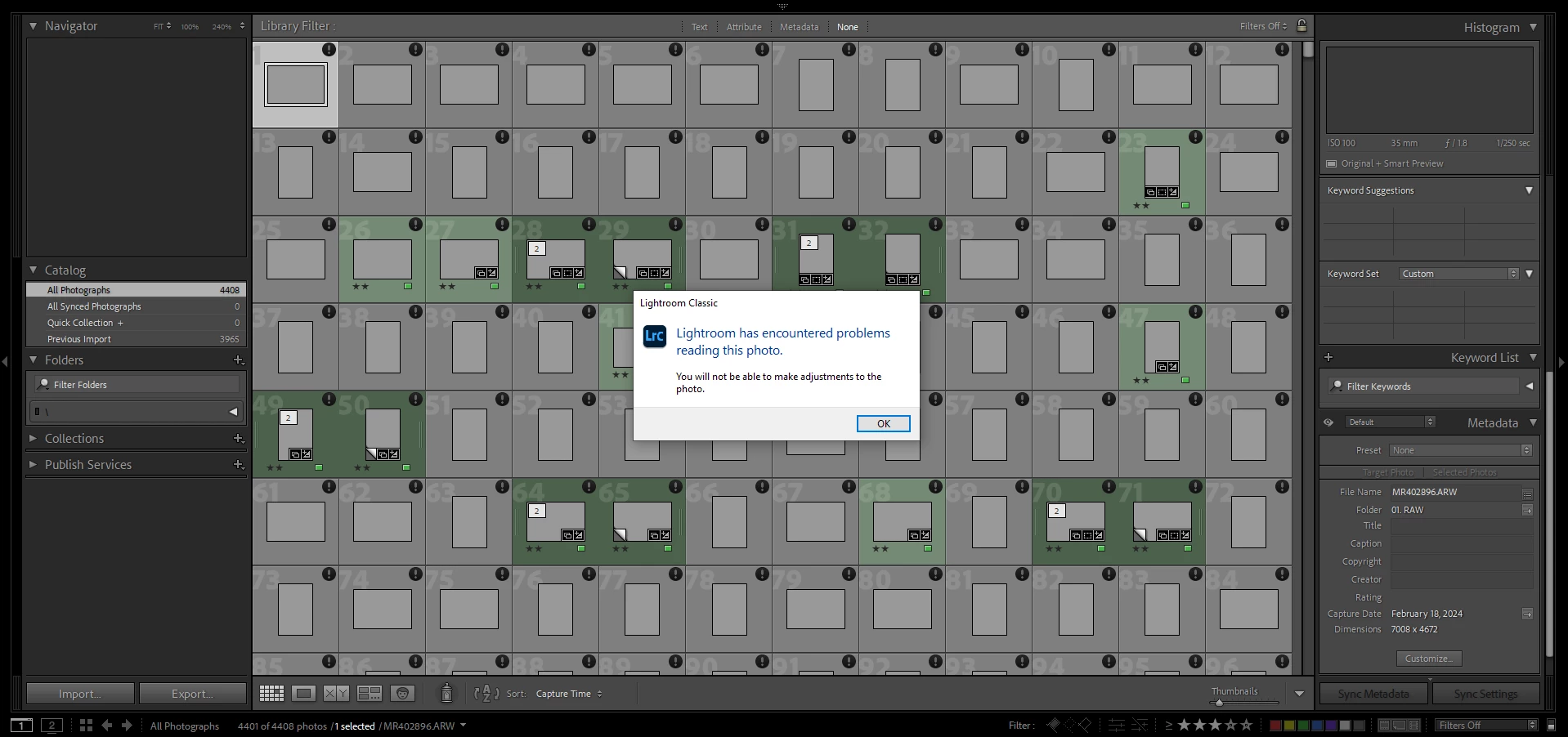
 

This topic has been closed for replies.

2 replies

JohanElzenga
Community Expert
Community Expert
February 28, 2024

The 'Original + Smart Preview' suggests that the folder '01. RAW' that is supposed to contain the originals is present, but most likely does not really contain original images, so Lightroom Classic chokes on what it does contain. How did the client sent this catalog to you? Was it perhaps via a link to some cloud storage? If that case the explanation could be that the folder contains links to online images, but Lightroom Classic can't work with that. Removing the folder should solve it, because then Lightroom Classic will start to use the smart previews (providing these are not just links as well...).


-- Johan W. Elzenga
kleinski
kleinskiAuthor
Participating Frequently
February 28, 2024

Hi, thank you for the informative reply. Yes, it was sent via Cloud storage server (NAS) it's his own Synology drive server. I noticed that the 'previews.lrdata' folder only has 236kb size. I usually get around the 500mb+/- size for that folder. I tried deleting it and still it shows the same problem. But I can still edit the photos in Develop module but then all the previews are unavailable. Is there an option in LR that I can turn-off the Original and use Smart Previews only even in Library module? 


JohanElzenga
Community Expert
Community Expert
February 28, 2024

Did you try to delete the 'previews.lrdata'? It may be corrupted so deleting it and letting Lightroom rebuild it may do the trick.


-- Johan W. Elzenga
Per Berntsen
Community Expert
Community Expert
February 28, 2024

The exclamation mark in a black circle means that the file is damaged or cannot be read.

Are you able to edit the files in Develop?


kleinski
kleinskiAuthor
Participating Frequently
February 28, 2024

Yes, I can but the previews are not loading. All images except the one that is selected are grayed out.