
Question
Softproof - Lightroom vs. Photoshop
Hi,
When I enable softproofing in Lightroom, I get a completely different result than when I am doing the softproof in Photoshop (see below). The profile that I am using for soft proofing is the following: http://www.saal-digital.at/fileadmin/downloads/softproof/SaalDigital_SoftProof_Fuji.zip
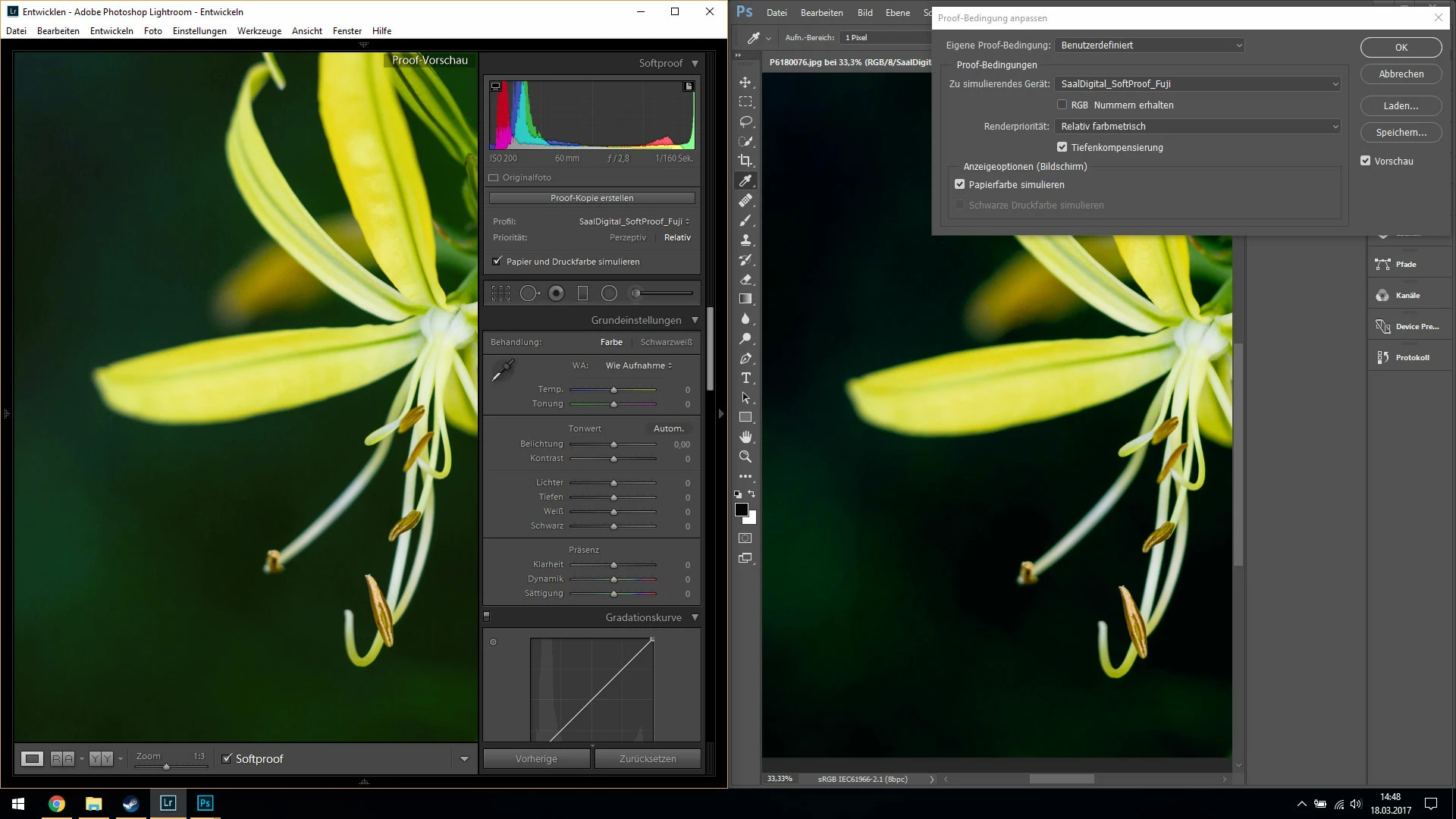
When soft proofing is disabled, the image looks exactly the same in Photoshop and Lightroom.
The hardproof is very close to the Photoshop softproof (i.e., far darker than the Lightroom softproof). I am using Lightroom 2015.9 and Photoshop 2017.0.1 on Windows 10 (CPU: Intel Core i7, GPU: Intel 4000 & Nvidia 650m). Does anyone have an idea what might cause this difference?
Thanks,
Christian
 AdChoices