
Some folders being incorrectly displayed following import
Hi, I have a problem with my Lightroom Classic (latest version) catalogue.
I have imported (moved) a heap of photos into LRC with the date format folder structureYear/Month. The photos are on an external SSD and when viewed in Finder are correctly organised by Year and the sub folders of 1-12 for each month, assuming there are photos in each month of each year. I have photos dated 2001 through to 2021
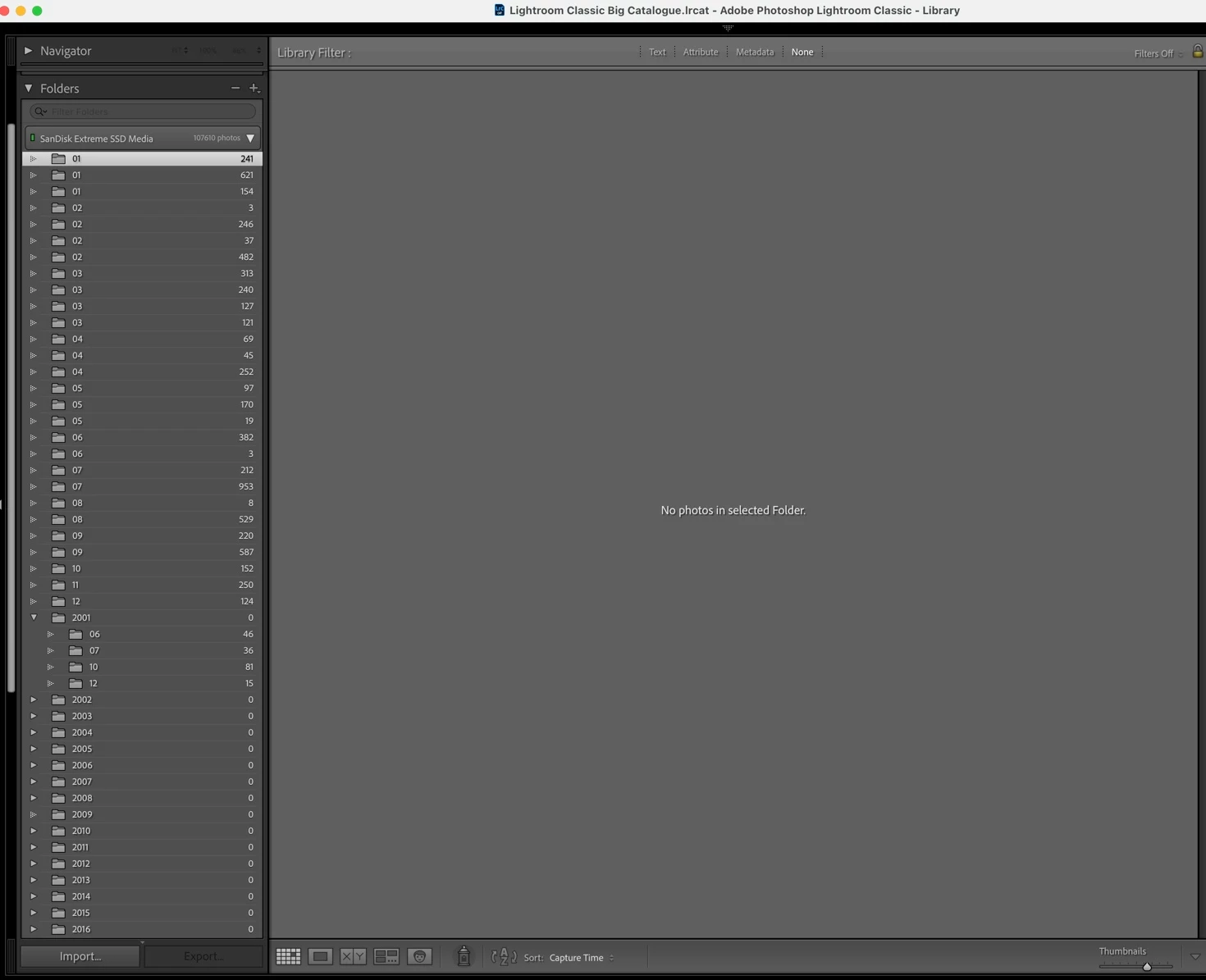
My All photographs view and count all seems fine. However, in the Folders section, I have 28 odd month folders (see screenshot) above where they have not been sorted into the correct year. On most of these, whilst there is a visible photo count, no photos appear when i selct on that folder. If I open the folder in Finder, then I can see the folder is in the correct year structure on the SSD and that there are photos in there too. I can locate the photos in Finder / All photos, but not in the Folders section.
Also, if i try and delete one of these folders (such as the one '02' with 3 photos in it (fourth folder down in the screenshot) then it will nto delete. No dialog box, nothing. If i right click and 'show in finder' it all looks fine, being located in the correct year folder.
One last thing, If i try the 'Show parent folder' then I get this error popup/message...
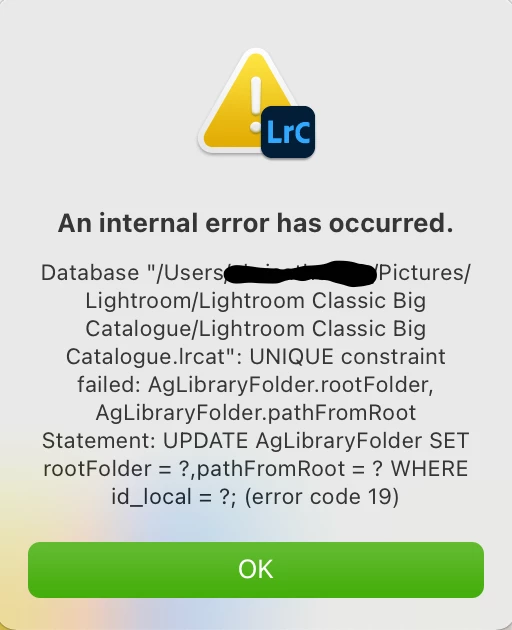
Any ideas what I can do with these 28 odd folders?
 AdChoices