
Spine in Book Module
I've done dozens of hardcover books and had them printed at Blurb with great success.
In the past the thickness of the spine was always the right size in that it would vary with the number of pages. I have been able to adjust the font sizes used based on how thick the Book Module would show the spine would be--the more pages in the book, the larger the font size could be; the fewer the pages, the smaller the font sized would need to be. It always worked. Except now it doesn't. And what happens?
I just got a book back from Blurb and the spine is about twice as big as it should be, based on the number of pages in the book. This just ain't right.
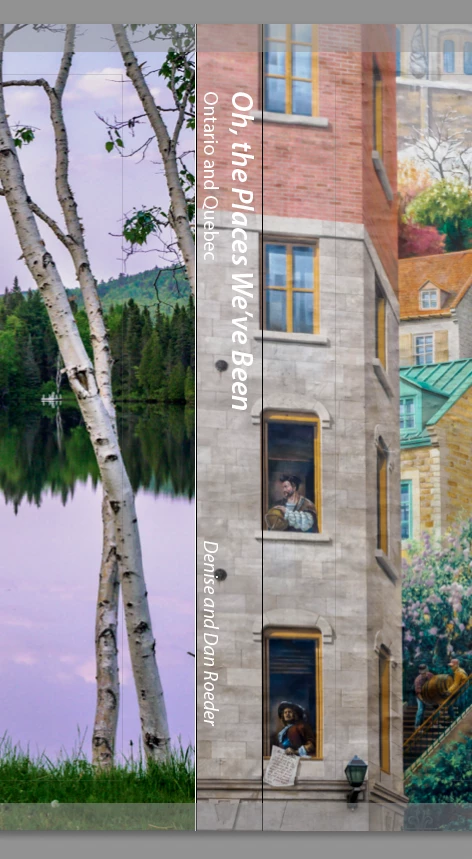
This is what the book spine looks like in LrC Book Module
This is what the book looks like from the side, showing the spine and pages:
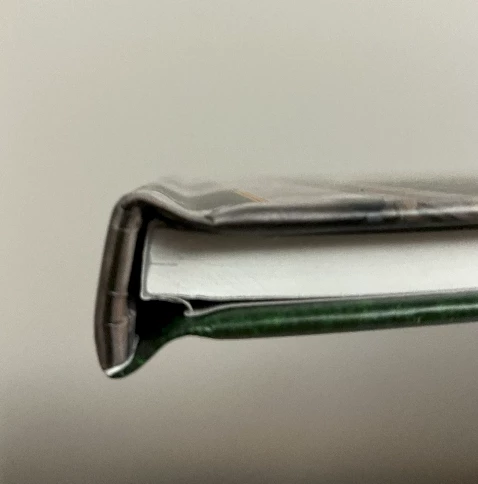
That don't look right. And something tells me Blurb would tell me they just printed what was uploaded. I'm not sure what I would change in LrC Book to fix it (and be confident that it would work).
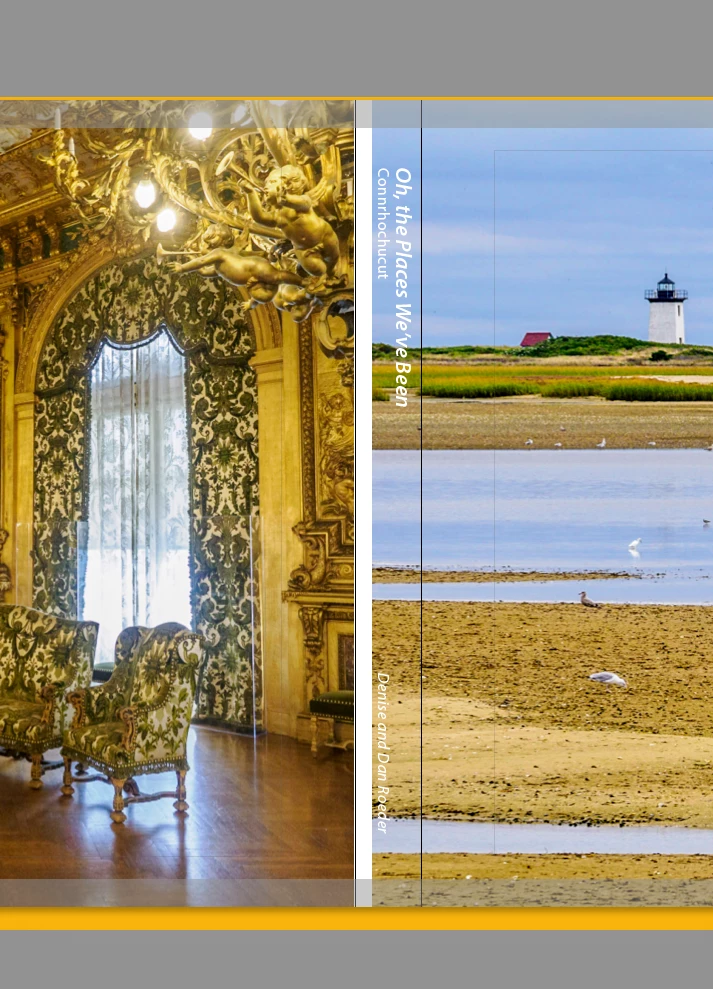
Is it a bug in LrC or a problem at Blurb? My guess is it's a bug in LrC. I went back to the last book I printed (about a year ago) to see what font sizes I used (it was one of the smaller hardcover book I have done). Now in the Book Module shows extra white space where the spine is. It didn't look this way when I created the book. There was no white space in the spine. Who would create a book with a spine that looked like that?
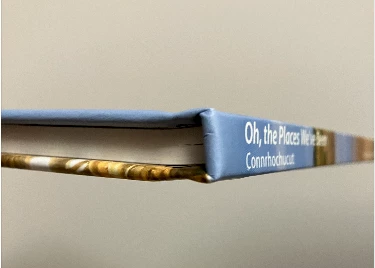
Here is the book that was printed--no white space on the spine and the spine is just the right size.
I sure would llike to see this fixed.
Dan Roeder
LrC 12.5
Operating system: Mac OS 13
Version: 13.5.2 [22G91]
 AdChoices