
Step-by-Step Create New Catalog with Existing LR & New Imports
I am trying to identify how to create a 2nd LR Catalog. I did a good amount of reading and understand the potential hazards of having more than one LR Catalog. The reason for this is because I want to separate my personal photography from professional. Currently I have personal and professional images on my Catalog. Moving forward, I will refer to them as the ProCatalog (current catalog) & PersCatalog (new catalog).
The PersCatalog will consist of images from the ProCatalog and images on an external HD. So there are two steps: (A) I want to permanently move all personal images from the ProCatalog to the PersCatalog and (B) import images from an external HD. Step B is easy since the images are not in LR. Note that the Catalogs will be located on completely separate external HDs. Below, I've listed the steps to create a new and separate Catalog.
(1) File
(2) New Catalog, identify location where the Catalog will be saved
(3) Name the new Catalog, save
(4) From here LR closes and opens with the new Catalog (which should be empty)
(5) Importing
(5a) Importing photos (not in LR) is standard
(5b) How do you import/move images in the ProCatalog to the PersCatalog
Could someone please fill in the steps on how to move images from the ProCatalog to the PersCatalog? Once I move them to the PersCatalog, I do not want them in the ProCatalog.
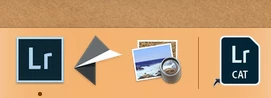
Once this is completed, I want to know how to create a short cut on my desktop to the PersCatalog. See attached image for shortcut to current Catalog. This way, I have a shortcut for both Catalogs.
System:
Lightroom Classic CC, Ver 8.0
macIOS Mojave, Ver 10.14.2
Thank you,
 AdChoices