
Inspiring
February 5, 2019
Pregunta

Step-by-Step Create New Catalog with Existing LR & New Imports

  • February 5, 2019
  • 4 respuestas
  • 2942 visualizaciones

I am trying to identify how to create a 2nd LR Catalog. I did a good amount of reading and understand the potential hazards of having more than one LR Catalog. The reason for this is because I want to separate my personal photography from professional. Currently I have personal and professional images on my Catalog. Moving forward, I will refer to them as the ProCatalog (current catalog) & PersCatalog (new catalog).

The PersCatalog will consist of images from the ProCatalog and images on an external HD. So there are two steps: (A) I want to permanently move all personal images from the ProCatalog to the PersCatalog and (B) import images from an external HD. Step B is easy since the images are not in LR. Note that the Catalogs will be located on completely separate external HDs. Below, I've listed the steps to create a new and separate Catalog.

(1) File

(2) New Catalog, identify location where the Catalog will be saved

(3) Name the new Catalog, save

(4) From here LR closes and opens with the new Catalog (which should be empty)

(5) Importing

     (5a) Importing photos (not in LR) is standard

     (5b) How do you import/move images in the ProCatalog to the PersCatalog

Could someone please fill in the steps on how to move images from the ProCatalog to the PersCatalog? Once I move them to the PersCatalog, I do not want them in the ProCatalog.

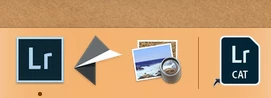
Once this is completed, I want to know how to create a short cut on my desktop to the PersCatalog. See attached image for shortcut to current Catalog. This way, I have a shortcut for both Catalogs.
System:

Lightroom Classic CC, Ver 8.0

macIOS Mojave, Ver 10.14.2

Thank you,

    Este tema ha sido cerrado para respuestas.

    4 respuestas

    dj_paige
    Legend
    February 5, 2019

    Hey, rafaeld40474899​, whatever you decide to do, make backups of everything before you start.

    dj_paige
    Legend
    February 5, 2019

    rafaeld40474899  wrote

    I am trying to identify how to create a 2nd LR Catalog. I did a good amount of reading and understand the potential hazards of having more than one LR Catalog. The reason for this is because I want to separate my personal photography from professional. Currently I have personal and professional images on my Catalog. Moving forward, I will refer to them as the ProCatalog (current catalog) & PersCatalog (new catalog).

    The PersCatalog will consist of images from the ProCatalog and images on an external HD. So there are two steps: (A) I want to permanently move all personal images from the ProCatalog to the PersCatalog and (B) import images from an external HD. Step B is easy since the images are not in LR. Note that the Catalogs will be located on completely separate external HDs. Below, I've listed the steps to create a new and separate Catalog.

    (1) File

    (2) New Catalog, identify location where the Catalog will be saved

    (3) Name the new Catalog, save

    (4) From here LR closes and opens with the new Catalog (which should be empty)

    (5) Importing

         (5a) Importing photos (not in LR) is standard

         (5b) How do you import/move images in the ProCatalog to the PersCatalog

    Could someone please fill in the steps on how to move images from the ProCatalog to the PersCatalog? Once I move them to the PersCatalog, I do not want them in the ProCatalog.

    You can't "move" images from catalog to catalog.

    Since the current state is that all images are in a single catalog file ... you duplicate that catalog file, just make a copy of it in your operating system, put it in a new folder and rename the copy to whatever you'd like. Now you have two identical catalogs (with different file names, in different folders).

    Open the catalog you'd like to have your Personal photos, delete the professional photos from the catalog (but not from the hard disk).

    Open the catalog you'd like to have your Professional photos, delete the personal photos from the catalog (but not from the hard disk).

    Done.

    Inspiring
    February 6, 2019

    DJ,

    If I duplicate the catalog and follow the steps you suggested, will all of the files remain in their original location?

    The current configuration is that all of the photos for the catalog are on one external array. When I split the catalog, the ProCatalog will remain in its current location. The PersCatalog will go to a separate external array. I do not want all of the photos for both catalogs on  one external array. I want each array to contain only the information pertaining to its own catalog. For example, ProCatalog (and all affiliated professional images) reside on Array 01 and PersCatalog (and all affiliated personal images) resides on Array 02.

    Rafael

    Inspiring
    August 10, 2019

    As far as I know, the .lrdata files need to appear to LR at the same location within the file system, where the Catalog file is.

    The easiest and most robust way, is IMO to simply move this all as a unit. There is an option for symbolic links (OS dependent) such that the physical storage location gets "spoofed", so that things actually held in separate drives, appear to sit under one common parent folder: but this is in my opinion perhaps a little over-clever and adds complexity which might be hard to trouble-shoot in the event of a problem.

    Provided the interface used to connect these external drives offers good data throughput, I would expect having the Catalog and previews on an external drive will likely be fine. LR is very computation-intensive employing a separate ACR Cache, building Develop previews on the fly, so the responsiveness of adjustment sliders in Develop is unlikely to be affected by where your Catalog and your Library previews live. But stepping through images in Library does make intensive use of the previews so that will be where it bites you first, e.g. if the communications with the external drive are a performance bottleneck. The best thing is probably to simply try it.

    Catalogs can be moved freely from one location to another, without disrupting the validity of all the imported image paths held within.


    When I split the catalog, I exported the photos associated to ProCatalog as a separate catalog (File -> Export as Catalog). I now have all of the photos, Previews (Irdata), Smart Previews (Irdata) and Ircat file in the RAID-ProCatalog.

    Normally, i would launch the Ircat file and I'd be done. However, where will the Backup for this new catalog appear? I do not want it on my home drive. As i mentioned before, i want to place it on a separate drive (not home drive or RAID-ProCatalog drive).

    Regards

    Community Expert
    February 5, 2019

    Simply put, the safest way is to keep your current single catalog and related storage folders as they are (at least for a while, until you are confident things are OK), and create two fresh catalogs and related separate storage folder sets out of that.

    Decide whether you want to continue with your current files location, for one of your two ongoing libraries (say, they will now become your "Pro" library). If so, then you will export-as-catalog-with-negatives selected "Pers" images onto a different drive, as below. Then you can either remove/delete unwanted images from what remains behind; or, you can export-as-catalog-without-negatives the wanted photos only.

    Otherwise, you might first export-as-catalog-with-negatives the "Pers" images to one drive, [***as below***], then export-as-catalog-with-negatives the "Pro" images to another drive in the same way... accepting that some images may feature in both operations. And then you'd take your current catalog out of use, and in due course empty that - cleaning out the related images from wherever they currently are - and then delete this prior catalog.

    [***Highlight all the images that you want in a different catalog. "Export as Catalog" supplying a brand new name and folder location on external drive X. Check (at least) the option "selected photos only".

    If you also check "include negatives", LR makes a new set of folders inside the target location, as required in order to reflect the same relative arrangement that you currently see, so far as just those photos are concerned. And it copies those photos into there, and it creates a Catalog which has got them all already imported, organised and edited just the same as you currently see them in your single catalog. But fully independent of that.

    If you do not check "include negatives" no photos are copied: the new Catalog shares your current images wherever they are, with your prior catalog. This new Catalog shows only those selected photos that you asked to be included. This is equivalent to saving a copy of the Catalog, opening it and then Removing unwanted photos***]

    AxelMatt
    Community Expert
    Community Expert
    February 5, 2019

    If I understand you right you will merge two catalogs in one.

    Please take a look here :https://www.lightroomqueen.com/lightroom/catalogs/merging/

    There are several articles about merging catalogs.

    My System: Intel i7-8700K - 64GB RAM - NVidia Geforce RTX 3060 - Windows 11 Pro 25H2 -- LR-Classic 15 - Photoshop 27 - Nik Collection 8 - PureRAW 6 - Topaz Photo AI
    Inspiring
    February 5, 2019

    I am not merging two catalogs. I am splitting a catalog into two.

    When I split the catalog, I want to make sure all of the image files remain with their respective catalog.

    AxelMatt
    Community Expert
    Community Expert
    February 5, 2019

    Ok. Sorry for the misunderstanding. In this case I agree with Richard's answer.

    My System: Intel i7-8700K - 64GB RAM - NVidia Geforce RTX 3060 - Windows 11 Pro 25H2 -- LR-Classic 15 - Photoshop 27 - Nik Collection 8 - PureRAW 6 - Topaz Photo AI